.png&w=1280&q=75)
You walk into a coffee shop and notice the barista juggling orders — that's your home WiFi on a busy night. I learned this the hard way when my video call, smart lights, and a 4K stream all demanded attention. After swapping an old router for a UniFi unit and testing a few Amazon picks, the difference was obvious. This post guides you through WiFi 7 basics, a hands-on look at the UniFi 7 Pro, and practical Amazon buys across budgets. Expect candid takeaways, a couple of tangents, and real-world tips you can use right away.
WiFi 6 vs WiFi 7: Key Differences and Performance
When you compare WiFi 6 vs WiFi 7, you’re really comparing “fast enough for most homes” to “built for the next wave of devices.” On Amazon, that matters because you can pair budget basics (like a simple gigabit adapter) with a true next-gen access point like the Ubiquiti UniFi 7 Pro—and actually feel the difference when your phone, laptop, or VR headset supports WiFi 7.
Why WiFi 7 matters: 320 MHz Channels, Multi Link Operation, and 4K QAM
WiFi 7 improves speed and responsiveness using a few big upgrades:
- 320 MHz Channels: Think of this as doubling the “road width” compared to WiFi 6E’s 160 MHz. Wider channels can push more data at once, which is a direct boost to WiFi 7 Speeds.
- Multi Link Operation (MLO): Your device can use multiple bands at the same time (like 5 GHz + 6 GHz Band) to reduce lag and avoid congestion.
- 4K QAM: Tighter data packing than WiFi 6, helping increase throughput when your signal is strong.
- Channel puncturing: Helps the network “work around” interference inside a wide channel instead of giving up the whole lane.
Dr. Maya Alvarez, Network Researcher: "WiFi 7's MLO and 320 MHz channels are game-changers for high-density homes and small offices — but expect most real-world gains to appear where client devices support the new features."
Theoretical vs real-world: what speeds should you expect?
On paper, WiFi 7 is a huge leap. Theoretical WiFi 7 max is up to 46 Gbps, while WiFi 6 tops out at 9.6 Gbps. That’s where the “up to 4.8x faster” claim comes from.
In real homes, your results depend on your client devices, wall materials, and how crowded your airspace is. Real-world testing often reports up to ~3 Gbps on the 6 GHz band at close range with the right gear. In lab-style comparisons with identical radio setups, WiFi 7 is often around ~2.4x faster than WiFi 6.
| Metric | WiFi 6 | WiFi 7 |
|---|---|---|
| Theoretical maximum | 9.6 Gbps | Up to 46 Gbps |
| Top real-world reports (close range) | Varies widely | Up to ~3 Gbps on 6 GHz |
| Channel width highlight | Up to 160 MHz (6E) | 320 MHz Channels |
Short-range reality check: the 6 GHz Band is fast, but it doesn’t travel as far
The 6 GHz Band is where WiFi 7 really shines: cleaner air, wider channels, and less interference. The tradeoff is range—6 GHz usually drops faster through walls and floors. That makes WiFi 7 amazing for dense apartments, single-floor homes, and small offices, but you may still need smart AP placement (or multiple APs) for larger multi-floor spaces.
A quick analogy: wider highways + parallel express lanes
320 MHz is like widening a highway so more cars can drive side-by-side. Multi Link Operation is like adding parallel express lanes that your traffic can hop between when one lane gets jammed. Together, you get higher throughput and lower latency—especially in busy networks with lots of devices.
UniFi 7 Pro (U7-Pro-US): Hands-on, Setup, and Real Use
What the UniFi 7 Pro Access Point brings to your network
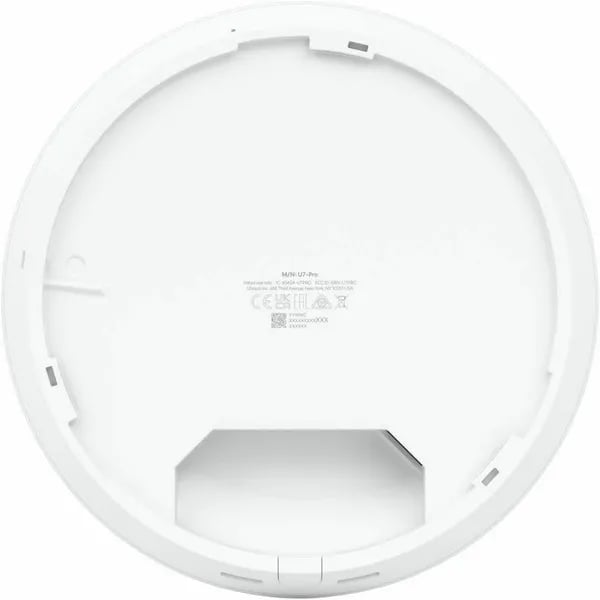
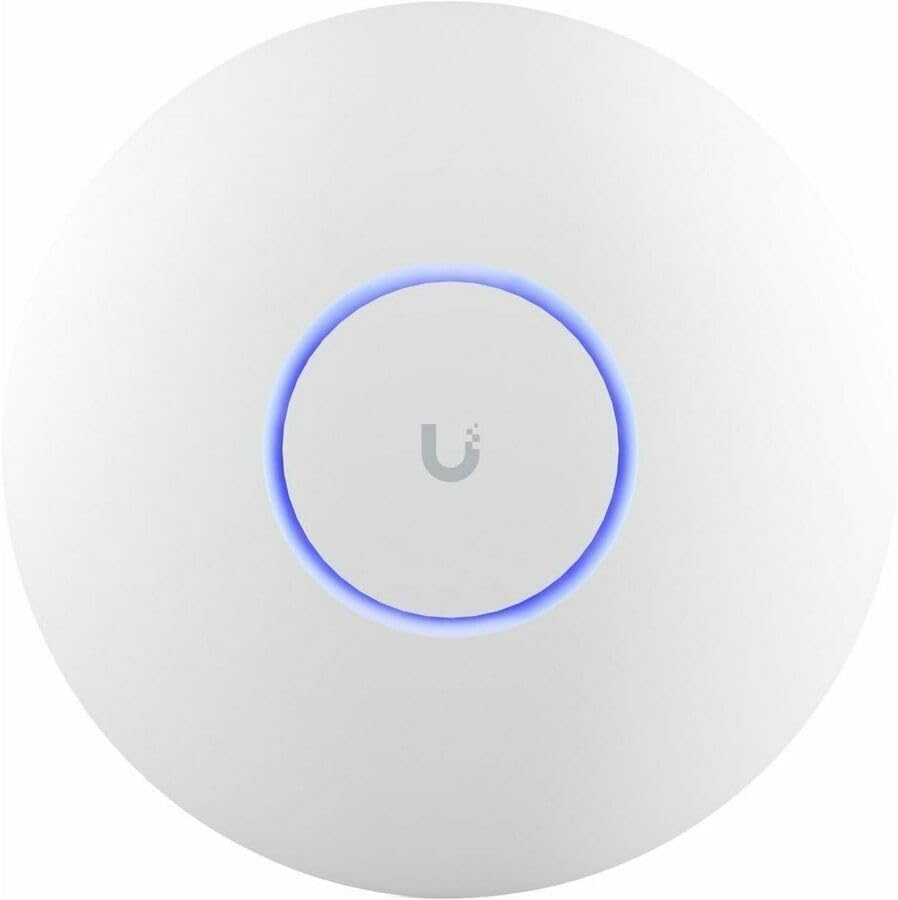
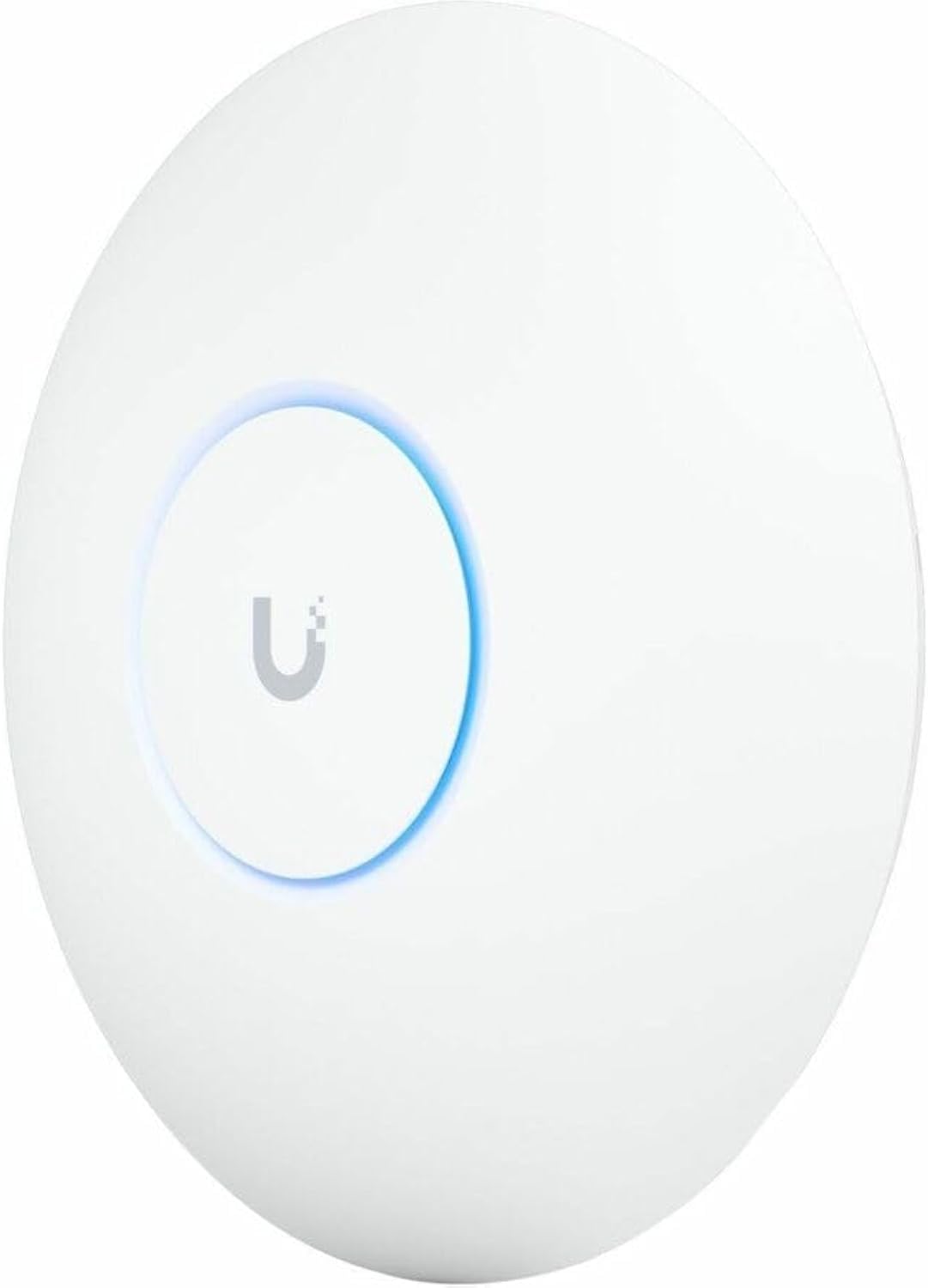
If you want a clean, modern Access Point that’s ready for the next wave of Client Devices, the UniFi 7 Pro (U7-Pro-US) is built for that job. You get WiFi 7 plus 6 GHz support, six spatial streams, and a discreet, antenna-free look that doesn’t scream “network gear.” The 1.8-inch white design blends into ceilings and walls, and the metal mounting base adds durability while helping with heat dissipation during heavy use.
Even if you’re not running a full WiFi 7 Router setup yet, this AP is designed to deliver strong performance with mixed generations of devices—so your WiFi 6 laptops and phones can still benefit right away.
Price and setup reality (what you actually need)
On Amazon, the U7-Pro-US is commonly listed around $187, which is a strong value for WiFi 7. The key detail: it requires PoE+, and the PoE+ injector is usually sold separately for about $26. If you already have a PoE+ switch, you can skip the injector—otherwise, plan for that extra cost.
- AP price: ~$187
- PoE+ injector (if needed): ~$26 (sold separately)
Setup is simple: mount it, plug in Ethernet + PoE+, then open the UniFi app. Adoption is typically quick, and the controller handles a lot of the “busy work,” including automatic channel optimization. You can also create VLANs, guest networks, and separate SSIDs (like a dedicated 2.4 GHz WPA2 network for smart home gear) without digging through confusing menus.
Alex Mercer, IT Consultant: "The UniFi controller app makes managing multiple APs pleasantly boring — everything just works and scales without micro-managing settings."
Real use: WiFi 7 speeds, coverage, and stability
In real homes and small offices, users consistently praise the UniFi 7 Pro for stable performance and easy expansion inside the UniFi ecosystem (especially with Dream Machine setups and UniFi Protect). Coverage reports can reach up to 6,000 sq ft in ideal conditions, and mixed-device environments have reported top throughput up to 1.4 Gbps—even when many devices aren’t WiFi 7 yet.
One honest theme in reviews: you may not see a dramatic latency drop versus WiFi 6 right away. But most buyers still call it a future-proof investment, especially as more WiFi 7 client devices show up. That sentiment matches its strong reputation: 4.6 stars across 420+ global reviews.
| Spec / Data Point | What you can expect |
|---|---|
| Model | U7-Pro-US |
| Wireless | WiFi 7 + 6 GHz |
| Reported coverage | Up to ~6,000 sq ft (user reports) |
| Reported mixed-device top speeds | Up to ~1.4 Gbps |
| Rating | 4.6 stars (420+ reviews) |
Amazon Networking Picks: From $11 Adapters to $499 Gateways
If you’re planning a WiFi 7 Upgrade, Amazon makes it easy to build your setup in layers—starting with simple wired fixes and scaling up to business-grade gear. You’ll see clear pricing, specs, and review volume across Amazon Networking listings, so you can compare fast without guessing.
Budget Fix: $11.99 Amazon Basics Gigabit Adapter (Simple Wired Speed)
When you just need reliable wired internet for a laptop or mini PC, the Amazon Basics USB 3.0 to 10/100/1000 Gigabit Ethernet Adapter at $11.99 is the no-drama pick. Plug it in, get gigabit, and move on. It’s not flashy, but it’s a smart first step before you spend bigger on an Access Point or gateway.
Mesh on a Budget: Zyxel WiFi 6 AX1800 Access Point ($59.99)
If you want better coverage without jumping straight to WiFi 7, the Zyxel WiFi 6 AX1800 Access Point at $59.99 is a strong value. It’s a practical WiFi 6 Comparison option when you’re weighing cost vs. real-world gains.
- Mesh networking support for expanding coverage room-by-room
- WPA3 security for modern device protection
- Flexible power: PoE+ or AC (handy if you don’t have a switch yet)
- Cloud/app management so you can tweak settings without a rack of gear
WiFi 7 Sweet Spot: Ubiquiti UniFi 7 Pro (~$187) + PoE Planning
For many homes and prosumers, the Ubiquiti UniFi 7 Pro around $187 is the standout Amazon-friendly upgrade path. You get a modern WiFi 7 Upgrade with 6GHz support and UniFi’s strong app/controller tools for monitoring, guest networks, and VLANs.
Just remember the power detail: it needs PoE+, and the injector is often separate (around $26). That extra cost matters when you’re comparing listings.
Priya Singh, Home Networking Blogger: "I often buy from Amazon because the spec sheets and review volume make cross-comparison painless — but don't forget to factor in extras like PoE injectors or VPN subscriptions."
Privacy Pick: Aircove Wi‑Fi 6 VPN Router ($189.90)
If your priority is privacy and simple whole-home protection, Aircove is marketed for exactly that. At $189.90, it’s a Wi‑Fi 6 router often bundled with a 30-day ExpressVPN trial for U.S. users—useful if you want VPN coverage across many devices without installing apps everywhere.
Small Business Power: HPE Instant On SG2505P Gateway (~$499.99)
When you need more control than a typical home router, the HPE Networking Instant On Secure Gateway SG2505P at about $499.99 brings a 2.5G smart-managed gateway plus PoE for powering compatible devices. It’s a serious step up for small offices that want cleaner management and fewer bottlenecks.
Why Amazon Pricing + Reviews Help You Choose Faster
Amazon listings make side-by-side shopping simple: you’ll commonly see price points like $11.99, $59.99, $187, $189.90, and $499.99 (plus other common midpoints like $112.19, $149.99, $154, and $226). You can also lean on review counts (often 43 to 421+), Prime eligibility, and extended holiday returns (sometimes through Jan 31, 2026) to buy with less risk.
Buyer's Guide & Quick Setup Tips for Real-World Gains
Upgrade Guide: Buy what actually unlocks a WiFi 7 Upgrade
Amazon makes it easy to compare gear by price, specs, and reviews, but your best “upgrade” depends on what you’re fixing. If you just need stable wired speed for a laptop, a simple Amazon Basics gigabit adapter can solve it fast. If you want modern wireless headroom, the UniFi 7 Pro is the sweet spot for 2024–2025: strong coverage, WiFi 7 with 6GHz support, and a controller that scales as your home fills with Connected Devices. Just remember the practical detail many buyers miss: it needs PoE+, and the injector is usually separate (about $26), so budget for it.
Quick setup that improves speed more than specs
Mounting and placement matter as much as the access point. Aim for line-of-sight where possible, keep it away from thick walls and metal, and place it near the center of the space you actually use. Then set your bands with intent: dedicate a 2.4GHz WPA2 SSID for IoT and older smart gear, and keep your high-bandwidth devices (new phones, laptops, consoles) on 5GHz/6GHz. This is where Channel Bandwidth choices pay off—wider channels can boost peak throughput, but in busy neighborhoods you may get better real-world stability by stepping down to reduce interference.
Liam O'Connor, Network Admin: "Upgrading hardware is only half the battle — placement, firmware updates, and client compatibility determine whether you'll actually notice faster speeds."
Latency Reduction: set expectations, then tune for wins
WiFi 7 can help, but Latency Reduction is often modest if your phones and laptops are still WiFi 6. You’ll feel the biggest gains when your client devices also support WiFi 7 and 6GHz. Still, you can improve responsiveness today by keeping gaming and work devices on the cleanest band, updating firmware, and avoiding overcrowded channels. If you’re mixing brands, be careful: a uniform ecosystem (like UniFi) usually makes roaming, updates, and troubleshooting simpler.
Security & management: use the UniFi tools (or go VPN-first)
In the UniFi app, turn on WPA3 where you can, create a guest network, and use VLANs to separate trusted devices from smart home gear. UniFi’s monitoring, automatic channel optimization, and features like rogue AP protection help you keep control as your network grows. If your priority is “always-on privacy” without extra setup, consider a router like Aircove for integrated VPN coverage across devices.
Wild card: weekend LAN nights (make the UniFi 7 Pro your maître d’)
If you host friends, treat your network like a seating plan: prioritize gamers on the cleanest, lowest-latency lane, and push streaming boxes and downloads onto 6GHz so they don’t crowd the room. That simple split often feels like a bigger upgrade than chasing headline speeds.
Finally, Amazon’s transparent pricing and logistics make testing less risky—check Prime eligibility and the extended holiday return window through January 31, 2026. That flexibility lets you try a WiFi 7 Upgrade, validate coverage in your real space, and keep what delivers measurable gains.



