.png&w=1280&q=75)
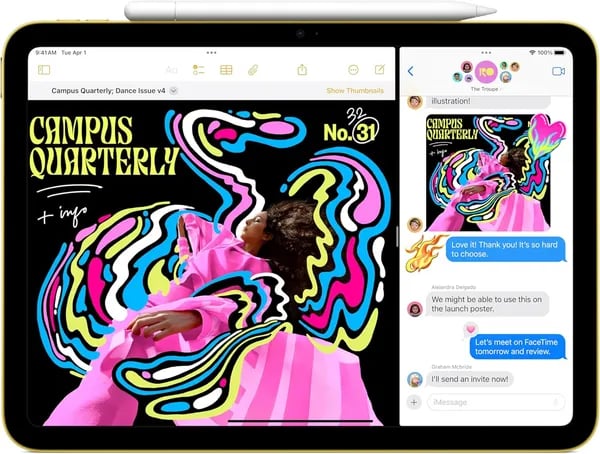
Picture this: you’re on a cramped morning train, sketching a quick concept with the Apple Pencil while a podcast hums in the background. The 11-inch Liquid Retina display remains readable under harsh station lights, the A16 Chip keeps apps from stuttering, and—best of all—your bag doesn’t feel heavier. That commuter moment is why the Apple iPad 11 (MD3Y4LL/A) matters. This outline walks you through specs, real-world use, and buying tips in plain, slightly opinionated second-person voice—you’ll get practical takeaways, a couple of small tangents, and one wild hypothetical near the end.
1) Quick specs & first impressions (Technical Specifications)
The Apple iPad 11 (model MD3Y4LL/A) first released on March 4, 2025, and it immediately feels like a “just right” tablet: big enough for work and play, yet easy to carry. You’re getting a clean aluminum build, iPadOS 18 out of the box, and the kind of speed you notice the moment you start opening apps.
Liquid Retina Display: sharp, bright, and comfortable
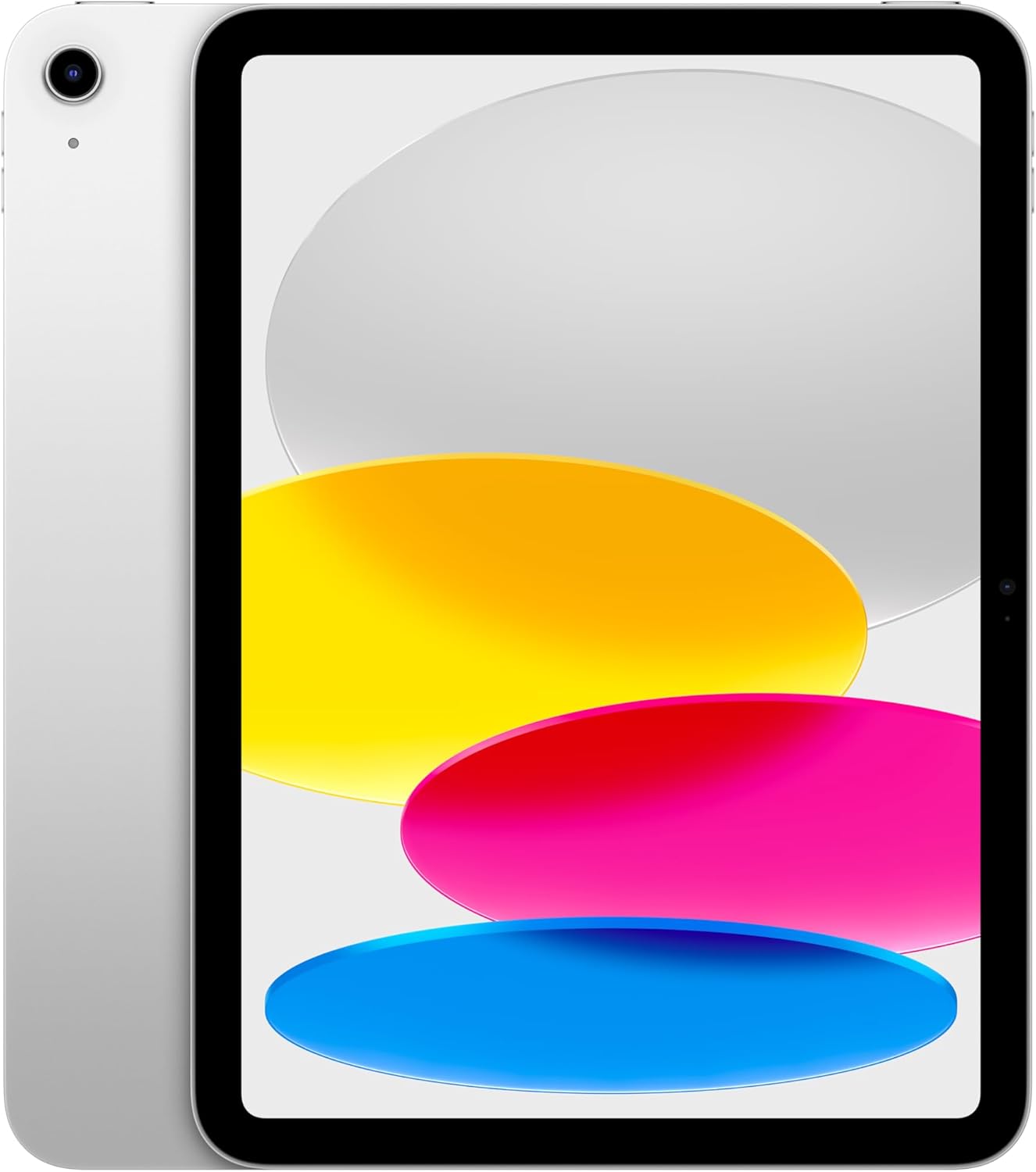
The 11-inch Liquid Retina Display is a highlight for everyday use—scrolling, reading, sketching, and streaming all look crisp. With a 2360x1640 Resolution at 264 ppi, plus True Tone and up to 500 nits brightness, it stays clear indoors and holds up well in brighter rooms.
A16 Chip performance (and 6GB RAM) you can feel
Inside, the A16 Chip brings fast launches and smooth multitasking, backed by 6GB RAM across models. It’s built with a 5-core CPU, 4-core GPU, and a 16-core Neural Engine, so games run fluidly and creative apps feel responsive when you’re editing photos or working with layers.
Cia: “Premium build and vibrant Liquid Retina—this feels like an upgrade worth paying for.”
Spore: “A16 performance keeps everything smooth, whether I’m gaming or editing photos.”
Storage options that fit how you use your iPad
You start at 128GB (a solid base for apps, schoolwork, and downloads), with upgrades to 256GB or 512GB if you keep larger video files or lots of creative projects.
Portable build + USB-C Port and essentials
At just 1.05 pounds (477g) and 9.79 x 7.07 x 0.28 inches, it’s easy to hold and travel with, and the aluminum alloy frame feels sturdy. The USB-C Port supports DisplayPort output up to 4K, and you also get Touch ID in the top button. In the box: a USB-C cable and a 20W power adapter.
Connectivity basics
- Wi‑Fi 6 (802.11ax) for fast, stable streaming and downloads
- Bluetooth 5.3 for accessories
- Wi‑Fi model standard; eSIM available on Wi‑Fi + Cellular configurations
2) Real-world use: productivity & creativity (Apple Pencil & iPadOS)
iPadOS 18 makes your Apple iPad 11 feel like a real work tool
With iPadOS 18, your Apple iPad 11 is built for the way you actually work: switching fast, staying organized, and doing more than one thing at a time. You can run multiple apps side-by-side—so you can read sources in Safari while you type notes in Pages, or keep Messages open while you build slides in Keynote. It’s a simple setup that makes studying, planning, and content work feel smoother and less “stop-and-start.”
And because there are 1,000,000+ iPad apps on the App Store, you’re not stuck with “tablet versions” of tools—you can find serious apps for writing, design, photo editing, and project planning.
Apple Pencil Support: notes, sketches, and Scribble anywhere
Apple Pencil Support is where this iPad becomes a creativity machine. You get extra flexibility because it works with both Apple Pencil (USB-C) and the Apple Pencil 1st generation. That means you can choose the Pencil you already own—or pick the one that fits your budget—without losing the core experience.
- Precise note-taking for classes, meetings, and to-do lists
- Scribble lets you handwrite in any text field and have it turn into typed text
- Drawing and markup for diagrams, storyboards, and quick edits
Picture yourself annotating lecture slides live—circling key points, adding arrows, and writing reminders in the margins—then exporting and sharing in seconds. Or imagine quickly retouching a photo, marking changes with the Pencil, and sending it off before the moment passes.
Magic Keyboard Folio turns it into a laptop-style setup
Add the Magic Keyboard Folio and your iPad shifts into a travel-friendly workstation. Its two-piece magnetic design makes it easy to attach, adjust, and pack up fast—great for students, writers, and anyone working on the go. Pair that with 128GB Storage, and you have room for documents, projects, and creative files without constantly juggling space.
$ailorMom (Nov 24, 2025): "The all-day battery, Wi-Fi 6, and ample 128GB storage deliver excellent value for both casual and power users."
3) Cameras, battery & connectivity (12MP Wide Camera, Wi‑Fi 6)
12MP Wide Camera + Center Stage Camera: clear shots, better calls
With the Apple iPad 11, you get a simple but strong camera setup that fits real life—school, work, and content creation. The rear 12MP Wide Camera (ƒ/1.8) includes a True Tone flash and records sharp 4K video, so you can capture presentations, scan documents, or film quick clips without fighting blurry results. Research and user feedback line up here: the 12MP cameras on both sides deliver solid video call quality and dependable recording.
On the front, the 12MP Center Stage Camera is a big win if you live on FaceTime, Zoom, or Google Meet. Center Stage keeps you in frame as you move, which feels more natural when you’re explaining homework, presenting a project, or chatting hands-free while you cook.
Battery Life that matches “all-day” expectations
Battery Life is one of those features you only notice when it’s bad—and this iPad tends to get it right. Apple rates it at up to 10 hours of continuous video playback, and reviewers commonly report reliable all-day use for mixed tasks like streaming, note-taking, browsing, and light editing. That means you can leave the charger at home for a typical school or work day and still feel comfortable.
Wi‑Fi 6, Bluetooth 5.3, and optional eSIM for flexibility
Connectivity is where the Apple iPad 11 feels modern. Wi‑Fi 6 (802.11ax) improves real-world speed and stability, which helps with smoother streaming, faster downloads, and cloud workflows like uploading files or syncing notes. You also get Bluetooth 5.3 for keyboards, headphones, controllers, and other accessories.
If you choose a Wi‑Fi + Cellular model, it’s eSIM compatible, so you can add data without dealing with a physical SIM card.
- Wi‑Fi 6 for faster throughput and steadier connections
- Bluetooth 5.3 for peripherals
- eSIM support on cellular models
Moriah: "Nice camera and battery, but note there’s no flashlight—buy a case with one if that matters."
Buying through Amazon can also be convenient: FREE Shipping, delivery options (including faster delivery in many areas), and an extended holiday return window for eligible Apple purchases (returns until January 15, 2026 for the stated period).
4) Buying guide, price perks & reviews (Product Information & Customer Feedback)
Product Information: Apple iPad 11 (MD3Y4LL/A) and what to pick
If you’re shopping for the Apple iPad 11, start by matching the configuration to how you actually use a tablet. Model MD3Y4LL/A is the 11-inch iPad with the fast A16 chip and a Liquid Retina display, and it’s commonly listed with 128GB Storage as the starting option—great for apps, schoolwork, streaming downloads, and everyday photos.
- Wi‑Fi Models: best value if you’re mostly at home, school, or work with reliable Wi‑Fi.
- Wi‑Fi + Cellular (eSIM): smarter if you travel, commute, or need internet without hotspot hassle.
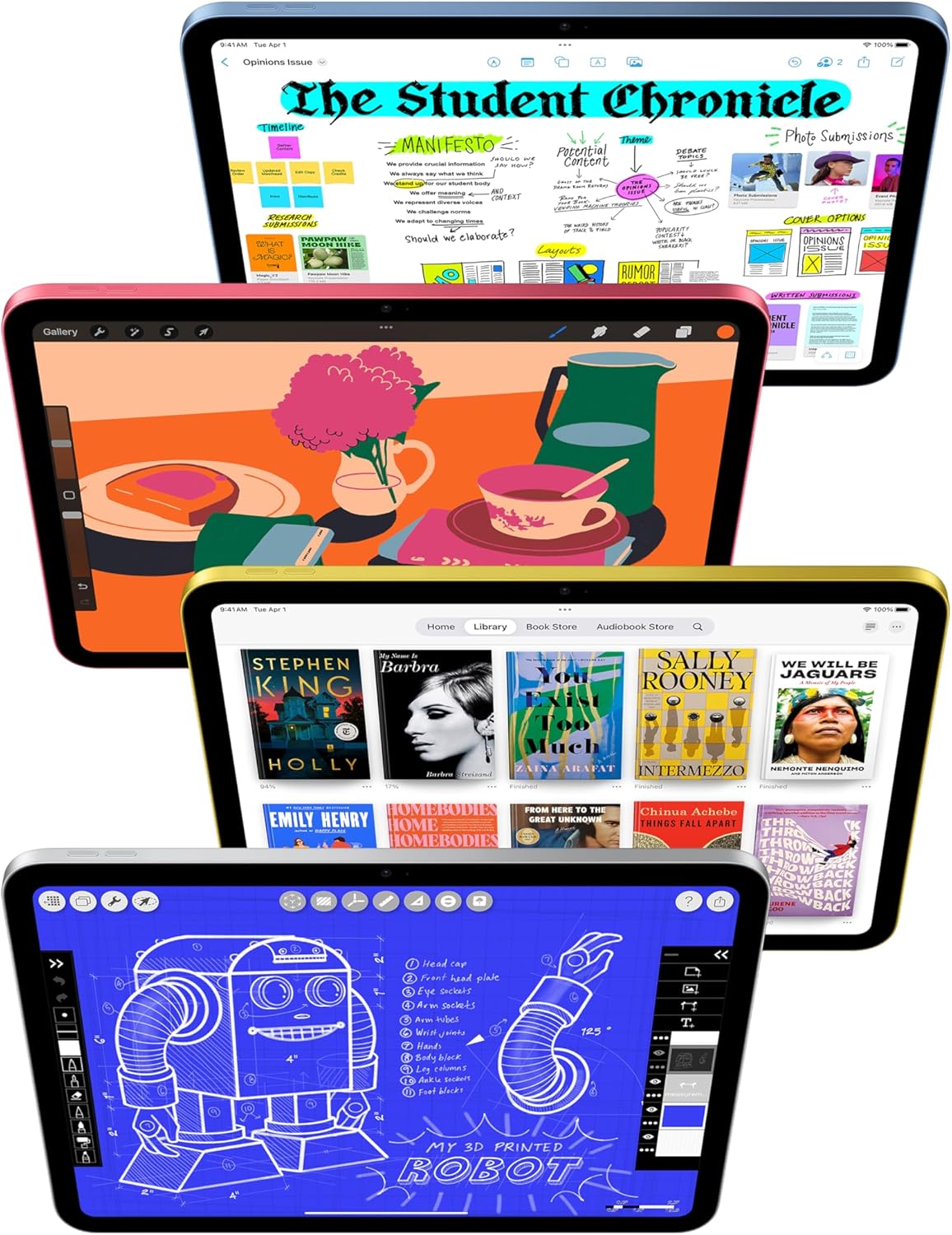
- Colors: Silver, Blue, Yellow, and Pink.
- Protection: consider AppleCare+ (2 years) if you want extra peace of mind.
With 30+ style/configuration combinations, you can dial in the exact mix of color, connectivity, storage (up to 512GB), and coverage.
Amazon deal: price perks, shipping, and delivery windows
On Amazon, the iPad is listed at a competitive $299 (down from $349) with FREE Shipping and it’s fulfilled by Amazon. Delivery timing shown in the listing includes FREE delivery by Jan 12 or fastest delivery by Jan 9, depending on your location and checkout options.
Holiday returns and risk-free buying
If you buy during the holiday window, Apple products purchased Nov 1–Dec 31, 2025 can be returned through Jan 15, 2026. You also get a free refund or replacement until Jan 15, 2026, which makes it easier to buy as a gift—or test it with your workflow.
Customer feedback: what real buyers keep praising
Customer sentiment is strong: 4.8/5 average from 15,773 reviews, plus the “10K+ bought” tag. People consistently highlight the premium build, bright display, and smooth A16 performance for games, school, and creative work.
$ailorMom: “Excellent value — battery and Wi‑Fi 6 keep me productive all day.”
Cia: “Great gift idea—kids and parents both love it.”
Quick shopping tips from reviewers
- Add a protective case and screen protector (a common recommendation).
- Choose Wi‑Fi Models unless you truly need on-the-go data.
5) Wild cards, small tangents & a playful analogy
If the Apple iPad 11 were a kitchen tool…
Picture your Apple iPad 11 as a chef’s knife: not the fanciest gadget in the drawer, but the one you reach for every single day. It’s versatile enough to handle quick tasks (email, calendars, streaming), precise enough for detail work (photo edits, clean notes), and dependable when you’re in a rush. The A16 chip is that sharp edge—everything feels snappy, even when you’re bouncing between apps or polishing a project right before a deadline.
What if you swapped your laptop for a week?
You’d probably love how light it feels in your bag and how the All-Day Battery keeps you moving without hunting for outlets. For reading, classes, travel, and casual work, it’s easy to forget you’re “missing” a laptop. Add Apple Pencil Support, and suddenly your tablet becomes your notebook, your sketchpad, and your markup tool—especially handy when you want to sign a PDF, annotate slides, or jot ideas the moment they show up.
But here’s the human reality check: if your week is heavy on desktop-style workflows—lots of file juggling, niche software, or living in multiple browser tabs all day—you may hit moments where a traditional laptop still feels simpler. A keyboard case helps a lot, but it won’t magically turn every task into a perfect one-to-one replacement.
Quick tangent: the tiny gripe list (because perfection is suspicious)
One reviewer note worth repeating: there’s no flashlight. That’s not a dealbreaker for most people, but if you’re used to using your phone light for finding cables under a desk or scanning a dark corner, you’ll notice it. Also, do yourself a favor and budget for a protective case (and ideally a screen protector). The iPad is sturdy, but real life includes backpacks, coffee tables, and the occasional “oops.”
Still, as a daily tablet, it lands very close to the sweet spot: fast, portable, and flexible enough to fit how you actually live.
Spore: "Feels like a portable creative studio—light enough to carry, powerful enough to keep up."



