.png&w=1280&q=75)
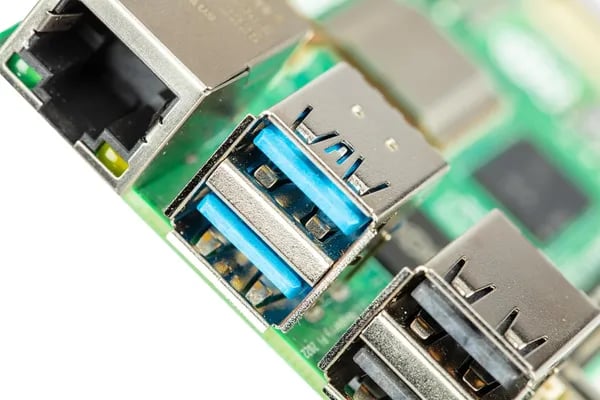
You know that fizz of excitement when a gadget does more than you expect? I had that moment the first time I swapped an old router for a Raspberry Pi 5-powered home server — suddenly my little flat felt smarter. Released on November 16, 2023, and already a top seller on Amazon, the Raspberry Pi 5 8GB pairs a Broadcom BCM2712 quad-core Arm Cortex-A76 2.4 GHz CPU with 8GB LPDDR4X RAM. In this small-but-sprightly post you’ll get hands-on-friendly notes, oddball ideas, and practical setup tips so you can turn the Pi 5 into your next obsession.
Raw Power & What the Specs Mean for You
Pi 5 Performance starts with the Broadcom BCM2712 and a 2.4 GHz CPU
The Raspberry Pi 5 (released November 16, 2023 and now #1 in Single Board Computers on Amazon) isn’t just a small upgrade—it’s a real jump in speed you can feel. At the center is the Broadcom BCM2712, a quad-core Arm Cortex-A76 chip running at a 2.4 GHz CPU clock. In many real projects, that translates to 2–3x faster results than older boards, especially when you’re compiling code, running containers, or juggling multiple services.
What this means for you: your desktop feels less “Pi-like” and more like a tiny everyday computer. Apps open quicker, terminals respond faster, and heavy tasks finish sooner.
Daniel Dyson: "The Pi 5's performance leap is immediately noticeable — it's like getting a new laptop in a tiny package."
8GB LPDDR4X RAM + dual 4K media = room to build bigger
With 8GB LPDDR4X RAM, you can comfortably run a full Raspberry Pi OS (64-bit) desktop, keep lots of browser tabs open, and still have space for Docker, a database, or a small AI experiment. Add the Pi 5’s dual 4K-capable media support and it becomes a strong choice for a media server, digital signage, or a living-room box that doesn’t stutter under load.
Connectivity is ready for real-world use too: 802.11ac Wi‑Fi and Bluetooth keep you wireless, while the 40-pin GPIO keeps your sensors, relays, and robotics projects simple.
PCIe Interface + M.2 SSD support: treat it like a small server
The biggest “power user” change is the PCIe Interface exposed via the RP1 I/O controller, which enables M.2 SSD support (with the right adapter). That means faster storage, faster boot times, and smoother performance for server-style jobs like NAS, VPN, logging, or home automation.
- Faster boots than microSD-only setups
- Quicker file transfers for backups and media libraries
- More stable performance under sustained reads/writes
MatrixRage: "Set up was straightforward and the community support made troubleshooting painless."
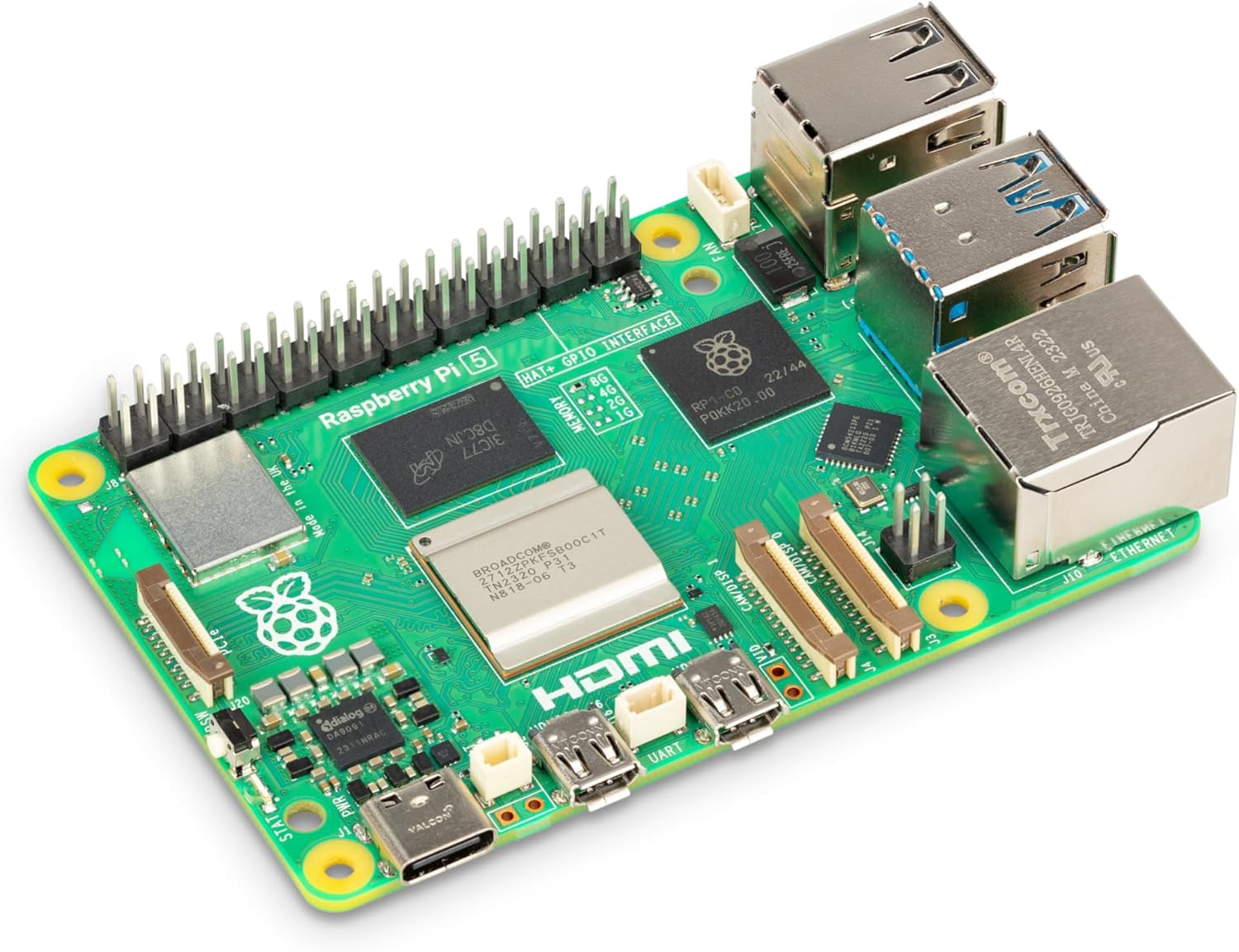
Ecosystem & Accessories: Beginner Kits to Pro Setups
The best part of owning an 8GB Raspberry Pi isn’t just the board—it’s the huge ecosystem that lets you start simple and scale fast. With the Pi 5 Features (like faster performance and better I/O), you can build anything from a basic desktop to a serious home lab, and the right Starter Kits make the first day feel easy.
Starter Kits for Every Level (and Every Pi 5 Price Range)
If you want a smooth start, kits bundle the basics so you don’t miss a key cable or power brick. As CanaKit puts it:
CanaKit (product page): "Starter kits bundle the essentials so you can go from unboxing to project in minutes."
- CanaKit Raspberry Pi 4 8GB Starter Kit — $149.99 (great if you’re learning the ropes and want a proven bundle)
- CanaKit Raspberry Pi 5 Starter Kit PRO - Turbine Black (128GB Edition) — $169.95 (a strong value for a modern Pi 5 setup)
- ELECROW for Raspberry Pi 5 8GB Kit — $309.99 (premium, “everything in one box” convenience)
The kit spread is real: you’ll see a wide range from $149.99 up to $309.99 depending on storage, cooling, and extras. One ELECROW buyer summed up why that matters:
ELECROW (user review): "The all-in-one kit saved me hours of hunting for compatible parts."
Must-Have Raspberry Pi Accessories (Affordable Wins)
Some Raspberry Pi Accessories are cheap but make a big difference—especially power and cooling.
- RasTech for Raspberry Pi 5 GaN PD 27W Power Supply — $12.99
- Active Cooler – Aluminum Heatsink (SC1148) — $9.99
- GeeekPi 7” Capacitive Touchscreen (IPS 1024X600 LCD) — perfect for dashboards, kiosks, and portable builds
- Raspberry Pi Camera Module V2-8 Megapixel (RPI-CAM-V2) — $29.95
Go Beyond Classic Projects: AI + Smart Vision
When you’re ready to level up, add the Raspberry Pi AI Kit with its Hailo AI acceleration module for faster AI workloads, or try the Raspberry Pi AI Camera (Sony IMX500) to run on-device neural networks. Brands like Seeed Studio also expand your options, while sellers like US EcoZone help round out the buying and support experience.
Projects You Can Build (and a Few Oddball Ideas)
Home NAS, VPN, or Media Server (hello, PCIe/M.2)
If you want a “set it and forget it” home box, the Raspberry Pi 5 is a sweet spot. With Pi 5 Performance and PCIe/M.2 storage support, you can build a fast little NAS for backups, a VPN for safer browsing on public Wi‑Fi, or a media server that doesn’t stutter when multiple devices stream at once. For stability, stick with Raspberry Pi OS (64-bit) or Ubuntu—both play nicely with server tools and updates.
Daniel Dyson: "I turned mine into a lightweight NAS and it handles streaming and backups without breaking a sweat."
Security + AI Applications: Your Mini Lab at the Edge
Want a hands-on security and vision playground? Install Kali Linux for a home security lab, then level up with AI Applications using the Raspberry Pi AI Kit (Hailo acceleration) or the AI Camera for on-device inference. That means you can prototype motion alerts, object detection, or “who’s at the door?” recognition without sending every frame to the cloud—great for privacy and quick response times.
Retro Arcade, DIY Laptop, or Portable Dev Station
The board’s tiny size—3.35 x 2.2 x 0.67 inches and 1.76 ounces—makes it easy to mount in a handheld case, a mini keyboard build, or a slim arcade cabinet. The 40-pin GPIO is your bridge to buttons, LEDs, sensors, and weird add-ons. For gaming, RetroPie is the classic choice; for a living-room setup, LibreELEC keeps things simple and fast.
MatrixRage: "Perfect for retro gaming builds — performance feels solid even with modern ROM collections."
A few oddball ideas (that actually work)
- Portable weather station with a camera + simple AI to label clouds or spot rain.
- Smart picture frame that recognizes faces and shows the right album.
- Tiny office NAS that also runs a media server—fast storage makes this realistic.
Starter Kits + Pi 5 Compatibility tips
If you’re starting from scratch, Starter Kits save time (power, case, cooling). For Pi 5 Compatibility across projects, keep a short OS shortlist: Raspberry Pi OS (64-bit), Ubuntu, Kali Linux, RetroPie, and LibreELEC. When you get stuck, the community is your cheat code—someone has already built your idea (and posted the wiring diagram).
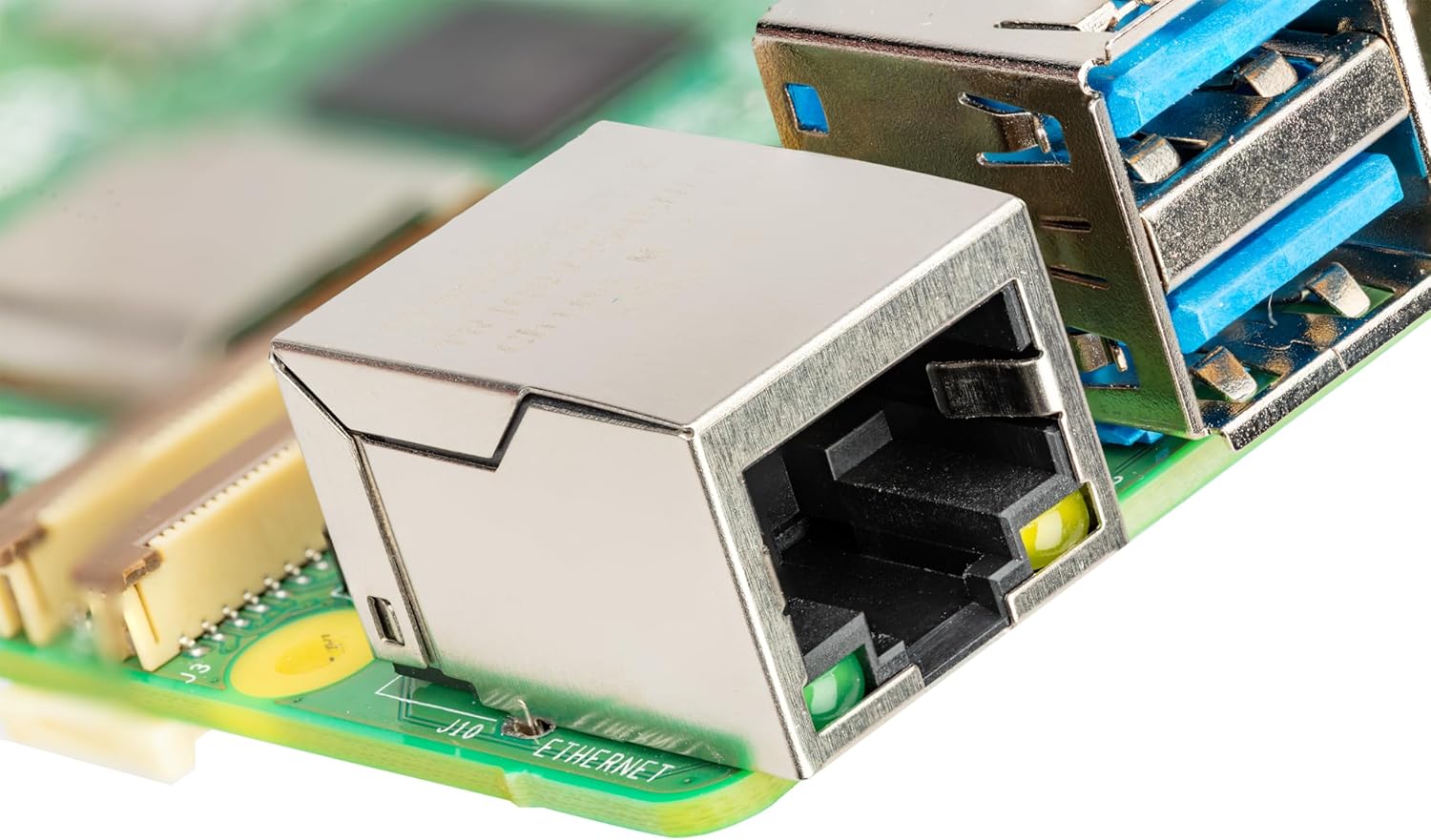
Setup Tips, Hotspots, and Lifesaving Tweaks
Power Button + Proper Power: Your First “Pi 5 Upgrades”
The Raspberry Pi 5 is fast, but it’s also more power-hungry under load. Start with the right power setup so you don’t chase random crashes later. Aim for a 5V/5A supply (or a solid option like the RasTech 27W GaN PD) to keep USB devices, Wi‑Fi, and storage stable—especially if you’re building a hotspot or server.
CanaKit (support note): "Using the right power supply prevents frustrating restarts and data corruption."
Also, learn the Power Button behavior early: a clean shutdown beats yanking the plug, and it helps protect your microSD or SSD from corruption.
Cooling Isn’t Optional (Yes, the Pi 5 Runs Hot)
Under sustained tasks—updates, Docker, media servers, AI demos—the Pi 5 can heat up fast and throttle. Add an active cooler or at least an aluminum heatsink to keep performance consistent.
ELECROW (support snippet): "Active coolers are inexpensive insurance for long-running Pi projects."
- Light use: heatsink + good airflow
- Heavy use: active cooler (recommended)
RP1 I/O + M.2 SSD: Fast Boots, But Check Pi 5 Compatibility
The RP1 I/O controller opens the door to M.2 SSD storage for faster boot and snappier apps. The big “lifesaving tweak” is to double-check Pi 5 Compatibility before you buy: your NVMe adapter/HAT, SSD size, and power draw all matter. Pair SSD setups with a quality 5V/5A supply for consistent performance.
- Install Raspberry Pi OS (64-bit) with Raspberry Pi Imager.
- Update firmware and bootloader.
- Move your OS to SSD for faster boots and fewer SD card worries.
sudo apt update && sudo apt full-upgrade -y
Real Time Clock (RTC) + Hotspot Reliability
If you’re building a travel router, VPN box, or comms node, a Real Time Clock helps keep correct time when there’s no internet—useful for logs, certificates, and scheduled tasks. For hotspot builds, keep Bluetooth/Wi‑Fi enabled only as needed to reduce heat and power spikes.
Support Safety Net (Warranty + Delivery)
If you buy through Amazon/US EcoZone listings, you may have warranty/refund coverage through January 31, 2026, and delivery is often as soon as Tuesday, December 30. That’s handy when a cable, cooler, or SSD adapter is the one part holding your build back.
Wild Card: Quotes, Analogies & a What-If Scenario
Quote Spotlight: Real People, Real Pi 5 Performance
The hype around the Raspberry Pi 5 isn’t just marketing—it’s backed by a loud, global crowd. With 4.7 stars from 2,302+ reviews, you’re seeing proof that the board delivers in everyday builds, not just benchmarks. Daniel Dyson sums up the Pi 5 Performance jump in a way you can feel the first time you boot it:
"The Pi 5's performance leap is immediately noticeable — it's like getting a new laptop in a tiny package."
And when you’re new (or just rusty), MatrixRage points to the real secret weapon: the community. That matters even more after the Pi 5 Launch, because new accessories and setups always come with questions.
"Set up was straightforward and the community support made troubleshooting painless."
That same confidence shows up in reviews from India, France, Spain, and Saudi Arabia, which is a strong sign you’re buying into a platform that works well in many homes, climates, and use cases.
Analogy: Your Pocket-Sized Apprentice
Think of the Pi 5 like a pocket-sized apprentice. It won’t replace your main workstation, but it learns fast, shows up every day, and handles the repeatable jobs you don’t want to babysit—home server tasks, a small security lab, a retro console, or a tiny AI demo. Pair it with a CanaKit or ELECROW kit, add a GeeekPi touchscreen, and keep it stable with a RasTech 27W supply and active cooling, and it becomes the helper you keep finding new work for.
What-If: A Greenhouse Swarm at the Edge
Now imagine a “swarm” of Raspberry Pi 5 boards spread across a greenhouse—each one running sensors for temperature, humidity, and soil moisture, plus a camera watching plant health. With fast storage (PCIe/M.2) and optional AI add-ons, each node can make quick decisions locally—turn on fans, open vents, flag disease—without waiting on the cloud. That’s where Memory Variants and a quick Price Comparison help: you can mix 8GB units for vision and lighter models for simple sensing, keeping the whole system low-cost, networked, and smart at the edge.



