.png&w=1280&q=75)
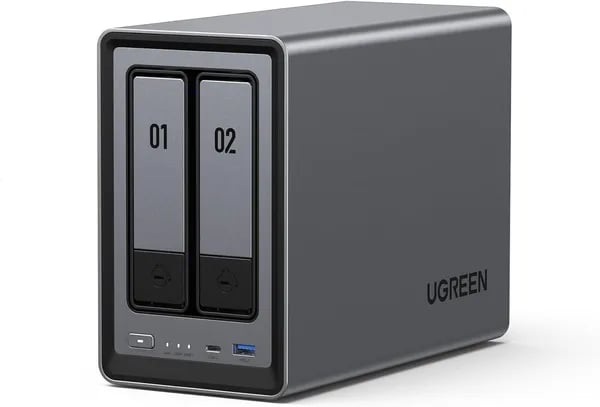
Picture this: you’re mid-edit on a tight deadline, your footage scattered across two external drives, and your cloud upload is crawling. You need something fast, private, and simple. That’s where the UGREEN NASync DXP2800 walks in—like a quiet, dependable teammate that keeps your files within reach. I set one up for a fictional roommate who hoards video projects, and in under 30 minutes we had a shared library, Plex streaming, and a laugh about how we’d been paying cloud fees for years. Surprise fact: the DXP2800 traces its roots to a $6.6M Kickstarter with 13,000 backers—this isn’t a hobby project; it’s been battle-tested by enthusiasts.
Performance — Why the numbers matter
Intel N100 processor + 8GB DDR5 RAM: speed you actually notice
The UGREEN NASync DXP2800 isn’t fast “on paper” only—you feel it the moment you start moving files, streaming media, or letting multiple people access the same folders. That’s because the Intel N100 processor (12th Gen, quad-core, up to 3.4 GHz) is paired with 8GB DDR5 RAM, giving you the kind of snappy response that makes everyday NAS tasks feel instant.
In real use, this combo is a strong fit for home and small-business workloads: running apps, handling backups, and even light virtualization. If you use Docker containers or want to test a light VM, the N100 has enough headroom to keep things smooth. And if you run Plex, hardware-assisted transcoding can be on the table with a Plex Pass (your results depend on the video format and settings).
Need more? There’s a single memory slot, and many users upgrade to 32GB DDR5 for heavier multitasking.
2.5GbE Ethernet: the difference between “okay” and “fast” transfers
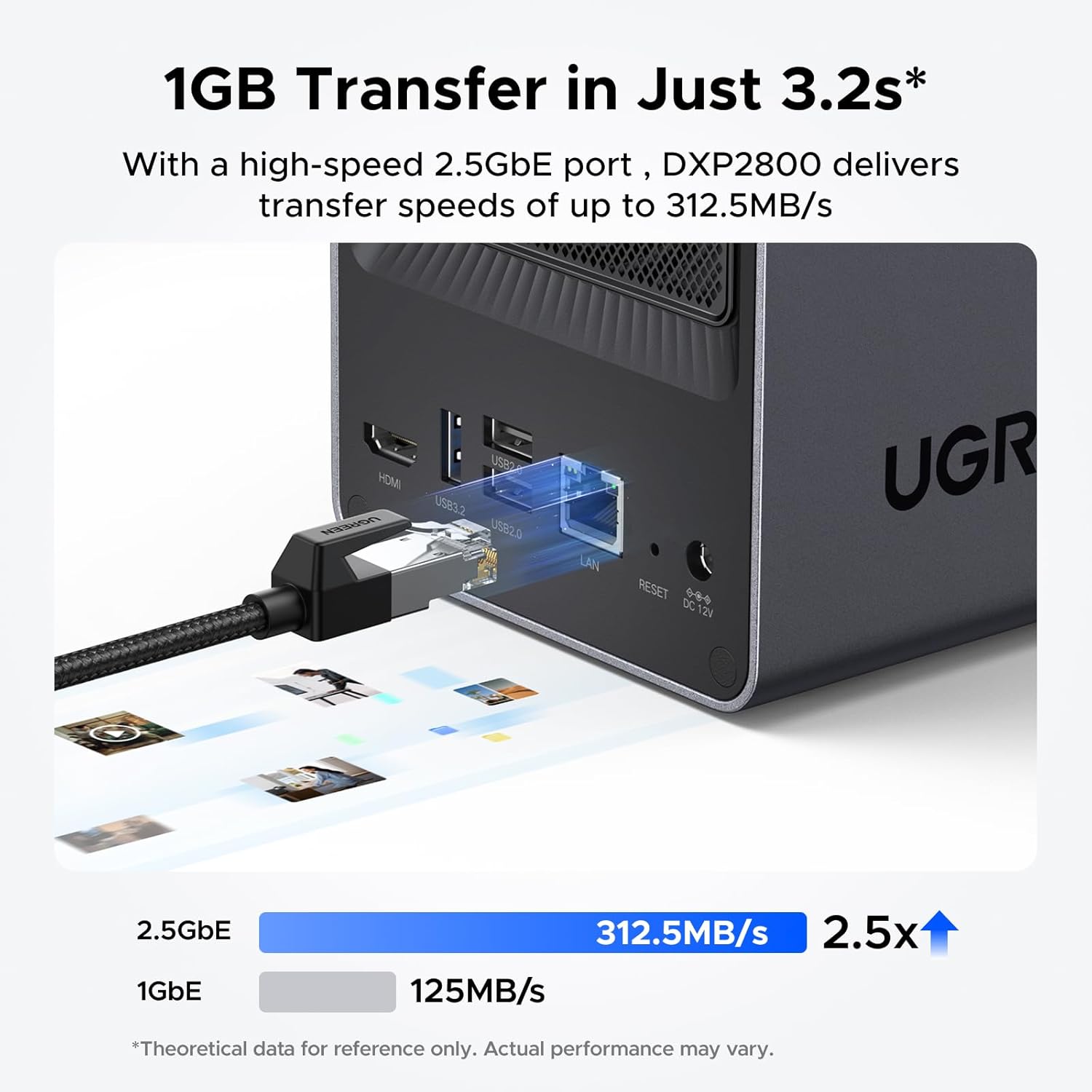
Networking is where performance becomes obvious. The built-in 2.5GbE Ethernet port can push much higher sustained transfer speeds than standard 1GbE—assuming your router/switch and client device also support 2.5GbE.
Small details matter here, too. Using a quality cable like the UGREEN Cat 8 can help you get more consistent results, especially on longer runs or busier networks.
M.2 NVMe slots + SSD caching support: the biggest measurable boost
The DXP2800 includes M.2 NVMe slots and SSD caching support, and this is where many owners see the most dramatic gains. With HDDs alone, reported throughput often lands around ~240–290MB/s. Add NVMe cache (and the right upgrades), and users have reported jumps up to ~730MB/s in the right setup.
| What impacts speed | What you’ll feel |
|---|---|
| HDD vs NVMe cache | Faster sustained transfers, quicker app response |
| 2.5GbE vs 1GbE | Less waiting on large file copies |
| 8GB vs 32GB RAM | Smoother multitasking for apps/containers |
Android Central: "The DXP2800 punches above its weight thanks to modern silicon and fast networking—real improvements you can feel."

Build Quality & Hardware overview — Looks that do more than sit pretty
A premium shell that fits your desk (or TV stand)
The UGREEN NASync DXP2800 doesn’t look like a noisy “IT box.” You get a sleek grey finish, a sturdy aluminium-style chassis feel, and even braided cables that match the clean, modern vibe. It’s compact enough to blend into a home office or living room setup, measuring 9.33 x 4.29 x 6.97 inches and weighing 5.68 pounds—so it won’t dominate your desk, shelf, or media console.
TweakTown: “The DXP2800’s aluminium build and tool-free bays feel premium at this price—real refinement in a compact shell.”
Tool-free setup with tool-less drive bays (swap drives without stress)
This 2-bay NAS keeps the hardware side simple, especially if you’re new to NAS—or if you swap drives often. The tool-free setup and tool-less drive bays mean you can install your two 3.5" SATA drives quickly, without hunting for a screwdriver or dealing with fiddly brackets.
What makes it more flexible than many 2-bay units is the SSD support: you also get 2 x M.2 NVMe slots. That lets you run a smart mixed strategy—big HDDs for archive and backups, plus NVMe for cache or fast working storage. UGREEN even cites up to 76TB max addressable storage, so you can scale without replacing the whole unit.
Ports built for real-world use: 2.5GbE, 4K HDMI, and USB ports
On the outside, the DXP2800 gives you the connections you’ll actually use day to day:
- 2.5GbE for faster transfers than standard Gigabit (great for large photo/video libraries)
- 4K HDMI output for 4K media streaming straight to a display—handy for a living room, meeting room, or kiosk-style playback
- Multiple USB ports for quick external backups, importing files, or plugging in peripherals
The main trade-off: you only get a single Ethernet port, so there’s no out-of-the-box link aggregation. For many buyers, though, 2.5GbE is the bigger win at this price.
Real World Use — Easy setup and everyday chores
Tool-free setup + Easy setup onboarding in 20–30 minutes
The DXP2800 feels built for real life: you unbox it, pop in your drives, and you’re moving fast. The tool-free setup makes drive installs simple—no tiny screws, no stress. Then UGOS Pro walks you through the basics with clear prompts, so you’re not hunting through confusing menus. In practice, most people report being up and running in about 20–30 minutes, even if this is your first NAS.
Once it’s online, the mobile app helps you handle everyday tasks like checking storage, creating users, and enabling remote access without sitting at your desk. That “set it and forget it” feeling is a big reason it holds a strong 4.5-star average from 712+ Amazon reviews.
NASCompares: "UGOS Pro keeps the learning curve low while offering advanced features once you’re ready to dive deeper."
Everyday sharing: permissions, RAID, and family data sharing
For family data sharing or small-team work, UGOS Pro makes it easy to create separate accounts, set folder permissions, and share links without giving everyone full access to everything. You can keep private backups private, while still sharing a “Family Photos” or “Team Projects” folder.
- RAID options include RAID 0 for speed and RAID 5 via compatible configs, plus other common layouts depending on your drive setup.
- Network backups from Linux servers are straightforward with standard network shares.
- Many owners also run Plex, plus Docker apps like Home Assistant or Pi-hole.
AI Photo Magic and quiet, always-on power use
UGOS Pro also includes AI Photo Magic, which can sort your library by faces, scenes, and locations—handy when you’re trying to find “that beach trip” fast.
For 24/7 use, power draw is friendly: real-world reports land around ~6W idle and ~30W during heavy transfers. Noise stays quiet with SSDs, but expect more sound if you load it with spinning HDDs—especially during big backups or RAID rebuilds.
Software, Upgrades & Power-User Options — When you want more
UGOS Pro: simple to start, deep when you’re ready
UGREEN’s UGOS Pro is built so you can get going fast, then grow into advanced features without feeling lost. You get a clean web dashboard, a handy mobile app for remote access, and frequent updates that keep the system improving over time. For photos, AI Photo Magic helps sort your library by faces, scenes, and locations—great when you want your NAS to feel more like a smart home hub than “just storage.”
Storage expansion with M.2 NVMe slots (and real speed gains)
When your projects get bigger, the DXP2800’s storage expansion options are where it shines. Beyond the two 3.5” bays, you also get M.2 NVMe slots (two of them), supporting up to 2TB per slot. That means you can build a fast tier for active work or enable SSD caching support to speed up common tasks like browsing large folders, scrubbing timelines, or handling lots of small files.
In real-world upgrades, users report throughput jumps from roughly 240–290MB/s to around 730MB/s after adding NVMe cache—often the best value upgrade if you want the NAS to feel “instant.”
RAM upgrades: single-slot DDR5 that still scales
The single-slot DDR5 design helps keep the starting price down, but you still have meaningful headroom. The included 8GB is solid, and many users have successfully upgraded to 32GB DDR5 for heavier multitasking, more apps, and smoother containers.
TechPowerUp: "The DXP2800 is unusually flexible—start simple, then expand RAM or add NVMe cache when your needs grow."
Docker integration + apps: turn it into a mini server
With Docker integration, you can run popular services right on the NAS, like:
- Home Assistant for smart home control
- Pi-hole for network-wide ad blocking
- ONLYOFFICE for lightweight team docs
Plex support and OS flexibility (with one important warning)
For media, you get strong Plex support, including hardware transcoding with Plex Pass—useful when multiple devices stream at once. And if you’re adventurous, you can run TrueNAS, UnRaid, or Windows Server. Just clone/backup your boot drive first: UGREEN doesn’t currently provide downloadable base OS images, so you’ll want a safe rollback plan.
Value, Warranty & Accessories — Buy with confidence
Why the UGREEN NASync DXP2800 feels like a safe buy
When you’re choosing the best 2-bay NAS, you’re not just buying a box—you’re buying peace of mind for your private cloud. The UGREEN NASync DXP2800 earns that trust with a strong mix of real-world value, clear support policies, and a big community behind it. It’s also a smart long-term pick thanks to low power consumption from its efficient Intel N100 platform, so you can keep it running 24/7 without dreading your next energy bill.
Warranty, returns, and fast delivery (especially for the holidays)
You’re covered by a two-year warranty, and buyers consistently report responsive customer service when questions come up. If you’re purchasing as a gift or upgrading your setup during the holidays, the extended return policy helps you commit with less risk: 2025 holiday purchases can be returned through Jan 31, 2026. Add Amazon Prime fulfillment, and you can get fast shipping (for example, delivery as soon as Jan 4 if you order right before the new year), which makes planning upgrades much easier.
Social proof that lowers buyer risk
This isn’t a “hope it works” NAS. The NASync line has serious momentum: the DXP2800 sits as a #1 best seller in Network Attached Storage on Amazon with 4.5 stars from 712+ reviews. It also has wide press coverage, including Unbox Therapy and Android Central—exactly the kind of third-party attention that reduces buyer risk.
Unbox Therapy: "Real-world polish and community backing make the NASync a compelling pick for buyers who care about design and ease."
That community backing is real: UGREEN’s NAS Kickstarter raised $6.6 million from 13,000 backers, which is a strong signal that people wanted this product—and stuck around to support it.
Accessories that make your NAS faster and last longer
To get the most from 2.5GbE, pair it with a UGREEN Cat 8 Ethernet cable. For storage, the Seagate IronWolf 8TB (ST8000VNZ04/N004) is a proven NAS drive choice for reliability. And if you want snappier app loads and higher throughput, adding NVMe SSDs for cache is one of the simplest upgrades you can make.
If your needs change, you can also scale within the lineup—from the DH2300 2-Bay at $209.99 up to the DXP6800 Pro 6-Bay at $1199.99. But for most home and small-team setups, the UGREEN NASync DXP2800 hits the sweet spot: strong value, solid protection, and the confidence that comes from real adoption.



