.png&w=1280&q=75)
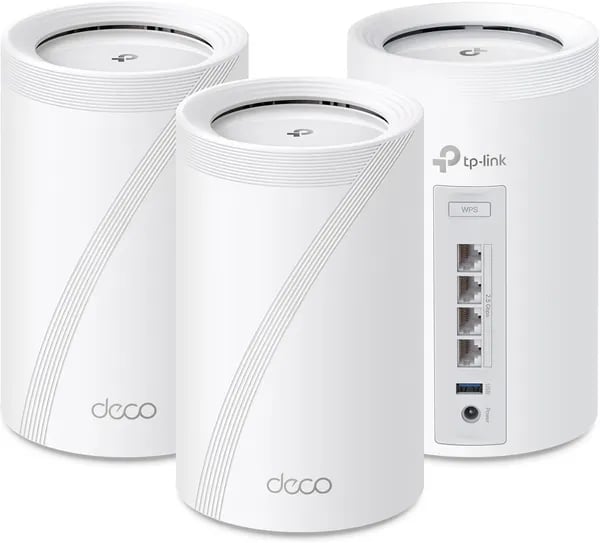
You know that moment when every device in your house demands bandwidth at once — someone’s gaming, another’s on a 4K stream, and your smart vacuum decides it’s cleaning right now? I had that exact chaos during a holiday movie night before I upgraded. The TP‑Link Deco BE63 (BE10000) promised to stop the juggling act; this outline walks you through whether it actually does, in plain speak and with a few real‑world tangents.
First impression: What you’ll notice straight away
TP‑Link Deco BE63 looks like tech you can actually leave out
The first thing you’ll notice with the TP‑Link Deco BE63 is how little it screams “router.” The nodes are sleek, compact, and fanless, so they stay quiet and blend into your living room, office, or hallway table. Instead of building a router “shrine” with antennas and blinking lights, you get clean, modern towers that don’t fight your decor.
It also feels like a current-gen product, not a leftover design—this system launched on November 24, 2023, and Amazon’s listing shows it’s been widely adopted, with 5K+ units sold and a 4.3/5 rating from 8,185 reviews. That kind of volume matters when you’re buying a mesh Wi‑Fi system you’ll rely on every day.
Fast setup through the vendor mobile app (Deco)
Next, you’ll feel how much the vendor mobile app approach simplifies everything. The Deco app walks you through placement, pairing, and getting online in minutes—this “quick setup” is a repeated win across user reviews. You’re not digging through confusing web menus; you’re tapping through guided steps.
- Guest network setup is quick for visitors and smart-home installers
- Parental controls are easy to find and adjust
- HomeShield security tools are built in (full Security+ features may require a subscription)
- Advanced options like VPN support, Dynamic DNS, and port forwarding are handled in-app
You can also use voice control with Alexa and Google Assistant for basic network commands, which is handy when your hands are full.
The headline coverage numbers are big—and useful
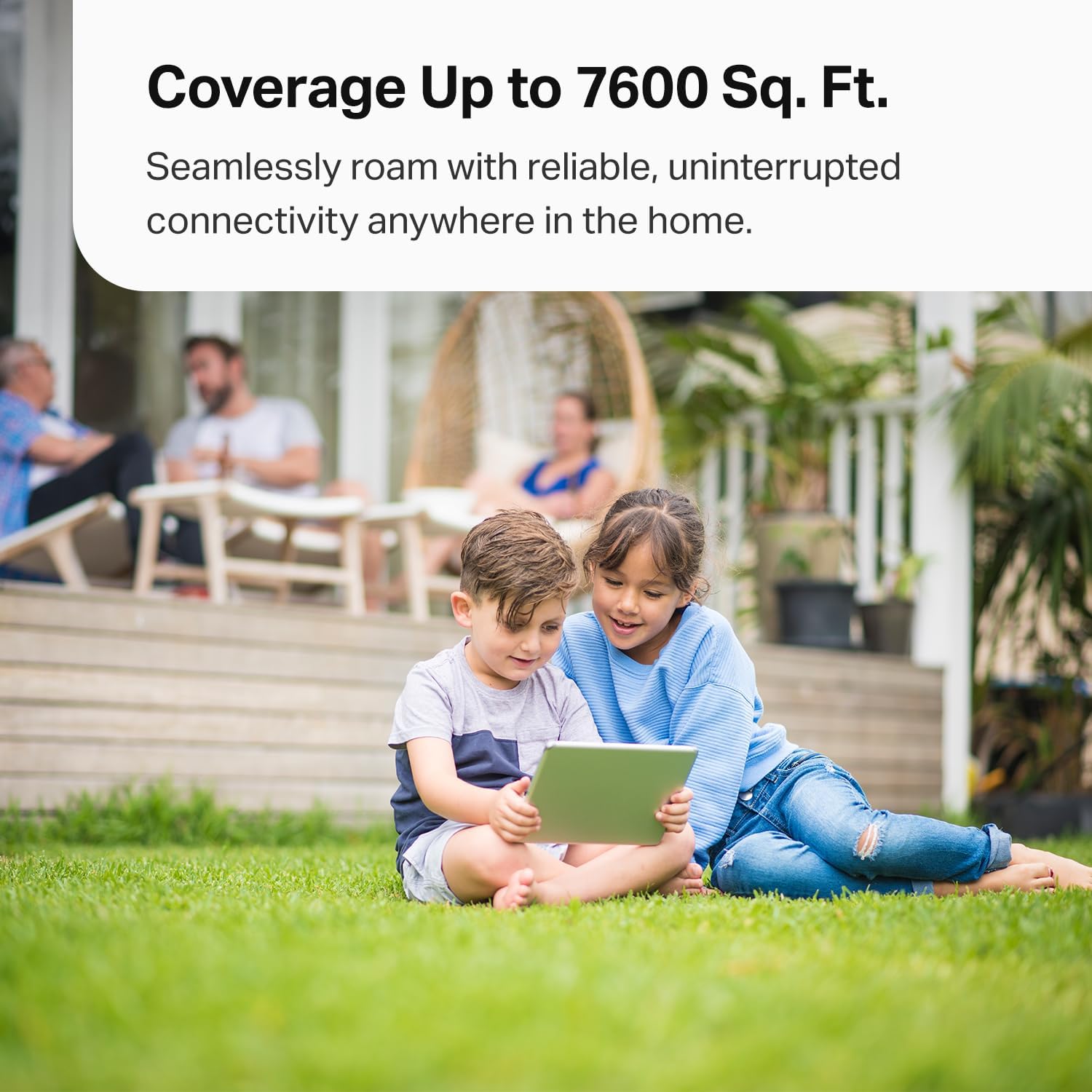
Right out of the box, the 3-pack coverage claim stands out: up to 7,600 sq. ft. and support for 200+ devices (vendor claim). In open layouts, those numbers are generous but plausible, and they’re a helpful gut-check if you’re trying to cover a multi-level home packed with phones, TVs, cameras, and smart speakers.
Dong Ngo, Tech Reviewer: "The Deco BE63 brings Wi‑Fi 7 to homes without breaking the bank."
Specs deep dive: The tech that powers your house
Tri-band Wi‑Fi 7 + Deco BE10000 speed headroom
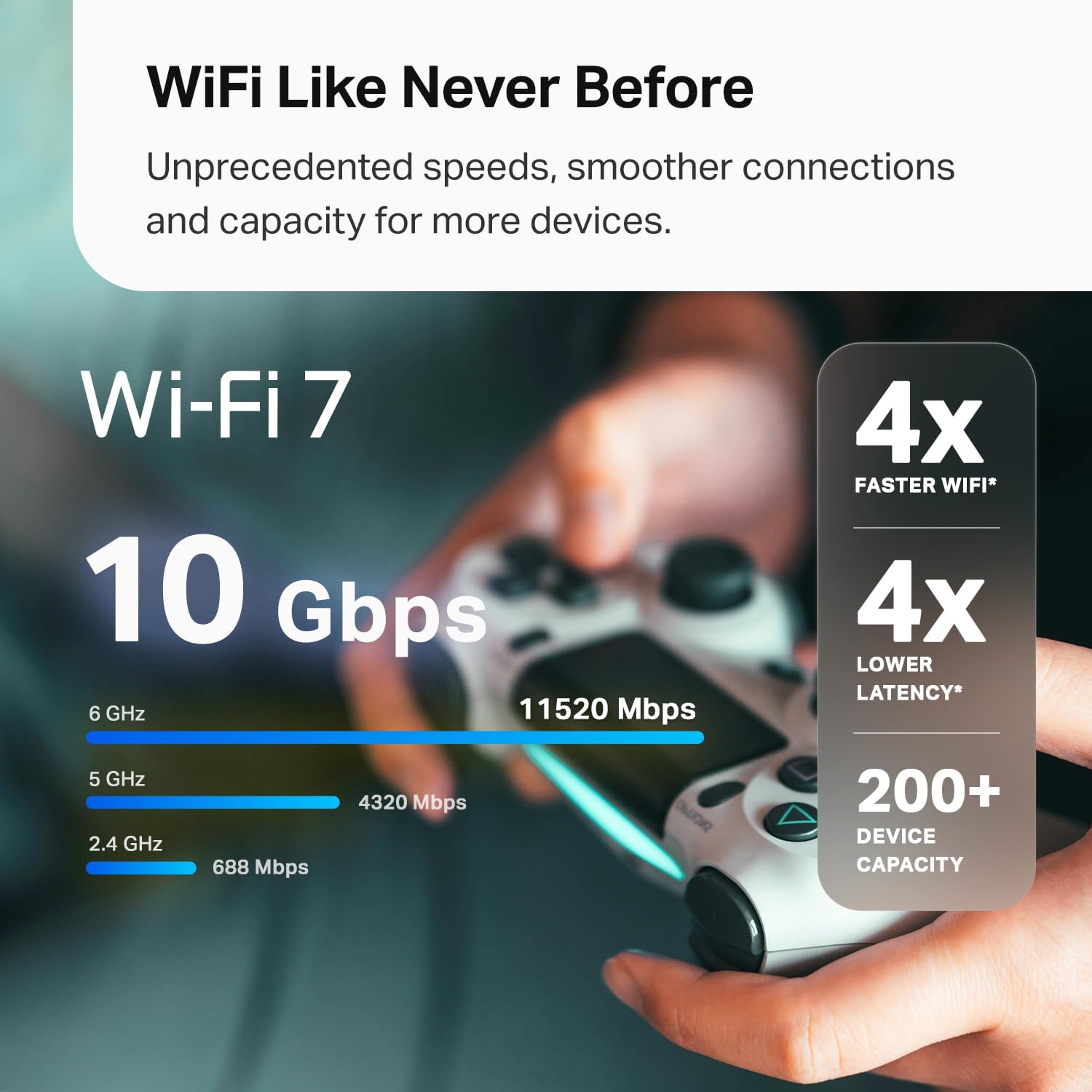
The TP‑Link Deco BE63 is built around a tri‑band Wi‑Fi 7 design rated as Deco BE10000, with up to 10 Gbps in theoretical aggregate wireless speed. In real life, that “big number” matters because tri‑band gives your network more room to breathe when your home is packed with phones, TVs, consoles, and smart devices. With Wi‑Fi 7, you also get smarter ways to move data so your connection feels faster and more stable—especially when many devices are online at once.
Why MLO, 320MHz channels, and 4K‑QAM technology matter
Wi‑Fi 7 isn’t just about raw speed—it’s about efficiency and lower delay. Multi‑Link Operation (MLO) lets compatible devices use multiple bands/links in a coordinated way, which can reduce latency spikes and help with device density. Add in 320MHz channels (wider “lanes” for data), Multi‑RUs (better sharing of airtime), and 4K‑QAM technology (more data packed into each signal), and you get a mesh that’s designed to stay smooth under load.
2.5Gbps Multi‑Gig ports + USB 3.0: the wired side of the story
Each node includes four 2.5Gbps Multi‑Gig ports plus a USB 3.0 port. That’s a big deal if you want to hardwire a gaming PC, smart TV, or a switch, or if you want simple local storage/NAS-style access. It also makes wired backhauling easy—running Ethernet between Deco units—so your mesh doesn’t have to “spend” wireless bandwidth talking between nodes.
Andrew Martinez, Network Analyst: "Wired backhauling with 2.5Gbps ports makes the Deco BE63 a practical bridge to multi‑gigabit internet at home."
- Backhaul options: wired or wireless (wired backhauling is best for sustained throughput)
- Note: no SFP+ and no native 10Gbps wired port—multi‑gig is via 2.5Gbps Ethernet
Broad compatibility for mixed-device homes
You can upgrade without replacing everything. Deco BE63 supports 802.11.be (Wi‑Fi 7) and stays friendly with older gear: 802.11ax, 802.11ac, 802.11g, and 802.11n.
| Spec | What you get |
|---|---|
| Wi‑Fi | Tri‑band BE10000 (Wi‑Fi 7) |
| Max aggregate speed | Up to 10 Gbps (theoretical) |
| Channels | 320MHz support |
| Ports per node | 4× 2.5G + 1× USB 3.0 |
| Standards | 802.11.be/ax/ac/g/n |
Real‑world performance: Tests, stories, and weird edge cases
Real‑world performance in multi‑level homes (and why it feels faster)
On paper, the Deco BE63 promises huge Wi‑Fi 7 numbers, but your real‑world performance depends on walls, distance, and how your mesh nodes talk to each other. In practice, many owners report the upgrade you actually care about: fewer dropouts, steadier speeds, and seamless roaming as you move room to room.
Sarah Lee, Consumer Tester: "In my three‑level house the Deco BE63 replaced dead zones with consistent streaming and gaming — it just worked."
Coverage and range: concrete walls, basements, and “no more dead zones” stories
Reviews from the UAE, Mexico, and Saudi Arabia repeatedly call out strong coverage and range, even in homes with concrete walls that usually crush Wi‑Fi. That matters more than peak speed, because consistent signal is what keeps video calls stable and smart devices responsive.
U.S. buyers also mention smooth transitions on AT&T 1GIG plans, with feedback stretching from 2025‑04‑19 to 2025‑10‑22, which suggests the experience holds up over time—not just on day one.
Simultaneous devices: what happens when you connect “everything”
If your home is packed with phones, TVs, cameras, and plugs, the BE63’s mesh is built for simultaneous devices. One U.S. review describes ~70 devices running across a 4,500 sq. ft., three‑level home with stable roaming and solid day‑to‑day speed.
| Real‑world snapshot | What users reported |
|---|---|
| Home size | 4,500 sq. ft., three levels |
| Connected load | ~70 devices |
| Wi‑Fi throughput example | ~900 Mbps in certain tests |
Speed reality check: why you may not hit 2.5 Gbps over Wi‑Fi
Some testers note they didn’t reach full ISP 2.5Gbps over Wi‑Fi in specific conditions, landing around ~900 Mbps. That’s normal when you factor in interference, client device limits, and node placement.
Weird edge cases: wired backhaul wins, plus two small annoyances
- Wired backhaul can noticeably improve mesh stability in larger or multi‑level homes; wireless-only can still be great if your layout is open.
- Power adapters are big enough to crowd a power strip.
- One odd network share detail: some users say the server path needs a “G,” like
\\G\share.

Pros, cons, and the nitty‑gritty you’ll want to know
Pros and Cons at a glance (and why it’s excellent value)
The Deco BE63 sits in a rare spot: it’s a Wi‑Fi 7 mesh that feels modern and fast, without the flagship price. At $369.99 (24% off $489.99) for a 3‑pack—and New & Used from $317.14—it’s positioned as a value leader, backed by a strong Amazon track record (#3 in Whole Home & Mesh Wi‑Fi Systems).
- Affordable Wi‑Fi 7 option: You get Wi‑Fi 7 features like MLO and 320 MHz channels without paying top-tier money.
- Strong wired flexibility with 4x2.5G ports: Great if you want multi‑gig internet, a wired backhaul, or to hardwire a gaming PC/NAS.
- Handles busy homes well: Built for high device counts (200+), so your smart home doesn’t choke when everyone streams.
- User-friendly Deco app: Setup is quick, and day-to-day controls (guest Wi‑Fi, VPN, parental controls) are easy to find.
- AI roaming + auto optimization: The mesh tunes itself, helping you avoid dead zones across up to 7,600 sq. ft. (3-pack).
James Carter, Product Reviewer: "For most homes the BE63 hits the sweet spot between price and next‑gen features — assuming you don't need SFP+ speeds."
Where you may feel the trade-offs
- No 10Gbps/SFP+ ports: If you run a 10G NAS or want ultra-fast wired uplinks, this isn’t that class of system.
- Some features may add subscription costs: HomeShield has free basics, but advanced security/parental tools can require a paid plan—important for total cost of ownership if you manage lots of kids or IoT devices.
- Large power bricks: They can crowd a power strip behind a TV stand or in a network closet.
- Occasional compatibility quirks: A few users note device-specific Wi‑Fi 7 behavior and expected higher sustained wireless throughput.
Nitty‑gritty tips: wired backhaul and returns
If you want the most stable mesh, plan a wired backhaul. A simple add-on like the TP‑Link TL‑SG108 switch plus Cat 8 cables can make node-to-node links more reliable than wireless backhaul in busy homes.
Also note Amazon’s special return coverage runs Nov 1–Dec 31, 2025, which helps if you’re upgrading during the holidays.
Should you buy it? A practical buying guide and setup tips
Buy it if you want a simple Wi‑Fi 7 upgrade that scales
If you live in a multi‑level or large home, the Deco BE63 is an easy “yes.” One 3‑pack is rated for up to 7,600 sq. ft. and, in real homes, it comfortably handles 100+ to 200+ devices depending on layout and interference. It’s also a strong pick if you’re shopping for an accessible Wi‑Fi 7 system (not enterprise gear) and you want app‑driven control for guest Wi‑Fi, parental controls, VPN options, and security. In a quick mesh comparison against older Wi‑Fi 5/6 kits, the BE63’s Wi‑Fi 7 features and multi‑gig ports make it feel like a true 2025-ready upgrade—especially if you’re on multi‑gigabit internet or plan to be soon.
Skip (or wait) if you need flagship wired specs
Hold off if your must-have is 10Gbps wired ports everywhere, or if you’re chasing absolute top-tier Wi‑Fi 7 peak performance regardless of price. Also, if you refuse any vendor account/app requirements, you may prefer a more “local-first” router platform. The BE63 is built for high performance with low hassle, not for tinker-heavy, lab-grade tuning.
Quick setup tips to maximize backhaul speed
Your real-world results depend heavily on placement and backhaul. Put nodes on different floors near open spaces (hallways, stairwells), not tucked behind TVs or inside cabinets. If you can run Ethernet, do it—wired backhaul is the fastest path to stable roaming and higher backhaul speed. The BE63’s ports make dual wired backhaul practical in many homes, and it’s the single biggest “free” performance upgrade you can make.
Maya Patel, Smart Home Installer: "Wired backhaul transformed our client's mesh deployment — the Deco BE63 had the ports to make it painless."
On the main node, reserve one 2.5G port for WAN from your modem/ONT, then use the remaining ports for wired clients or a switch. If you share drives via USB/network storage, watch for the odd server path requirement that includes a G in the share path.
Expansion, accessories, and security tradeoffs
Need more coverage or device headroom? Expansion is simple: add another Deco unit and it joins the mesh. For a stronger wired backbone, pair it with the TP‑Link TL‑SG108 (8 Port Gigabit Switch) and quality Cat 8 cables. Finally, review HomeShield’s free vs paid tiers—budgeting a little for HomeShield Pro can boost protection, but you should weigh features against your privacy and subscription comfort.



