.png&w=1280&q=75)
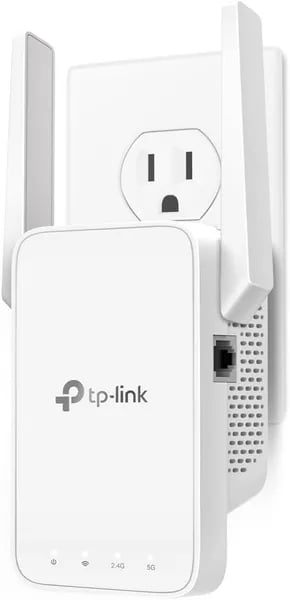
You probably know the feeling: mid-movie, your stream stutters, or a video call pixelates right when you need to speak. I once shoved an extender behind a potted plant and watched my home office transform — suddenly the corner couch, previously cursed with dead-zone silence, became a reliable hotspot. That’s the vibe the TP‑Link RE315 promises: small, affordable, and oddly satisfying when it works.
TP-Link RE315 Overview — Why It’s Worth a Look
If you’re tired of Wi‑Fi dead zones in a bedroom, basement office, or back room, this TP-Link RE315 Overview is for you. The RE315 is a budget friendly way to extend coverage without replacing your router, and it has the credibility to match: it earned the Engadget 2023 Best Budget Pick and holds the #1 rank in Repeaters on Amazon. Real buyers back that up with a 4.2/5 rating from 37,897+ reviews.
Small extender, big placement flexibility
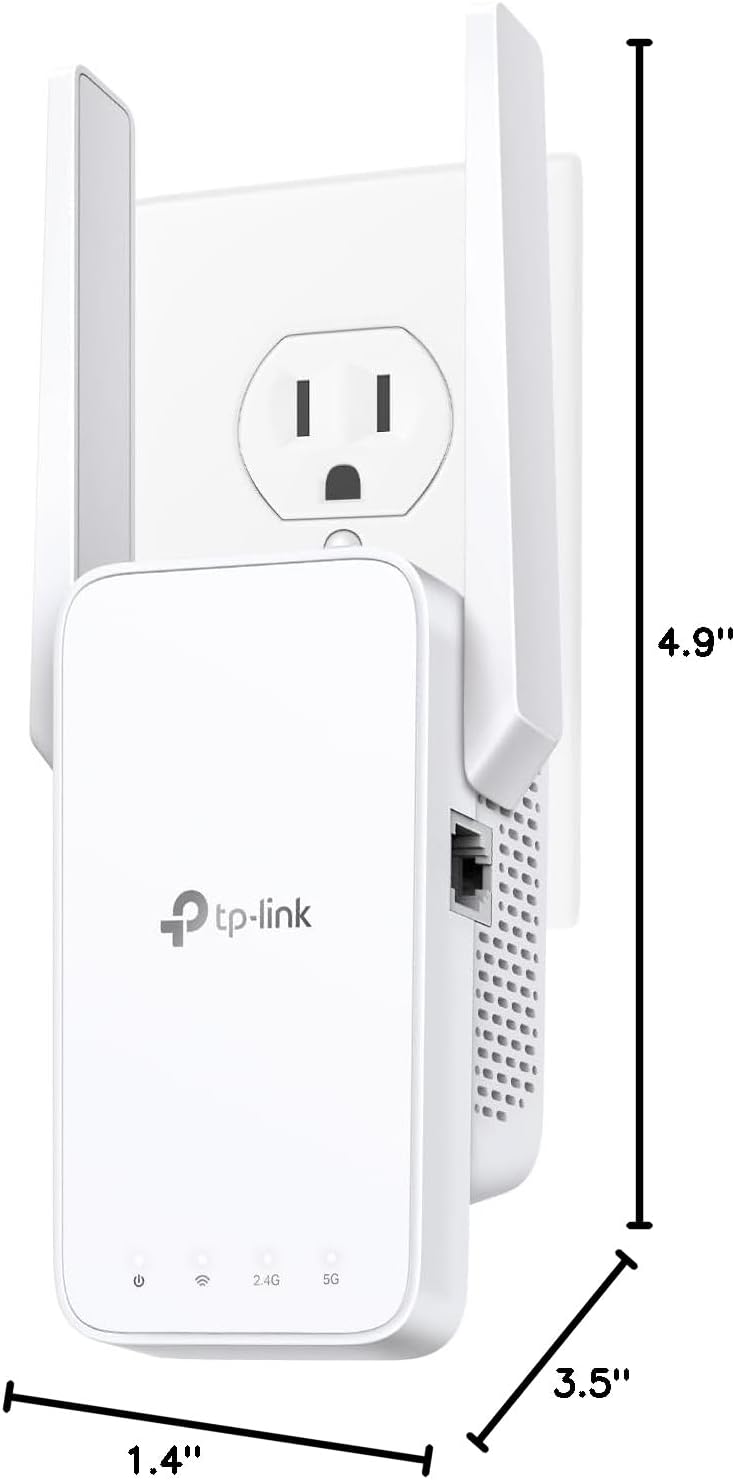
The RE315 is compact and easy to tuck into your space—3.5 x 2.05 x 4.89 inches and just 6.1 ounces. That matters when you’re trying to place an extender halfway between your router and the weak-signal area. It’s also designed for busy networks, supporting up to 32 devices and advertised coverage up to 1,600 sq ft, which fits many small-to-medium homes or a few office rooms.
AC1200 Dual-Band speed where you need it
As an AC1200 Dual-Band extender, you get two lanes for your traffic: 2.4GHz up to 300 Mbps for range and smart devices, plus 5GHz up to 867 Mbps for faster streaming and gaming. That adds up to about 1167 Mbps total advertised throughput, and MU‑MIMO helps it serve multiple devices more smoothly.
- 2.4GHz: better reach through walls
- 5GHz: better speed at closer range
- MU‑MIMO: improved multitasking for busy households
Jordan Lee, Network Engineer: "For a sub-$30 device, the RE315 punches above its weight—excellent for adding reliable coverage to a single floor or a couple of rooms."
Specifications — What’s Inside the Little White Box
The RE315 keeps things simple: a compact AC1200 extender built to stretch coverage without adding clutter. It’s small enough to blend into your room, but the Specifications are tuned for real-world dead-zone fixes—especially when you’ve got multiple phones, TVs, and smart devices online at once.
Throughput
You get dual-band Wi‑Fi with advertised speeds that match the AC1200 class. That means a combined throughput of 1167 Mbps (marketing total), split across two bands. With MU‑MIMO support, the extender can handle several devices more smoothly than older single-user designs.
| Band | Advertised Throughput | Best Use |
|---|---|---|
| 2.4 GHz | 300 Mbps | Longer range, basic browsing, smart home |
| 5 GHz | 867 Mbps | Faster speeds, streaming, gaming nearby |
Inputs/Outputs
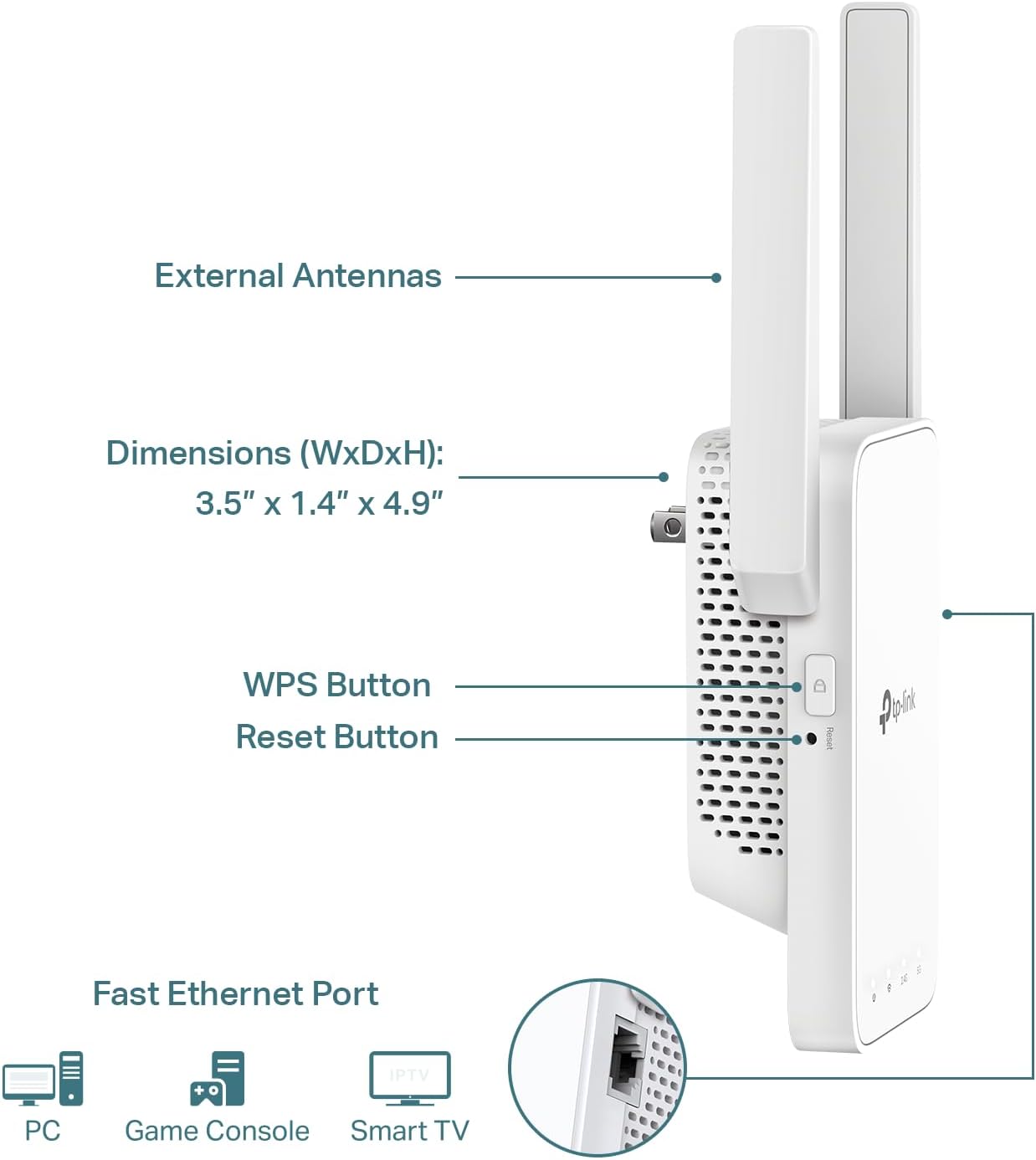
Hardware is minimal (in a good way). You get a single RJ45 Ethernet jack for a wired device like a smart TV or console—but note the limit: it’s a 10/100 Mbps port. That’s “fast Ethernet,” not gigabit, so your wired throughput tops out around 100 Mbps even if your router and plan are faster.
- 1× RJ45 Ethernet port (10/100 Mbps)
- On-device signal/LED indicators for placement and status
Antennas and Power
Two external Antennas help with signal stability and coverage shaping, and the built-in smart signal indicator makes placement less guesswork. As IT Specialist Maya Patel puts it:
"The RE315's hardware is modest but sensible—dual antennas and a clear signal indicator make it a practical extender for most homes."
CE RoHS certifications & security
For peace of mind, it carries CE and RoHS compliance and is part of the CISA Secure-by-Design pledge, reflecting added focus on built-in safeguards. You also get TP‑Link’s standard warranty and support ecosystem via the Tether app and cloud tools.
Performance & Real-World Testing — Speeds, Range, and Quirks
Performance in real-world testing (throughput you can feel)
In real-world testing, the TP-Link RE315 delivers the kind of range extender performance you buy a budget extender for: turning weak, unusable corners into workable Wi‑Fi. Verified reports show modest but real gains, like moving from about 35 Mbps → 93 Mbps over Wi‑Fi after adding the extender. If you plug a device into the RE315’s Ethernet port, some users have seen up to 135 Mbps—handy for a smart TV, streaming box, or console that struggles on wireless.
Ethan Rivera, Broadband Analyst: "In side-by-side tests, the RE315 shines for typical home usage—HD streaming and casual gaming—though it's not a replacement for a full mesh Wi‑Fi 6 setup."
Coverage and Range: what “up to 1,600 sq. ft.” looks like
For Coverage and Range, you’ll usually get the best results on the same floor, with practical single-floor coverage around ~1,500 sq. ft. in favorable placement. Multi-floor results vary a lot—reviews often note performance drops across levels, especially through thick walls, concrete, or near appliances that add interference.
Latency and ping: good for casual play, not pro-level
Latency and ping are generally fine for HD streaming, video calls, and casual gaming, but don’t expect ultra-low, tournament-grade responsiveness. Like most extenders, it may add a bit of delay, and occasional connection drops show up in some households.
Quirks and test caveats
- Placement matters: use the signal lights or Tether app to avoid “too far from router” installs.
- Interference and router pairing can change throughput dramatically.
- It prioritizes coverage over peak speed, and it lacks Wi‑Fi 6/6E features and 160 MHz channels.
- Works well worldwide (US, Brazil, Singapore, UAE, Saudi Arabia), but your building materials may be the deciding factor.
Setup, App & Compatibility — Plug, Tap, and Go
Setup and Installation with the TP-Link Tether app (Android/iOS)
You don’t need to be “the tech person” to get the RE315 running. For most homes, Setup and Installation is basically: plug it in, open the TP-Link Tether app on Android or iOS, and follow the prompts. Many user reports online put the whole process at 5–10 minutes, especially if you place the extender halfway between your router and the dead zone.
- Plug the RE315 into a wall outlet near your router.
- Connect in the Tether app and pick your 2.4GHz/5GHz networks.
- Move it to the best spot using the Signal indicator lights.
Lina Gomez, Home IT Consultant: "The signal indicator on the RE315 removes guesswork—it's small UX touches like that which make setup painless for non-tech users."
Signal indicator = faster placement, fewer retries
The built-in Signal indicator is the secret weapon here. Instead of guessing where to plug it in, you watch the light and adjust until you get a strong link back to your router—then you lock in that location for better coverage and fewer dropouts.
EasyMesh compatible: better roaming, better compatibility with routers
If you want a more “whole-home Wi‑Fi” feel, the RE315 is EasyMesh compatible and also supports OneMesh. Pair it with an EasyMesh-enabled router—like the TP-Link AXE75 WiFi 6E—and your phone or laptop can roam more smoothly, connecting to the strongest signal as you move around. This improves real-world compatibility with routers beyond basic extender setups.
Wired option (with a 100 Mbps limit)
You also get a single RJ45 port for a smart TV, streaming box, or console. It’s handy, but it’s a 10/100 Ethernet port, so wired speeds cap around 100 Mbps. Still, it adds flexibility in mixed networks, and you can run the RE315 in Repeater or Access Point (AP) mode.
For long-term stability, use the app for firmware updates, basic Cloud Management, and simple controls like LED scheduling and access settings.
Value, Pricing & Alternatives — Stretching Your Network Dollar
Price and discounts: why this is so budget friendly
In this TP-Link RE315 Review, the biggest win is simple: value. The RE315 typically sells for about $24.99 new, and you can often score used/open-box units for less—a sweet spot for anyone who wants solid range extender performance without paying “mesh system” money. That low entry price is a big reason it’s regularly mentioned alongside the Best Wi‑Fi Extenders for apartments, small homes, and offices.
If you just need to kill a stubborn dead zone, the RE315 is one of the most cost-effective options you'll find—just mind the Ethernet limitations.
—Noah Chen, Consumer Tech Writer
Real-world value (and Amazon perks)
Shoppers in the US, Brazil, Singapore, UAE, and Saudi Arabia often call out the “more coverage for less cash” feel—especially when you catch price and discounts during sales. If you’re buying late in the year, Amazon’s extended holiday returns help reduce risk: orders placed Nov 1–Dec 31, 2025 can be returned by Jan 31, 2026. Fast delivery options also make it easy to fix a dead zone quickly.
Accessories that make the most of your setup
The RE315’s Ethernet port is capped at 100 Mbps, so accessories can help you build a smarter wired corner where it counts:
- TP-Link TL-SG105 switch (add more wired ports)
- Vabogu Cat 8 cable or Jadaol Cat6 50 ft ($8.49)
- QINLIANF wall charger/surge ($9.99) for a clean power hub
- Amazon Basics AA 20-pack ($9.99) for backups
- Blink Outdoor 4 ($51.99) or Ring Battery Doorbell ($49.99) if you’re expanding smart home gear
Alternatives worth paying more for
If you need gigabit wired speeds or want more future-proofing, look at extenders with gigabit ports or a Wi‑Fi 6 mesh kit. You’ll spend more, but you’ll remove the Ethernet bottleneck and gain headroom for faster plans.
Wild Cards — Anecdotes, Analogies, and a Strange Corner Case
Campfire vs. Mirror: What an Extender Really Does
Think of your router as a campfire and the RE315 as a mirror that bounces light to the campsite. It doesn’t create new “heat” (internet), but it reflects what you already have into those Wi‑Fi dead zones. That’s why real world testing often looks less like lab charts and more like you walking around with your phone, chasing one extra bar.
A Balcony, a Bookshelf, and a Tiny Move That Changed Everything
One reviewer in Singapore tucked the RE315 behind a bookshelf and suddenly got stable 4K playback out on a balcony—proof that coverage up to 1,600 sq. ft. still depends on where you plug it in. I even made the classic mistake: I plugged it into a power strip next to a lamp, and the shade kind of “shadowed” the unit. It still worked, but moving it a few inches into the open made the signal indicator happier and my stream less jumpy.
Ava Morgan, Smart Home Enthusiast: "Placement changes everything—I've seen the RE315 go from flaky to flawless with just a few inches of movement."
EasyMesh Support and the “Device Herding” Moment
With EasyMesh support, you can picture multiple RE315 units politely trying to “herd” your phone and laptop toward the strongest signal as you move room to room. It feels close to plug and play when it clicks—especially in quirky layouts like offices, long hallways, or concrete-heavy apartments (reviews span the US, Brazil, Singapore, UAE, and Saudi Arabia).
The Strange Corner Case: When 100 Mbps Is the Ceiling
Here’s the catch: that single 10/100 Ethernet port can bottleneck a gigabit-only NAS or a pro gamer’s wired setup. And yes, a few users mention occasional connection drops. Still, at a budget price with friendly return windows, it’s a low-risk way to experiment—because sometimes one outlet change is the whole fix.



