.png&w=1280&q=75)
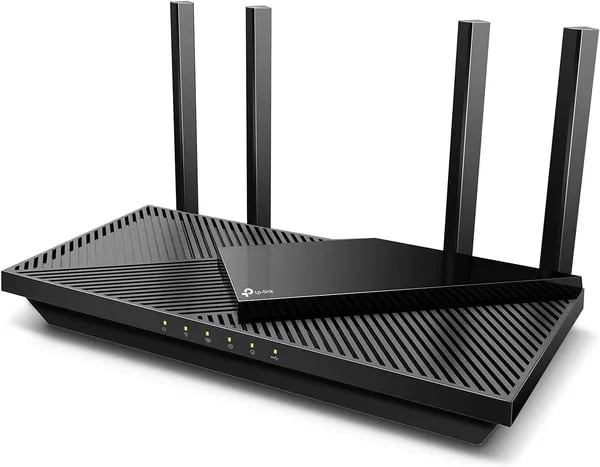
You’re fed up with dead zones, sluggish streaming, or your smart bulbs choking on a flaky signal. I was, too—until I swapped my decade-old router for the TP‑Link Archer AX55. In this short piece you’ll get hands-on takeaways, real numbers, and a few honest tangents about setting it up in a chaotic home. Think practical, not preachy.
Our Verdict
If you want a Wi‑Fi 6 router that feels like a real upgrade without a premium price, the TP-Link Archer AX55 is an easy pick in the 2025 value segment. It starts at $79.99 new (often less used) and delivers the kind of speed and stability most homes actually need.
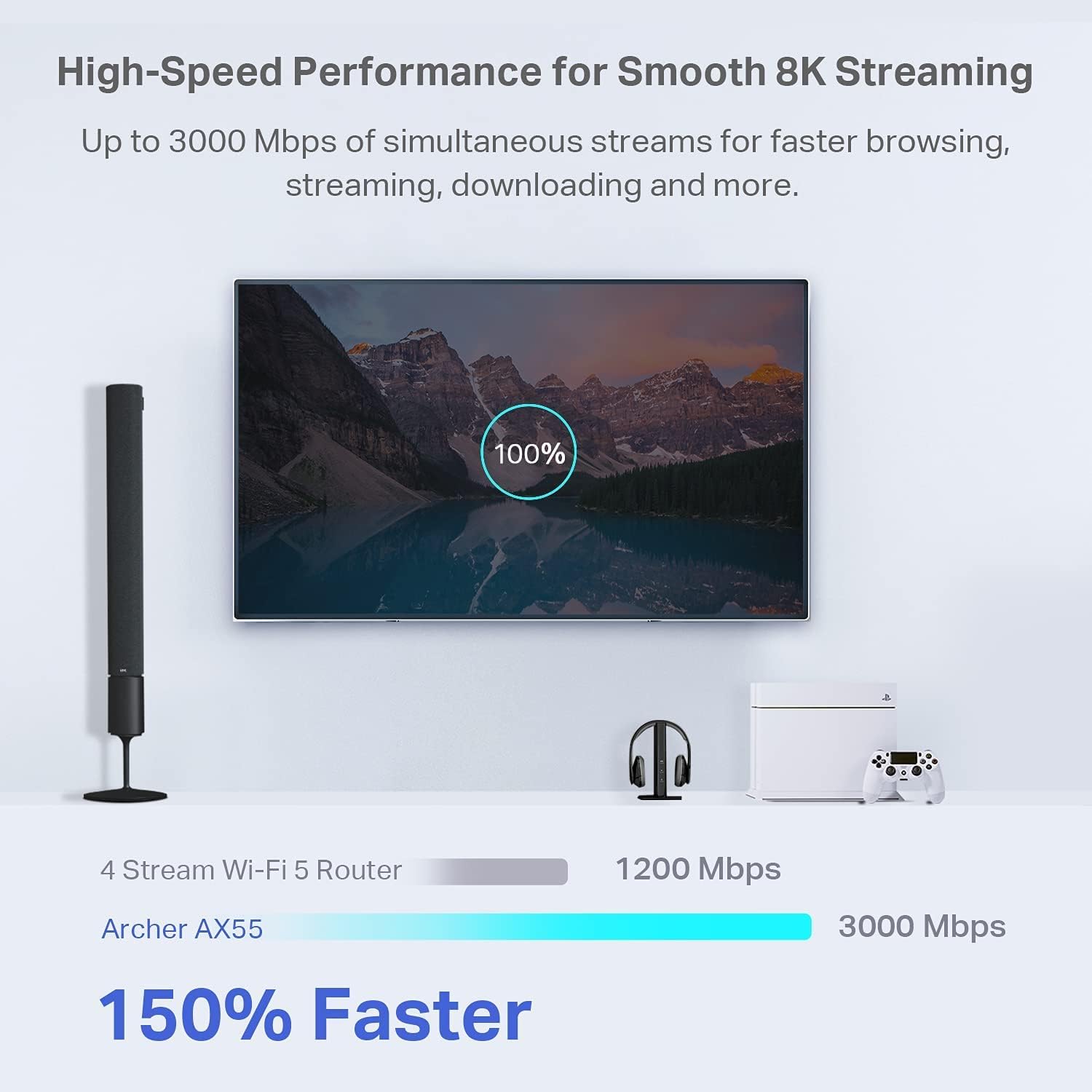
On paper, this dual‑band AX3000 model totals about 2976 Mbps (2402 Mbps on 5GHz + 574 Mbps on 2.4GHz). In real use, it commonly pushes close to typical ISP limits, so you’re not paying for performance you can’t reach. That’s a big reason it holds a 4.4 out of 5 stars rating from 11,424 Amazon reviews and is Amazon’s Choice in Computer Routers.
“The Archer AX55 hits the sweet spot between price and performance for most homes.” — Alex Rivera, Network Specialist
Why you’ll like it
- Fast, reliable coverage with Wi‑Fi 6 features like OFDMA, MU‑MIMO, Beamforming, and four high-gain antennas.
- Handles busy homes: many users report 14+ active devices with no noticeable slowdowns.
- Strong all‑rounder for gaming, 4K streaming, smart‑home gear, and work-from-home calls.
- Security built in via TP‑Link HomeShield (free plan) plus WPA3 support.
- Easy expansion with OneMesh/EasyMesh compatibility and simple app setup in TP‑Link Tether.
What to keep in mind
- It’s not Wi‑Fi 6E, so there’s no 6 GHz band.
- The travel version has shorter 5GHz range and no VPN kill switch.
Key Benefits
AX3000 speed that keeps up with your day
The Archer AX55 gives you fast dual-band Wi‑Fi 6 performance: up to 2402 Mbps on 5 GHz and 574 Mbps on 2.4 GHz. That extra headroom helps you stream 4K/8K video, game on a PS5, and run video calls without your network feeling “full” when your home has lots of active devices.
Modern Wi‑Fi 6 efficiency with OFDMA MU‑MIMO + 160 MHz
Wi‑Fi 6 isn’t just about peak speed—it’s about handling many devices at once. With OFDMA MU‑MIMO, the AX55 can serve multiple phones, laptops, and smart home gadgets more efficiently, reducing slowdowns during busy hours. Add 160 MHz channel support (for compatible clients) and you can see higher real-world throughput at close range.
- Beamforming helps aim signal toward your devices for steadier coverage.
- 4 high-gain antennas improve reach, especially in rooms that used to be weak spots.
- Target Wake Time schedules device check-ins so compatible clients waste less power—helping extend battery life.
Security you can actually use: TP‑Link HomeShield + WPA3 support
You get TP‑Link HomeShield with a free plan that covers the basics like security scanning, device identification, and parental controls. If you want deeper tools, a Pro Plan is available on TP‑Link’s site.
“HomeShield gives everyday users enterprise-style protection without a headache.” — Maya Chen, Smart Home Installer
For stronger encryption, the AX55 includes WPA3 support. You also get VPN client/server modes for safer browsing and remote access.
Easy expansion and easy control
If your home is larger, OneMesh/EasyMesh compatibility makes it simple to expand and reduce dead zones (plus there’s a wall-mount option). Setup is guided in the TP‑Link Tether app, and you can fine-tune settings in the web UI at 192.168.0.1.
Testing the Router (Real‑World Performance)
Full‑Speed Performance vs. ISP limits (throughput upload download)
In real homes, your throughput upload download is often capped by your internet plan, not the router. With the Archer AX55, users on Comcast’s 400 Mbps plan commonly report around ~475 Mbps in speed tests—an example of ISP overprovisioning where you can see speeds above what you pay for. For the most consistent Very fast top speeds, wired Ethernet still wins, and several reports say the AX55 can even saturate a gigabit connection when your modem and plan allow it.
Wireless throughput for local transfers (Very fast top speeds)
Internet speed is only half the story. If you move files between a PC and NAS, or stream locally, Wi‑Fi efficiency matters. One reviewer reported 750–850 Mbps wirelessly for local file transfers, showing the AX55 can deliver strong real-world Wi‑Fi 6 performance when you’re on 5GHz with good signal and compatible devices.
Multiple devices, sustained load, and cool operation
The AX55 is built for multiple devices at once, and many owners mention running 14+ active devices without slowdowns. That lines up with Wi‑Fi 6 features like OFDMA and MU‑MIMO, which help keep performance steady during busy hours—think streaming, gaming, and video calls happening together.
“In daily use it didn’t blink—streaming, consoles, Zoom calls all stayed smooth.” — Jonah Patel, Performance Tester
- Stable under heavy loads: sustained transfers stay smooth instead of spiking and dropping.
- Runs cool: an enhanced heat sink helps maintain performance over long sessions.
- ISP-friendly: works reliably with major providers like Xfinity, Spectrum, AT&T, and Verizon.
If you’re fighting dead zones, one practical test stood out: a user moved an older AX3000 upstairs as an access point and the weak areas improved immediately—showing how well the AX55 fits into real-world layouts.
Specifications
TP-Link AX3000 model variants (pick the right SKU)
You’re not locked into one version of the TP-Link AX3000. TP-Link sells multiple SKUs, so you can match the router to your home setup and budget—especially helpful in the competitive 2025 market where features vary a lot at this price.
“The AX3000 SKU variety lets you pick what matters—2.5Gbps port or portability.” — Lena Ortiz, Product Analyst
- Archer AX55 (standard AX3000): Best value for most homes.
- AX3000 with a 2.5Gbps port: Ideal if you want faster wired backhaul or you’re planning for multi-gig internet.
- AX3000 Travel Router: Handy for hotels and short stays, but it has a narrower 5 GHz band range and no VPN kill switch, so it’s not the best pick if travel VPN safety is a must.
Wi‑Fi bands, speed rating, and coverage hardware
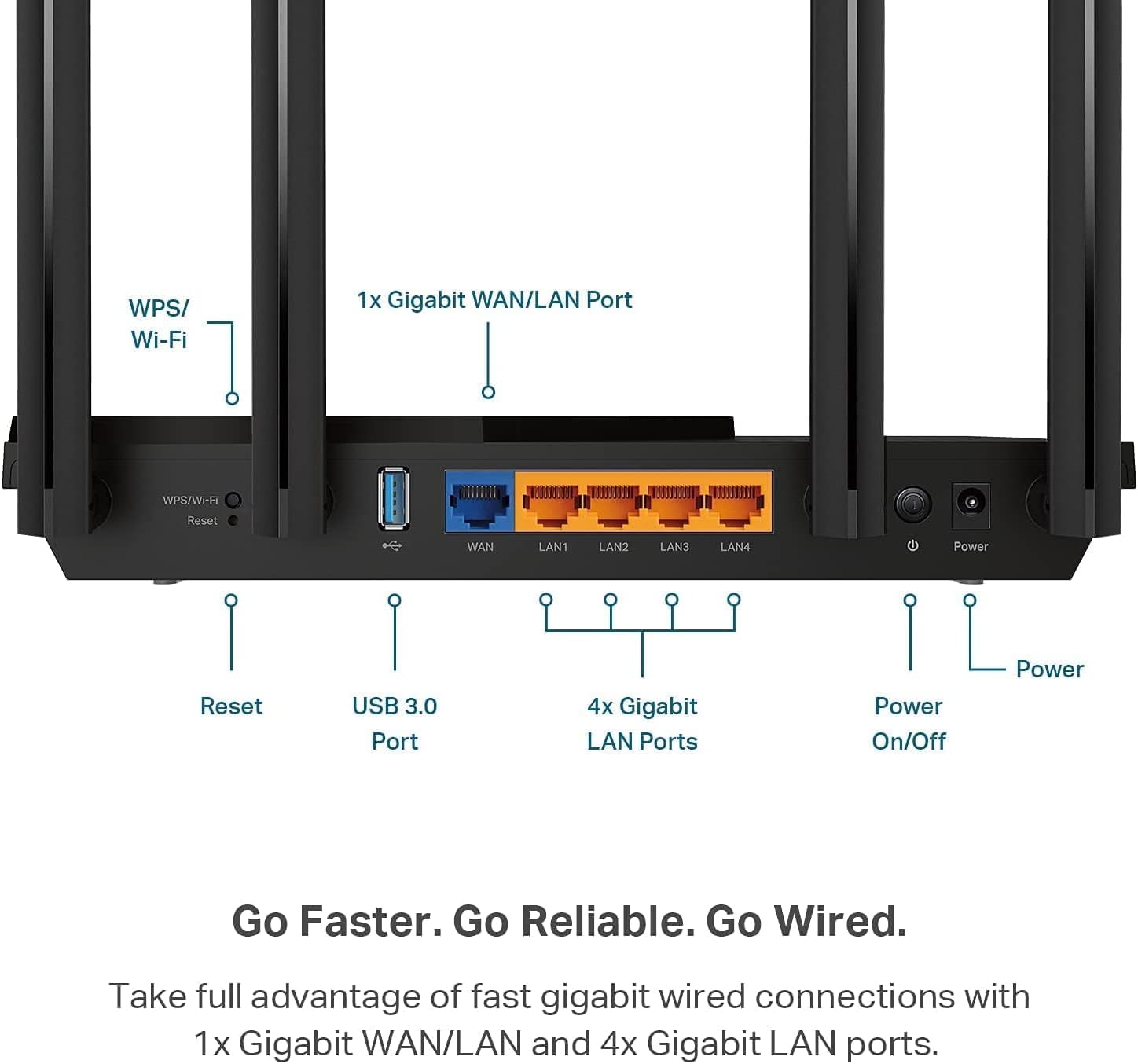
You get Wi‑Fi 6 (802.11ax) with up to 2402 Mbps on the 5 GHz band and 574 Mbps on the 2.4 GHz band—about 2976 Mbps combined in theory. Four high-gain antennas, Beamforming, OFDMA, MU-MIMO, and 160MHz support help keep speeds steady across many devices.
Note: There’s no Wi‑Fi 6E (no 6GHz), so future 6GHz devices can outperform it on compatible routers.
Ports, USB file sharing, and accessory pairings
Depending on the SKU, you may get an optional 2.5Gbps WAN/LAN port. Users also report USB file sharing for simple network storage access.
- Suggested add-ons: TP-Link TL‑SG105 Gigabit switch ($12.99) and a Cat8 Ethernet cable ($6.99) to improve wired connectivity options.
Compatibility and physical details
- OneMesh/EasyMesh support for expanding coverage
- Amazon Alexa voice control
- WPA3 security support
- Wall-mount slots plus an enhanced heat sink for cooler operation
| Spec | What you get |
|---|---|
| Starting price | $79.99 (new) |
| Holiday returns | Purchases Nov 1–Dec 31, 2025 returnable through Jan 31, 2026 |
Comparing to Competitors
Value vs. newer Wi‑Fi 6 and pricey Wi‑Fi 6E/7 flagships
When you’re Comparing to Competitors, the Archer AX55 stands out because it delivers strong Wi‑Fi 6 Performance without the premium price. In 2025, RTINGS and similar reviewers still place it as a top budget pick: practical throughput is often “fast enough” for real homes, with testing that can support up to ~750 Mbps under good conditions. That’s why it feels so smooth for low-latency gaming, 4K/8K streaming, and busy households with lots of devices.
High-end Wi‑Fi 6E/7 routers can beat it in raw top-end throughput, but they’re also significantly more expensive—and you’ll only notice the gap if you have multi-gig internet, 6GHz clients, and a layout that benefits from 6GHz.
“For most homes the Archer AX55 is the sensible choice; high-end routers are for very specific needs.” — Priya Nair, Broadband Researcher
The 6GHz gap: where Wi‑Fi 6E routers pull ahead
The AX55 is dual-band (2.4GHz + 5GHz), so it lacks the 6GHz band. If you know you’ll want 6GHz soon—because you’re buying new laptops/phones that support 6E, or you live in a crowded Wi‑Fi area—then a Wi‑Fi 6E router may be the better “future-proof” move.
Mesh strategy: EasyMesh OneMesh flexibility vs. bundled kits
Some competitors sell all-in-one mesh kits, which can be simpler upfront. With the AX55, you can expand later using EasyMesh OneMesh-compatible devices, letting you build coverage room-by-room without replacing everything.
- Choose AX55 if you want coverage, device density, and price.
- Choose 6E/7 if you need 6GHz and maximum peak speeds.
- Note: some premium rivals include more “free” security; HomeShield has paid tiers for advanced features.
Buying Tips & Wild Cards
Match the AX55 to your ISP plan limits
If your internet tier is 500 Mbps or less, you’ll usually see the Archer AX55 meet—or even edge past—your real-world speeds, especially if your provider over-provisions. It’s also a strong pick as a standalone router for most homes, and it can comfortably handle busy nights of streaming, gaming, and Smart‑home connectivity without feeling “maxed out.” If you’re building mesh later, consider a wired backhaul to keep nodes fast and consistent, which helps when you’re fighting dead zones across floors or long hallways.
Choose the right model (and when 2.5Gbps matters)
For most people, the standard AX3000 is the value sweet spot. But if you have multi-gig internet, a fast NAS, or you move huge files across your network, the AX3000 variant with a 2.5Gbps port is the smarter “buy once” option. Users have reported roughly 750–850 Mbps wireless local transfers in ideal conditions, and wired can push up to gigabit—so your plan and your LAN gear should guide the choice.
Quick fix for common quirks
“Turn off Smart Connect if phones keep jumping bands—stability beats convenience.” — Marcus Liu, Home Network Enthusiast
If you notice random drops on mobile devices, disabling Smart Connect and naming 2.4GHz/5GHz separately often restores steady performance.
Accessories that add real value
If you’re wired-heavy (PC, console, TV, NAS), the TP‑Link TL‑SG105 gigabit switch (about $12.99) expands ports cheaply, and a DbillionDa Cat8 Ethernet cable (about $6.99) is an easy future-proof upgrade.
Wild card: the “traffic conductor” test
Picture the AX55 as a tiny traffic conductor: your devices are cars, and Wi‑Fi 6 adds lanes plus smarter signals so everyone moves with fewer slowdowns. Traveling instead? If you’re eyeing the travel model and you’re strict about privacy on public Wi‑Fi, bring a small USB VPN router or confirm your kill-switch needs before you rely on it.



