.png&w=1280&q=75)
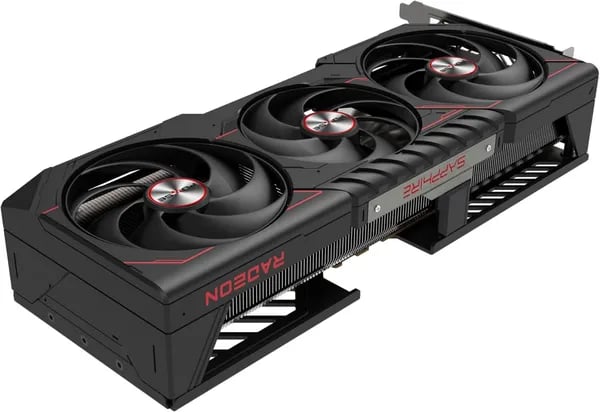
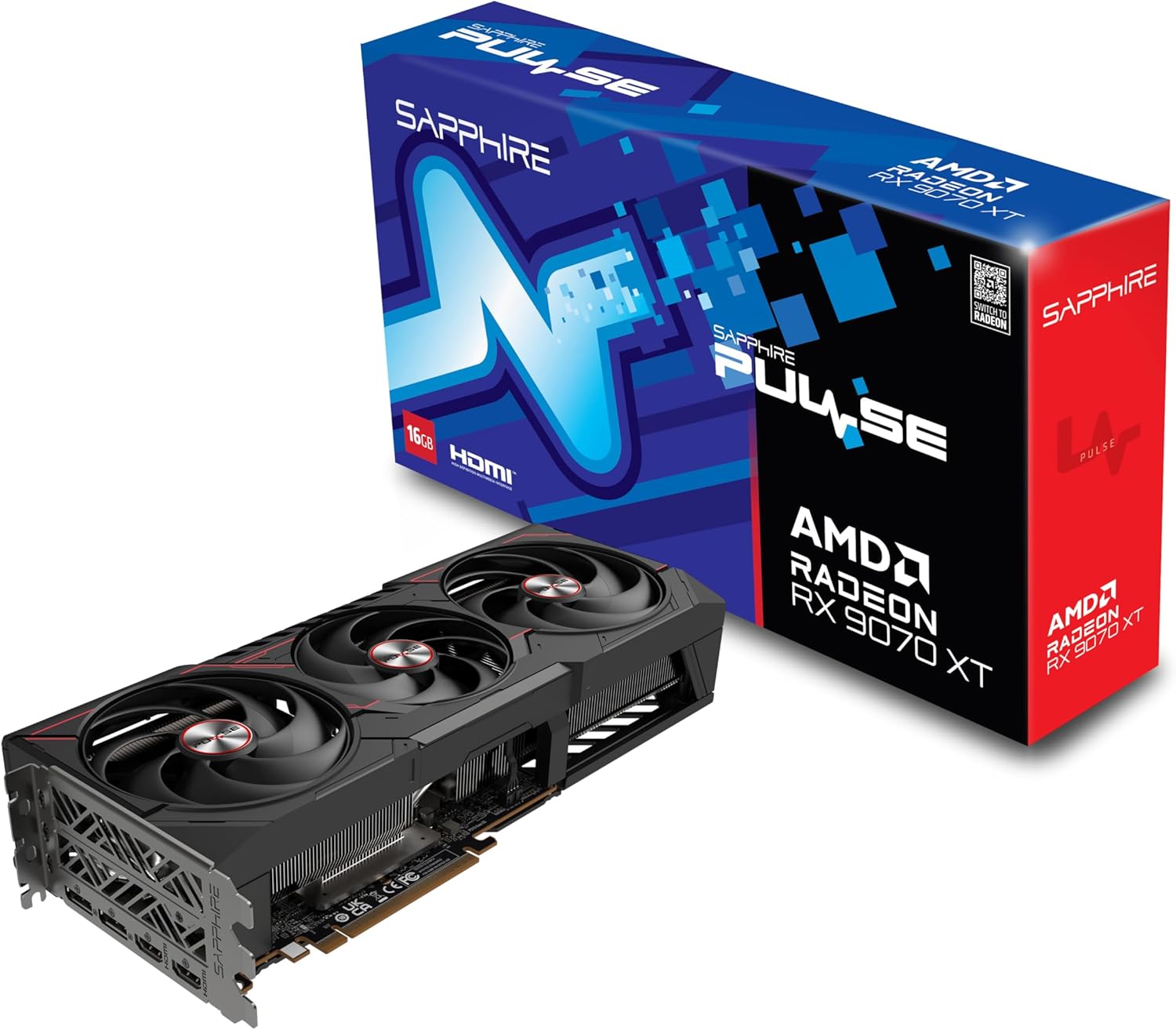
You know that feeling when a component arrives and you immediately want to swap it into your rig? That was me unboxing the Sapphire Pulse RX 9070 XT—curiosity, the smell of fresh thermal paste, and a stubborn old RTX card waiting on the bench. In this post you'll get a practical, slightly opinionated walkthrough: specs that matter, benchmarks that actually reflect daily use, and the quirks other reviewers gloss over. Expect tangents, a benchmark you can reproduce at home, and a little consumer-level detective work on price and availability.
Why this GPU might be your next upgrade (Big-picture)
AMD Radeon RX 9070 XT: the “feel it instantly” upgrade at 1440p
If you’re moving up from an RTX 2060/2070, a 3000-series card, or even a mid-range 4000-series, the AMD Radeon RX 9070 XT is the kind of upgrade you notice right away. You’re buying into RDNA 4 plus 16GB GDDR6 on a 256-bit bus—exactly what you want for modern textures, big open-world games, and high-refresh 1440p.
4K gaming performance without the “jet engine” vibe
The Sapphire Pulse RX version earns its reputation because it pairs strong performance with cooling that doesn’t dominate your room. Real buyers consistently call out low noise and stable temps, and that matters when you’re pushing long sessions at 1440p Ultra or stepping into 4K gaming performance.
Crush: "Excellent 4K and 1440p performance with a quiet Tri-X cooler—great value."
A value-heavy alternative to comparable NVIDIA parts
In the real world, this card often gets framed as a smart “performance-per-dollar” play—especially if you care most about raster performance and smooth frame pacing. One buyer even said it beat their previous NVIDIA card:
Audio: "Radeon is way underrated and underappreciated; this surpassed my RTX 4070 Ti Super."
It’s not just for games: creators get real speedups
If you render, the gains can be dramatic. One Blender user reported the BMW27 scene dropping to 15.55 seconds on GPU versus 88.29 seconds on CPU (about 5.68x faster). And with AI accelerators mentioned in Linux reviews, it can also fit light AI/ML edge tasks.
- Price/availability: $649.99 on Amazon (ASIN
B0DTHMPWFR), In Stock, #21 rank, plus 17 New & Used options (street prices can vary above MSRP). - Power planning: TBP is ~304W—aim for a 650–750W PSU for comfortable headroom.
Specifications (the meat you’ll skim then obsess over)
Core architecture: AMD RDNA 4 (Sapphire-tuned)
You’re getting AMD’s RDNA 4 architecture with Sapphire’s Pulse take on it—built for high refresh 1440p and serious 4K. Vendor-listed specs line up with what buyers report: strong real-world performance, modern features, and extra clock headroom when the cooling and power limits allow it.
ike: "Observed shader clocks at 3316 MHz vs advertised ~2970 MHz—impressive headroom."
Memory: 16 GB GDDR6 + 256-bit bandwidth
The headline spec is 16 GB GDDR6 on a 256-bit memory interface, with a listed 20 GHz memory speed (effective). In practice, that combo is why the card holds up better at Ultra textures, higher resolutions, and heavier creator workloads—exactly what reviewers are seeing in games and rendering.
I/O, PCIe 5.0 x16, and DisplayPort 2.1a
For displays, you get 2 x HDMI and 2 x DisplayPort. Across RX 9070 XT variants, you should expect PCIe 5.0 x16 support plus modern outputs like DisplayPort 2.1a and HDMI 2.1b—ideal if you’re pairing it with a high-refresh 4K/ultrawide monitor.
James Braun: "Running 5120 x 1440 native and never dropping below 60 FPS at Ultra in RDR2."
Size, weight, power, and model ID
- Dimensions: 12.6 x 4.73 x 0.04 inches
- Weight: 4.09 pounds
- Power notes: ~304W total board power; typically 2x 8-pin
- Item model:
11348-03-20G(RX 9070 XT series) - First available: March 6, 2025
The form factor should fit most mid-to-full towers, but if your case is compact, measure first—length and thickness matter more than you think.
Performance Metrics & Benchmarks (what you actually care about)
Gaming benchmarks: 1440p sweet spot, real 4K gaming performance
If you’re buying the Sapphire Pulse RX 9070 XT, you care about gaming benchmarks that match real play—not just charts. Across verified Amazon owners, the story is consistent: you can run 1440p at max settings smoothly, and 4K gaming performance is very workable in many AAA titles when you tune settings smartly.
One buyer (“James Braun”) even runs 5120 x 1440 and reports staying above 60 FPS at Ultra in demanding games like RDR2. Another reviewer (“Crush”) highlights how the cooler helps you keep performance without the noise.
Crush: "Quiet Tri-X cooler lets you game at 4K without that noisy fan whine."
Performance Metrics for creators: Blender rendering speed you’ll actually feel
For content work, the standout Performance Metrics come from Blender. Verified user “ike” tested Blender 4.4.0 and saw the BMW27 scene drop from 88.29s on CPU to 15.55s on GPU—a 5.68x improvement in Blender rendering speed.
ike: "Rendering BMW27 in 15.55 seconds on Blender 4.4.0 — dramatic speedup over CPU."
Stress tests, sustained clocks, and synthetic scores
Under heavy load, users report sustained GPU usage and clocks that can exceed the advertised boost (~2970 MHz). “ike” observed 3316 MHz shader clocks, which hints at efficient cooling and strong Sapphire binning.
| Test | Real-user result |
|---|---|
| Unigine | ~427–432 FPS |
| glmark2 | ~16,000–18,000 |
| Blender BMW27 | 88.29s (CPU) → 15.55s (GPU) |
Note: These results come from verified user runs and independent reviews; your numbers will vary by drivers, CPU, and cooling. Ray tracing looks improved vs older AMD cards, but can be mixed versus similar NVIDIA parts per watt. Linux deep dives also note 128 AI accelerators, which may help in select AI/ML and upscaling workflows.
Cooling, Noise, and Build Quality (everyday comfort matters)
Cooling & Efficiency: steady temps, steady clocks
When you game or render for hours, Cooling and Efficiency decide whether your GPU feels smooth or starts to wobble. With the Sapphire Pulse RX 9070 XT, you’ll notice how often real users call out stable temperatures that help the card hold higher boost behavior longer—because good cooling design supports sustained clocks instead of quick spikes.
In everyday play, many owners report temps living in the 60s–70s °C range, with extended sessions rarely pushing into the high 70s. Some tests even mention lows like 56°C at 120 FPS, which is exactly the kind of headroom you want in a mid-to-large case with decent airflow.
Tri-X cooler & noise levels: quiet even under load
Sapphire’s Tri-X cooler gets repeated praise for balancing airflow with low fan RPM, which directly helps noise levels. That matters if you stream, record, or just hate hearing your PC ramp up every time a fight gets busy.
Crush: "Strong cooling, low noise—exactly what you want when gaming for hours."
- Low noise levels during heavy loads (a common theme across reviews)
- Cooling that supports sustained higher clocks, not just short boosts
- A better “room feel” if your PC sits on the desk near your mic
Build quality: sturdy, practical, and “EVGA of Radeon” vibes
This is a hefty card at 4.09 pounds, and that weight matches the “solid” feel buyers describe. It’s also fairly compact-ish for a 16GB RDNA 4 GPU, making it a good fit for mid-to-large builds without feeling oversized.
Karth: "Moved from 1080p on an EVGA RTX 2060SC to seamless 1440p at max settings—temps stayed manageable."
More than one reviewer even compares Sapphire to the “EVGA of Radeon cards”, which is basically shorthand for dependable construction and consistent cooling behavior.
Price, Availability, Warranty & Global Impressions
Price & availability (Amazon price $649.99 vs MSRP $600)
On Amazon, the Sapphire Pulse RX 9070 XT is shown at an Amazon price $649.99 and marked “In Stock” (at the time of the listing details). That puts it above the often-mentioned MSRP $600 target many buyers hope for, but it’s still positioned as a strong value when you look at the real-world performance people report in 1440p and 4K.
You also get flexibility: there are 17 New & Used options, it’s Prime-eligible, and it carries the Amazon’s Choice badge with a #21 rank in graphics cards—signals that it’s moving fast and generally meeting expectations.
- Street prices vary: demand can push listings above MSRP, so it pays to watch for restocks and reputable sellers.
- If you’re patient, you may catch a closer-to-MSRP offer without sacrificing delivery speed.
Warranty & Returns: what protection you actually get
Your Warranty & Returns safety net starts with Amazon’s standard 30-day return window for new computers/components if something arrives damaged or dead on arrival. Keep in mind Amazon may test returns and, in some cases, apply a restocking fee—so keep the box, inserts, and all accessories if you think you might need an RMA.
For hardware faults after that window, you’ll typically need to request the manufacturer warranty via customer service. If you’re buying outside the US, double-check local coverage and who handles the claim.
Global impressions (170 reviews, 4.6/5 average)
Feedback is strong: 170 reviews, 4.6/5 average, and 84% five-star ratings. International buyers from Japan, Canada, Mexico, and the UAE echo the same themes—quiet cooling, smooth performance, and solid build—while one Japanese review mentions minor shipping/packaging concerns.
Gabriella: "Price was above MSRP but delivery and storefront transparency made it a painless buy."
Monstruo (Mexico): "Great performance and value for the region—happy buyer."
Wild Cards: Analogies, What-Ifs, and a Tiny Tangent
Analogy: a sports sedan with real-world manners
Think of the Sapphire Pulse RX 9070 XT like a sports sedan: quick off the line, stable at speed, and priced so you can still afford the “good tires.” It’s not the exotic that wins every drag race, and in GPU terms, ray tracing is that top-speed metric where pricier cards may still pull ahead. But for the way you actually drive—1440p, 4K, big textures, long sessions—it feels balanced, quiet, and confident.
What-if: drivers + AI Upscaling keep raising the ceiling
Here’s the fun hypothetical: if AMD keeps tightening ray tracing performance through driver updates, the value of this card could jump without you changing a single part. That’s not wishful thinking—it’s how modern GPUs age. And you’re not waiting empty-handed: AI Upscaling already helps you smooth over heavy scenes and push higher settings when you’d rather keep frame rates steady.
Tiny tangent: build-day ritual (reduces RMA/DOA headaches)
Small practical steps on build day can save you from the worst kind of “upgrade”—boxing it back up. Before you install, measure case clearance, confirm your PSU has the Power connector 2x 8-pin, and keep the original box and foam in a safe spot for returns. Do a quick pre-build ritual too: clean dust filters, update your motherboard BIOS, and download the latest AMD drivers before first boot. It’s boring, but it cuts friction.
On price, you’ll see the MSRP context around $600, while Amazon lists $649.99; some buyers still felt good about it.
DigiCat: "Legitimacy and timely delivery convinced me—even at slightly higher prices."
9070xt (UAE): "Solid global performance; no regrets buying from abroad."
Long-term, 16GB VRAM is the quiet win: texture-heavy games and creative workloads don’t get smaller. Sometimes the best upgrade isn’t bragging rights—it’s fewer thermal headaches, lower noise, and fewer driver dramas while you just play and create.



