.png&w=1280&q=75)
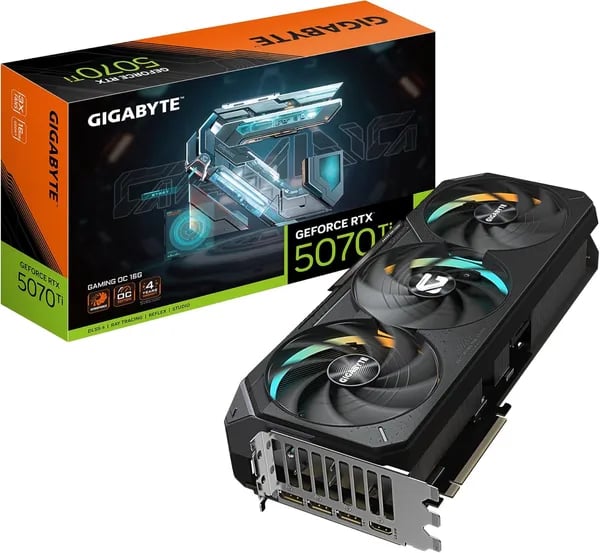
I still remember swapping my old 6700XT for the GIGABYTE RTX 5070 Ti and feeling like I’d plugged my rig into a rocket. That first session—path tracing on, DLSS 4 engaged, and frame generation pushing me past 180 fps at 1440p—made me close the dev tools and just play. In this short, opinionated rundown I’ll cover what surprised me, what disappointed me (a tiny rant about price), and the exact numbers you need if you’re thinking of buying.
Why I Pulled the Trigger (A Personal Upgrade Story)
From 6700XT/3070 Ti to RTX 5070 Ti Gaming OC: the upgrade that finally felt “worth it”
I’ve bounced between a 6700XT 12GB and a 3070 Ti 8GB, and both were fine—until newer games started asking for more VRAM, more ray tracing, and more consistency. I wanted a card that didn’t just spike high FPS in benchmarks, but felt better in real play. That’s what pushed me to the RTX 5070 Ti in the Gaming OC trim.
The first thing I noticed wasn’t a number—it was responsiveness. Menus felt snappier, frame pacing looked cleaner, and the whole system felt less “on the edge.” In the same 1440p settings that used to make my older cards sweat, this one just cruised.
My first hands-on session: cooler, quieter, and a steady 180 fps at 1440p
With DLSS 4 and Frame Generation on, hitting a consistent 180 fps at 1440p stopped being a “maybe” and became my normal. Path tracing went from “turn it off” to “why not?” And the best surprise: the WINDFORCE cooler kept temps in the mid-50s to low-60s °C during long sessions, while staying quiet.
Specs that mattered day-to-day: 16GB GDDR7, Boost Clock, and PCIe 5.0
I bought this model for practical reasons, not just hype. The 16GB GDDR7 on a 256-bit bus feels like real future-proofing for high-res textures and multi-monitor setups. The factory OC is also nice: the Boost Clock is rated at 2588 MHz. In my case, it’s a small gain over reference—welcome, but I didn’t find tons of extra OC headroom beyond that.
- Memory: 16GB GDDR7 (256-bit)
- Interface: PCIe 5.0
- Boost Clock (Gaming OC): 2588 MHz
Small practical wins: fit, finish, and that premium unboxing feel
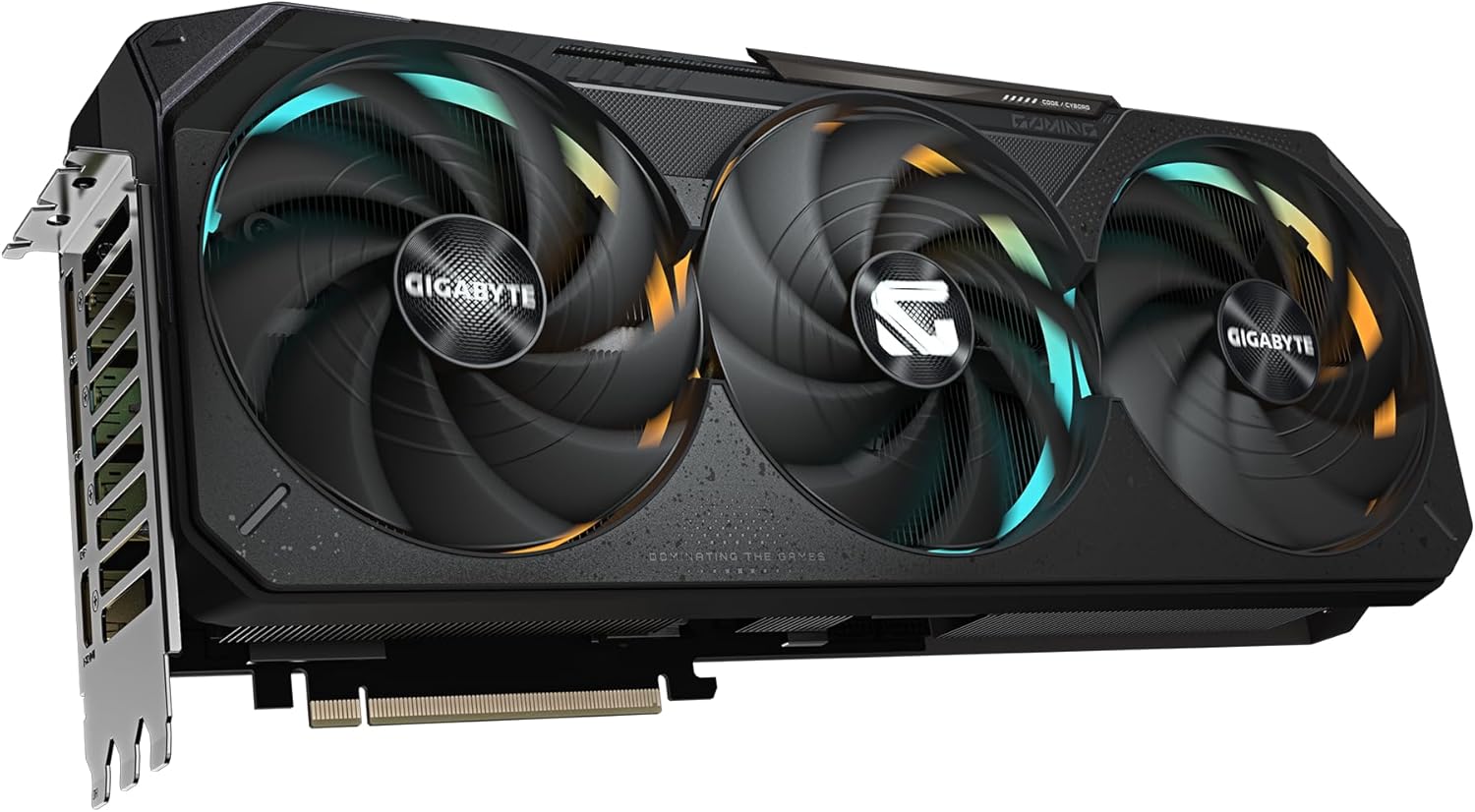
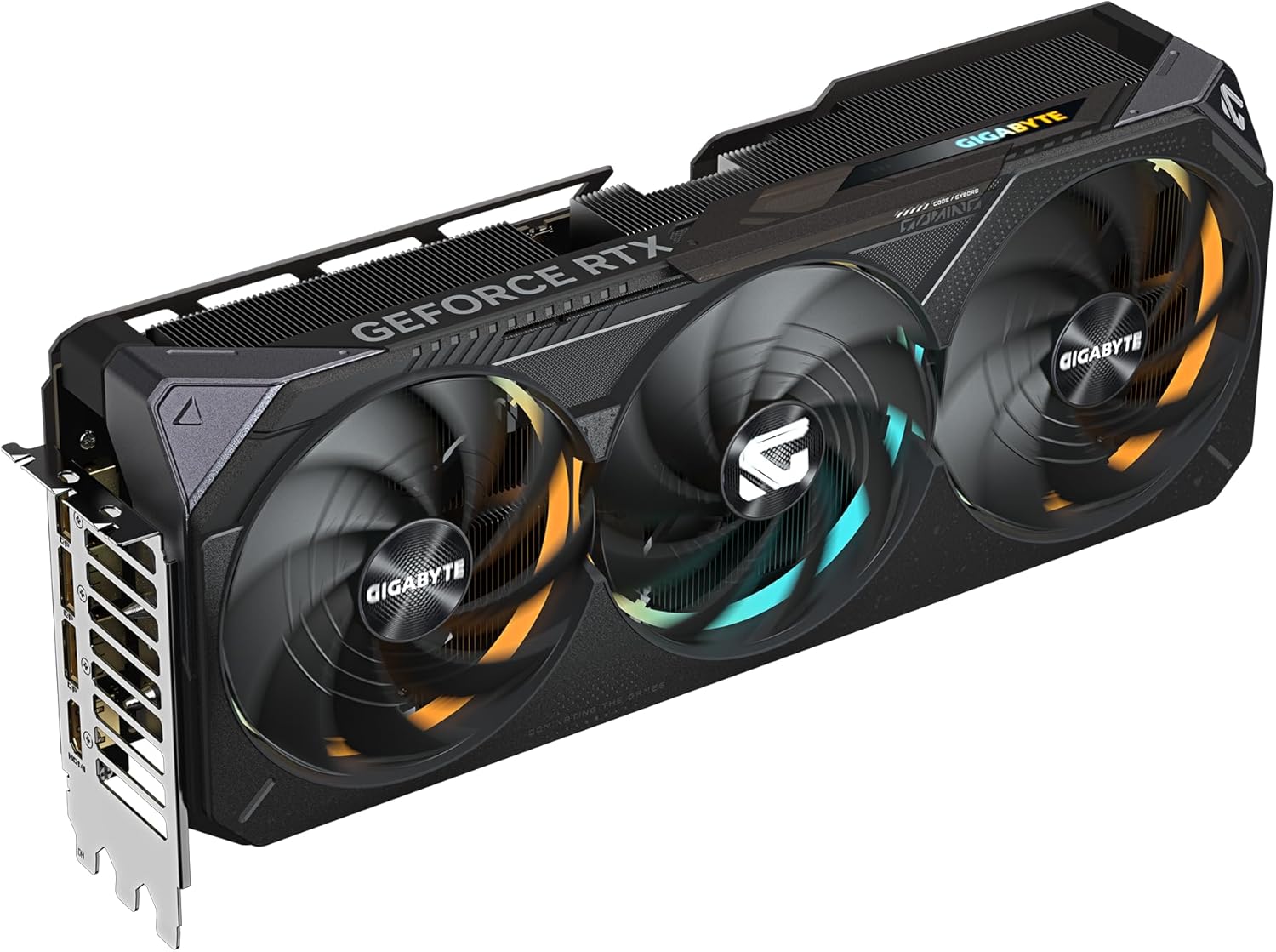
I was also relieved it fit my mid-tower easily. At 13.46 x 5.59 x 2.76 inches, it’s “big GPU” territory, but not ridiculous. And at 3.92 pounds, it feels solid without being scary-heavy. The build quality and RGB made the unboxing feel genuinely premium—like I actually spent money on something engineered well.
Oscar Salazar: "The 5070 Ti feels like a genuine step forward, though the generation-wide pricing remains a sore spot."
Gaming and Creative Workflows: What It Actually Does
1440p gaming with DLSS 4 + Ray Tracing (the sweet spot)
Most of my time with the RTX 5070 Ti Gaming OC has been in 1440p gaming, because that’s where it feels almost unfair. With settings maxed out, Ray Tracing on, and even path tracing in supported titles, the image quality is the kind of “pause and stare” stuff—without the usual frame-rate penalty I’m used to.
On this NVIDIA Blackwell card, DLSS isn’t just a toggle I flip to survive; it’s a feature I use to push higher refresh rates. With DLSS 4 and Frame Generation, I was regularly seeing around 180 fps at 1440p in the right games and scenes, which finally makes a high-refresh monitor feel fully used.
4K Performance: realistic when you lean on Multi Frame
Native 4K is still the “hard mode” setting, but 4K Performance becomes very real when you treat upscaling as the default plan. DLSS 4 plus Multi Frame Generation is the difference between “looks great but feels heavy” and “looks 4K-ish and plays smooth.”
My take: "Seeing multi-frame DLSS 4 push 4K-like results while keeping temps sane felt like cheating—deliciously practical."
And if you’re building a multi-monitor setup, the max supported resolution of 7680 x 4320 gives you plenty of headroom for ultra-wide or stacked displays.
Creative workflows: 16GB VRAM and Blackwell AI actually matter
For editing and creation, the big win is the 16GB GDDR7 VRAM. That extra memory helps with heavier timelines, larger textures, and AI tools that love to eat VRAM. Blackwell’s efficiency also shows up in day-to-day use: AI-assisted features feel snappier, and ray tracing workloads don’t spike power and heat the way my older cards did.
- 16GB VRAM = more room for future game textures and bigger creative projects
- Blackwell architecture = better AI + ray tracing efficiency versus older gen
- DLSS 4 + Multi Frame = smoother “4K-like” output without going fully native
Thermals, Noise and the WINDFORCE Advantage
WINDFORCE cooling that actually shows up in temps
The biggest surprise with this RTX 5070 Ti Gaming OC wasn’t just the FPS—it was how calm it stayed while doing it. In my heavier gaming sessions and longer creative runs, WINDFORCE cooling consistently kept the GPU in the mid-50s to low-60s °C range. That lines up with what I’m seeing in user reports too, including people running it in hotter rooms and even harsh climates (I saw multiple shoutouts from Saudi Arabia).
This isn’t magic—it’s a very real Cooling Solution: a beefy heatsink, smart airflow, and a build that feels like it’s meant to run hard for hours. The result is simple: less heat soak, fewer spikes, and more consistent clocks.
Silent Mode + fan-stop = near-silent daily use
Noise is where this card won me over. With Silent Mode enabled, the fan curve is relaxed, and at low temps the fans can stop entirely. That makes normal desktop work, browsing, and light editing basically silent—no constant “GPU whoosh” in the background.
“I left it in silent mode overnight while rendering—still cool, still quiet; honestly spoiled me.”
Power Limit and Thermal Headroom for long sessions
The default Power Limit sits around 300W (and it’s typically adjustable roughly ~250–330W), and the cooler feels built for it. Because temps stay controlled, you get real Thermal Headroom—which matters when you’re chasing stable high-FPS at 1440p with ray tracing and Frame Generation. In plain terms: I saw fewer signs of thermal throttling, even during marathon sessions.
Stability tips: power and support
- Use three separate power cables (not daisy-chained) for best stability—this came up repeatedly in reviews, and I agree.
- The card is hefty, so an anti-sag support is a smart add if your case layout needs it.
| Metric | What I saw / what’s typical |
|---|---|
| Load temps | Mid-50s °C to low-60s °C |
| Power limit | 300W (adjustable ~250–330W) |
| Noise behavior | Silent Mode + fan-stop at low temps |
Price, Alternatives and Value Judgment (The Wallet Talk)
Price Performance: the $839.99 sticker shock
Let’s talk numbers. The RTX 5070 Ti Gaming OC I tested sits at $839.99 new (I also saw a used example at $814.79). That puts it squarely in the $800–$1000 premium zone, and yeah—your wallet will notice. But in my day-to-day gaming, the Price Performance story is stronger than I expected: 1440p max settings with heavy ray tracing feels smooth, and 4K becomes realistic once you lean on upscaling.
What you’re really paying for is the full package: 16GB GDDR7, modern features like DLSS and Frame Generation, and a cooler that stays quiet while the card keeps boosting. If you’re upgrading from something like a 3070 Ti 8GB or 6700XT 12GB, the jump is obvious enough that the “premium tax” starts to make sense.
Amazon support lowers the risk
I also factor in buying confidence. Amazon’s free delivery, 30-day return policy, and warranty support take some stress out of spending this much. And it’s not just me being picky—this model shows a 4.5/5 rating from 690 reviews with 2,000+ units sold since February 20, 2025, which suggests the price hasn’t scared everyone off.
Alternatives: cheaper cards, different trade-offs
If your goal is pure Value Money, there are real options—just with compromises in features or raw speed.
- Gigabyte GTX 1050 2GB — $197.95: budget lifeline, but not in the same universe for modern AAA.
- Radeon RX 7800 XT Gaming OC 16GB — $748.87: strong value alternative, but you may miss some NVIDIA extras (DLSS-style ecosystem, RT polish).
- Gigabyte RTX 4060 / 5060 / 3070: cheaper paths, but you’re usually giving up headroom, VRAM comfort, or next-gen perks.
What about full-system bundles?
If you want an “it just works” route, bundles like the GEEKOM A6 Mini PC or BEASTCOM Q5 Pro can be tempting. For gaming, though, they won’t touch the dedicated horsepower and feature set of the RTX 5070 Ti with 16GB GDDR7.
Oscar Salazar: "Solid performance, but the price across the RTX generation leaves room for pause—four stars from me."
Final Thoughts, Buying Tips and a Slightly Weird Analogy
Why the RTX 5070 Ti left such a strong final impression
After living with the RTX 5070 Ti Gaming OC for real sessions—not just quick benchmarks—I keep coming back to the same idea: it’s a premium card that actually feels premium. The combo of 1440p Performance, DLSS 4, and Frame Generation makes high-refresh gaming feel easy, not forced. And the best surprise is how calm it stays doing it. Between the cooler temps and the low noise, this is one of the rare high-end GPUs I’d happily put in a quiet room setup.
Buying tips (so your “new GPU day” doesn’t turn into cable day)
Before you hit buy, measure your case clearance. The card is compact-ish for its class, but you still want to confirm length and thickness so you don’t end up playing Tetris with front fans. Next, follow the advice I saw repeated in reviews: use three separate power cables from your PSU for stability. If your case layout puts stress on the slot, add an anti-sag bracket—cheap insurance for a 3.92-pound card. If you’re on the fence, Amazon’s free delivery and straightforward 30-day return policy help a lot, and warranty support is there if you need it. One small caveat: like most new launches, you may hit occasional driver quirks early on, so keep drivers updated and don’t panic if a hotfix drops.
Who should buy (and who should skip)
If you’re a high-refresh 1440p gamer, this is exactly the lane where the Factory Overclock, DLSS 4, and Frame Gen feel like a cheat code. Creators who need 16GB VRAM will also appreciate the headroom. If you’re building a silent-focused rig, Silent Mode plus the strong thermals is a real win. On the other hand, if you’re on a tight budget, play strictly 1080p, or you’re already happy with older-gen performance-per-dollar, the price may sting even with the excellent Power Efficiency.
The weird analogy? Upgrading to this felt like going from a sporty gas sedan to an electric supercar—instant torque, way less heat, and it just keeps pulling. Now picture it in a compact SFF build, fans barely spinning in Silent Mode… sci-fi vibes with ridiculous headroom.
I wouldn’t hesitate to recommend it to anyone chasing top-tier frame rates and futureproofing.



