.png&w=1280&q=75)
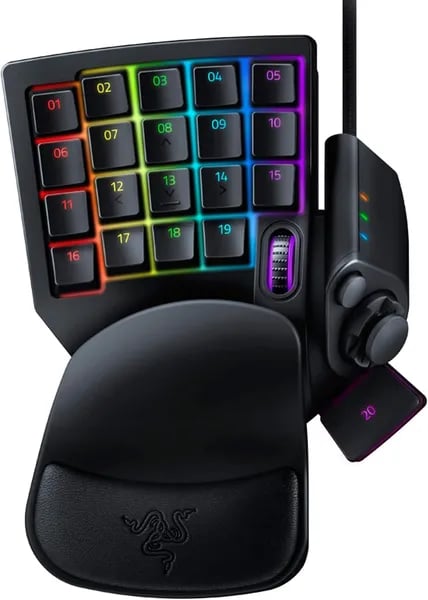
You slip your hand onto a small, oddly specific piece of hardware and suddenly your hotkeys feel like an extension of your brain. That’s how I felt the first time I used the Razer Tartarus V2—awkward at first, then oddly essential. In this outline you'll get a human take (with a tiny tangent about tape mods) on whether this Chroma gaming keypad earns a spot on your desk.
Why the Tartarus V2 Gives You More Control
Mecha-Membrane technology: a “snap” you can trust
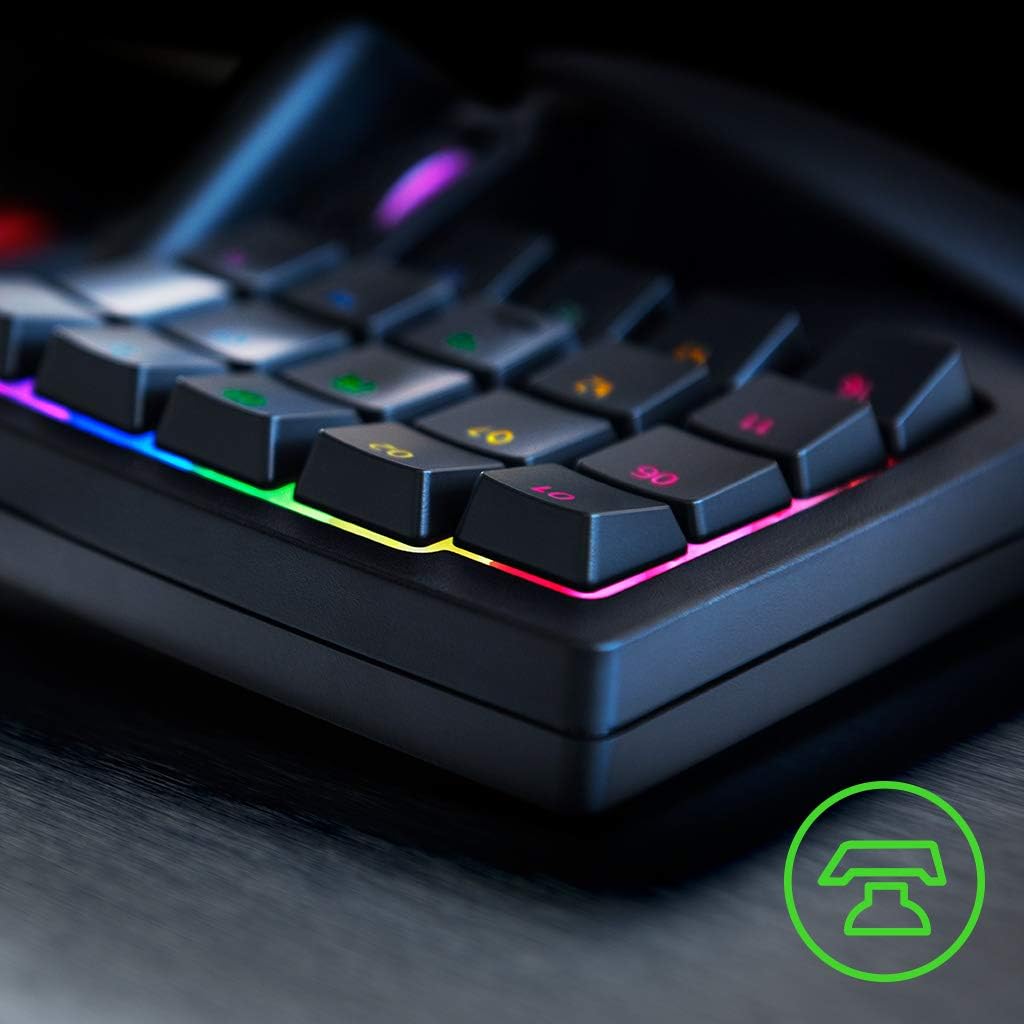
The Tartarus V2 feels different from a normal keyboard because it uses Mecha-Membrane technology. You get a mid-height press with a tactile “snap,” but with softer cushioning underneath. That makes it a solid middle ground between a squishy rubber dome and a loud, fully mechanical board—fast enough for quick inputs, but comfortable for long sessions.
Razer: “Mecha-Membrane delivers mechanical switch tactile feedback with membrane cushioning for mid-height actuation.”
32 programmable keys + thumb controls = infinite commands
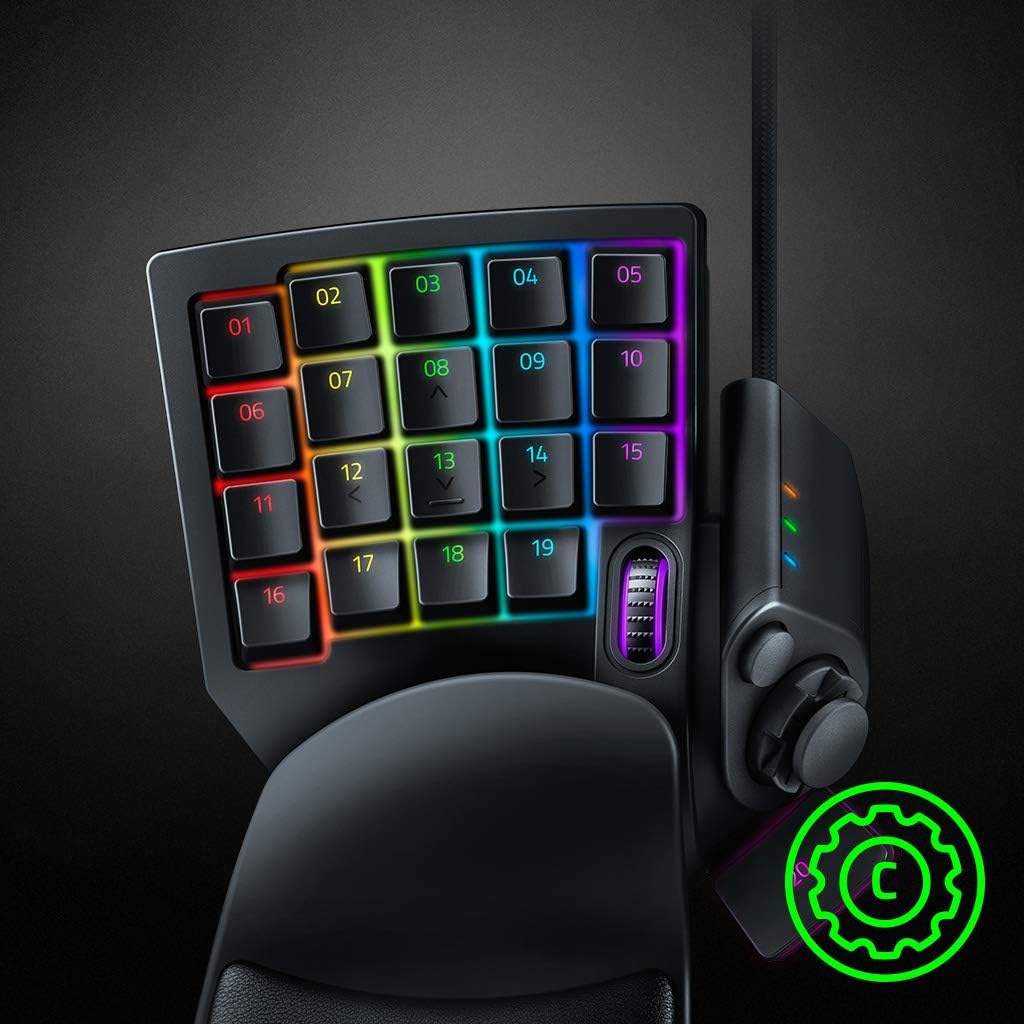
Control is really about access. With 32 programmable keys, you can keep your most-used actions under one hand—skills, builds, push-to-talk, weapon swaps, or editing tools. Add the 8-way directional thumbpad and the 3-way scroll wheel, and you can build a layout that fits how you play or work.
- MMOs: map rotations, modifiers, and macros without finger stretching.
- Hotkey-heavy shooters: bind gadgets, pings, and quick-buy actions for faster reactions.
- Productivity/creative apps: assign brush size, undo/redo, timeline scrubbing, and navigation.
This is where the Tartarus V2 starts to feel like a command center—your own set of infinite commands that stay consistent across games and apps.
Chroma RGB lighting + Synapse profiles that follow your game
With Chroma RGB lighting, you can set per-key colors from 16.8 million options. That’s not just for looks—you can color-code cooldowns, movement keys, or tool groups so your hand learns the layout faster. You can also sync effects with supported games for reactive lighting.
Because it’s a Synapse enabled device, you manage everything in Razer Synapse: Synapse v3 on PC and Synapse v2 on Mac. You can create game-specific profiles, swap layouts automatically, and even remap keys in Synapse when a game won’t let you change controls directly. There’s a learning curve, but once it clicks, your setup becomes truly personal.
Comfort, Layout, and the Little Things That Matter
Ergonomic palm rest + adjustable comfort positions
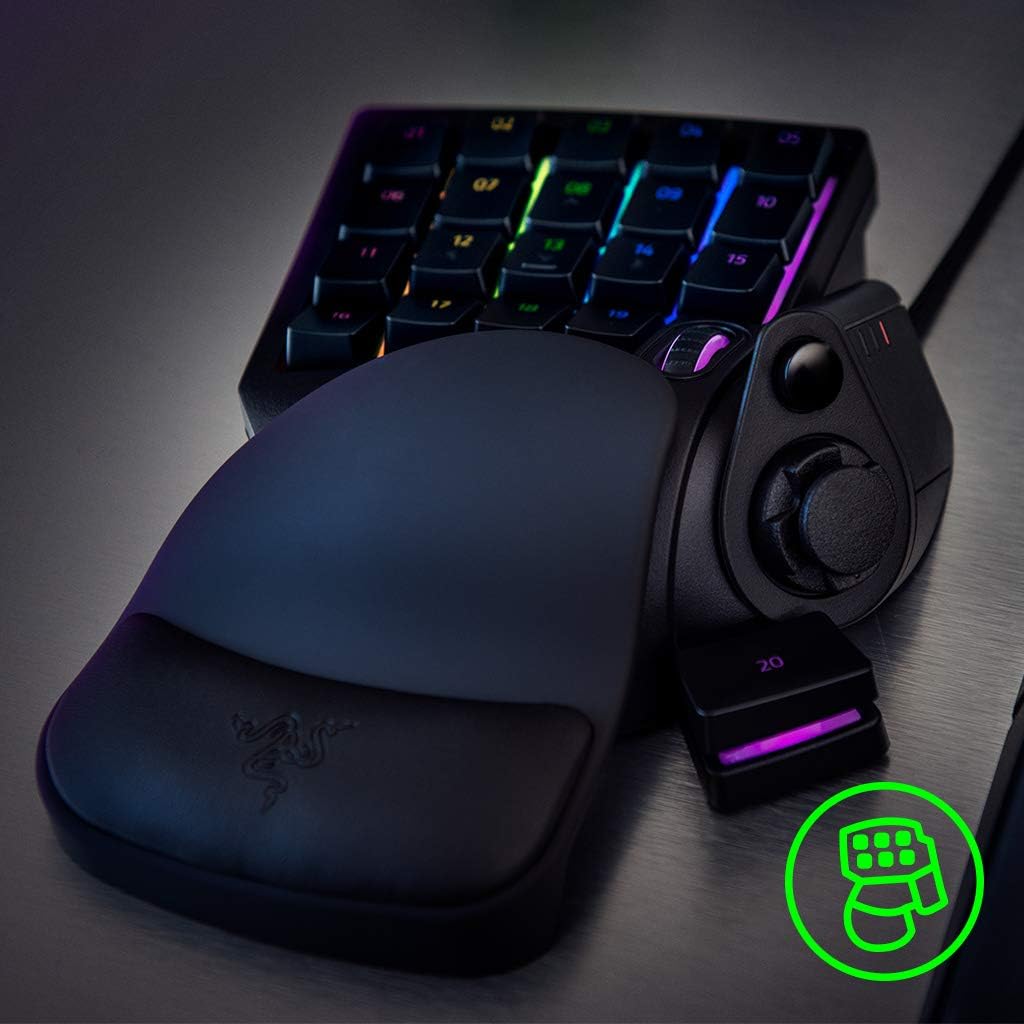
The Tartarus V2 earns its reputation as an ergonomic gaming keypad the moment you set your hand down. The ergonomic palm rest is detachable and offers two adjustable comfort positions, so you can shift the angle to match your wrist and desk height. That small change helps reduce strain when you’re grinding long matches or doing repetitive shortcut work in creative apps.
If you have smaller hands, you’ll likely adapt faster than you expect. Because you can remap everything, you can pull key actions closer and push rarely used commands farther away—without forcing your fingers into awkward reaches.
Layout that feels natural (especially for thumb control)
Instead of stretching for WASD, you get an 8-way D-pad under your thumb, which many players find more natural—especially if you’ve always preferred an arrow-key style layout. The grip angles also help your hand “lock in,” so repeated skill activation feels steady rather than sloppy.
DeceptiveMind: "The Tartarus V2 changed how I play—its key quality and layout are a true upgrade for my sessions."
Mechanical switch feel… with a clicky personality
Razer’s Mecha-Membrane keys aim for a mechanical switch feel: you get tactile feedback and a distinct click when you press down. That makes combos and cooldown rotations feel satisfying and consistent. The tradeoff is noise. If you game with headphones, the clickiness is usually a non-issue. In a quiet room (or late at night), it can be distracting for you or anyone nearby.
Compact footprint and simple USB-A connectivity
On the practical side, it’s easy to fit into almost any setup. The keypad runs on corded USB-A power, so you plug it in and go—no charging, no wireless drops. It’s also light enough to toss into a bag for a LAN or a small desk setup.
| Spec | Detail |
|---|---|
| Weight | 12.8 ounces |
| Dimensions | 2.36 x 7.98 x 6.02 inches |
| Connection | USB-A (corded) |
| Palm rest | Detachable, two positions |
Not Just for Gamers: Creatives, Designers, and Power Users
Turn the gaming keypad into a creative shortcut hub
The Razer Tartarus V2 isn’t only about winning matches—it’s a serious productivity tool when you treat it like a left-hand command center. With 32 programmable keys, you can move your most-used actions off your main keyboard and keep your right hand on the mouse or pen. That’s where gaming keypad ergonomics really pays off: less reaching, fewer awkward finger stretches, and faster muscle memory.
- Map brush shortcuts, undo/redo stacks, and quick palette swaps in Photoshop
- Assign Blender tools like grab/rotate/scale, viewport toggles, and modifier keys
- Use one-tap macros for repetitive steps (export, rename, layer actions)
"I mapped my most-used brushes to the Tartarus and hit workflows I didn’t think possible." — digital artist review
Why the 8-way directional thumbpad and scroll wheel matter
In creative apps, the 8-way directional thumbpad (D-pad) and the 3-way scroll wheel become your navigation and control tools. You can set the thumbpad to pan the canvas, jump between frames, or nudge objects. Then use the scroll wheel for zoom, timeline scrubbing, or cycling brush presets—whatever saves you the most time.
A concept artist I (fictionally) know mapped brush size to the scroll wheel and never looked back. Once it’s under your thumb, you stop breaking focus to hunt for sliders, and your workflow speeds up dramatically.
Profiles in Synapse: one layout per app
Razer Synapse lets you store task-specific layouts as profiles, so your Tartarus V2 can behave differently in Photoshop vs. Blender vs. your day-to-day productivity tools. You can even build app-based switching, so the right keybinds show up when you change programs—perfect for creators who bounce between tools all day.
Compatible devices (and one limitation to know)
| Category | Details |
|---|---|
| Compatible devices | PC, PlayStation PS4, PS5 (menus and some gameplay) |
| Analog input | Not available on Tartarus V2 (Pro models differ) |
If you want a compact, customizable gaming keypad that also boosts creative speed, the Tartarus V2 fits surprisingly well into a designer’s desk setup.
Price, Reviews, and Practical Concerns
Gaming accessories pricing: what you’ll actually pay
When you’re comparing gaming accessories pricing, the Razer Tartarus V2 usually lands in a sweet spot for a premium wired gaming keypad. The typical new price sits around $66.99, while used options from $47.80 make it easier to try one without paying full retail. The MSRP is $79.99, but frequent promos (like 16% off) are common—especially if you’re shopping for gaming keypads online during sales events.
| Option | Price | Why it matters |
|---|---|---|
| New | $66.99 | Best for warranty + peace of mind |
| Used | From $47.80 | Lower cost if you’re testing the layout |
| MSRP | $79.99 | Baseline for judging discounts |
Reviews: high satisfaction, with a clear theme
Community feedback is strong: on Amazon, the Tartarus V2 holds a 4.3-star average from 16,000+ reviews. You’ll see repeated praise for the comfort of the hand rest, the “clicky” Mecha-Membrane feel, and how deep the customization goes in Synapse. Many buyers say it improves their flow once profiles and macros are set up.
DeceptiveMind: “Functionality and key quality are top-tier, but be mindful of long-term wear.”
It also carries the Amazon’s Choice tag and ranks #255 in Video Games and #9 in PC Gamepads & Standard Controllers, which helps reduce buyer hesitation.
Practical concerns: durability, returns, and workarounds
The biggest practical flag is durability. A recurring report is thumb button or D-pad wear after about 6 months for some heavy users. Since Razer doesn’t offer replacement keys for this model, it’s worth factoring into your decision.
- Risk reducer: Amazon’s 30-day return or replacement policy lets you test fit, comfort, and software.
- Workarounds: third-party compatible keycaps (for example, X-keys Cherry MX) and simple comfort mods like textured tape.
- Noise note: the tactile “snap” can be loud—headphones help if it bothers you.
Mods, Pairings, and Wildcard Scenarios
Pair it with compatible devices for a tighter control cluster
The Tartarus V2 really clicks when you treat it like the left half of a full command setup. A popular match is the Razer Basilisk V3 at $34.99, because you get extra buttons on your mouse hand while your left hand runs gaming macro keys on the mecha-membrane keypad. That combo lets you split jobs cleanly: movement and modifiers on the Tartarus, aim and quick actions on the mouse. And since both support Chroma customization, you can sync lighting across your desk so profiles feel consistent from game to game.
"Pair it with a multi-button mouse and you’ve basically got a custom control center." — forum post
DIY mods that improve comfort and help with longevity
The modding community has a bunch of low-cost fixes that make the Tartarus V2 feel more “yours,” especially if you’re worried about wear on the D-pad or thumb area over time. If your thumb slips during tense moments, a small strip of textured tape can add grip without changing your layout. If the thumb button feels too low or hard to hit, a thumb key booster (even a simple stick-on riser) can reduce strain and speed up presses.
For feel and durability, some users experiment with third-party keycaps to refresh high-use keys and keep your most-used binds consistent. It’s not an official repair path, but it can extend comfort and keep your muscle memory sharp when certain keys start to feel “tired.”
Wildcard thought experiment: analog stick + two extra macro layers
Imagine your Tartarus V2 had a true analog stick and two extra macro layers. Would you switch from digital strafing to smooth, controller-like movement for better peeking and speed control? Would you dedicate one layer to combat, one to building/utility, and one to menus—so your gaming macro keys never have to “share” space?
If that idea sounds perfect, it’s also your hint to look at the Tartarus Pro, which adds optical switches and analog features for players who want that next step in control.



