.png&w=1280&q=75)
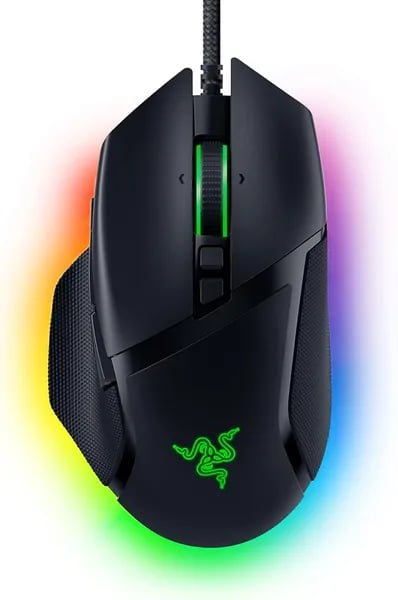
You pick up a mouse and — surprisingly — it feels like the missing piece of your setup. I remember swapping from an ancient office mouse to the Basilisk V3 and suddenly my aim and spreadsheet navigation felt... intentional. This outline walks you through why the Basilisk V3 might be the mouse that finally fits your hand and habits: speed where you need it, comfort for long sessions, and customization that actually pays off.
1) First Impression & Ergonomics — the shape that keeps you clicking
Ergonomic right handed design that feels “locked in”
The first time you place your hand on the Basilisk V3, you notice the ergonomic right handed design right away. The shell is gently contoured, the buttons sit where your fingers naturally land, and the thumb rest gives your hand a “home base” that keeps you steady. If you use a palm grip, this ergonomic design gaming mouse feels made for you—especially if your hands are medium to large.
That fit matters more than you’d think. When your mouse grip width matches the mouse’s shape, you stop adjusting your hand every few minutes. Instead, you just… keep going. In long work sessions and late-night matches, that comfort adds up fast.
Alex Chen, esports gear tester: "The Basilisk V3 nails long-session comfort without feeling bulky—rare for a feature-packed mouse."
Built for long sessions (without the “ultralight” vibe)
Comfort isn’t only about curves—it’s also about balance. The Basilisk V3 isn’t chasing the ultralight trend, and that’s a good thing if you like a mouse with a bit of presence. The weight feels deliberate: stable on the desk, easy to control, and less “twitchy” when you’re trying to stay precise. For you, that can mean smoother tracking in games and calmer cursor control in spreadsheets.
Thumb rest tangent: yes, it’s oddly satisfying
Small detail, big impact: the thumb rest has a tactile feel that’s hard to ignore. You might catch yourself lightly rubbing it while thinking, waiting in a lobby, or reading a page—yes, I did. It’s one of those subtle touches that makes the mouse feel more premium than you expect at this price.
Quick fit check (hands & grip)
| Fit factor | What you’ll likely feel |
|---|---|
| Hand size | Best for medium to large hands |
| Grip style | Most natural with a palm grip |
| Session comfort | Comfortable for up to 9 hours of work or gaming |
If you’ve tried shapes like the Razer Naga Pro, Deathadder v2 Pro, or Orochi, the Basilisk V3 lands in a sweet spot: supportive and stable, without feeling oversized.
2) Performance Deep-Dive — sensor, switches, latency (optical gaming mouse)
Sensor & tracking: Focus plus 26K DPI control that feels locked-in
At the core of this optical gaming mouse is Razer’s Focus plus 26K DPI optical sensor. In real use, that means your aim stays steady when you’re making tiny corrections, but it also keeps up when you flick hard or do fast 180s. You can jump between styles without fighting your settings—one minute you’re tracking heads in an FPS, the next you’re scrolling through hotbars in an MMO.
Because the sensor is tuned for clean tracking (with low smoothing), your hand movements translate more directly to the screen. That “connected” feel is exactly what you want in an FPS gaming mouse, where over-correction can cost you a duel.
Switches & click latency performance: optical speed you can feel
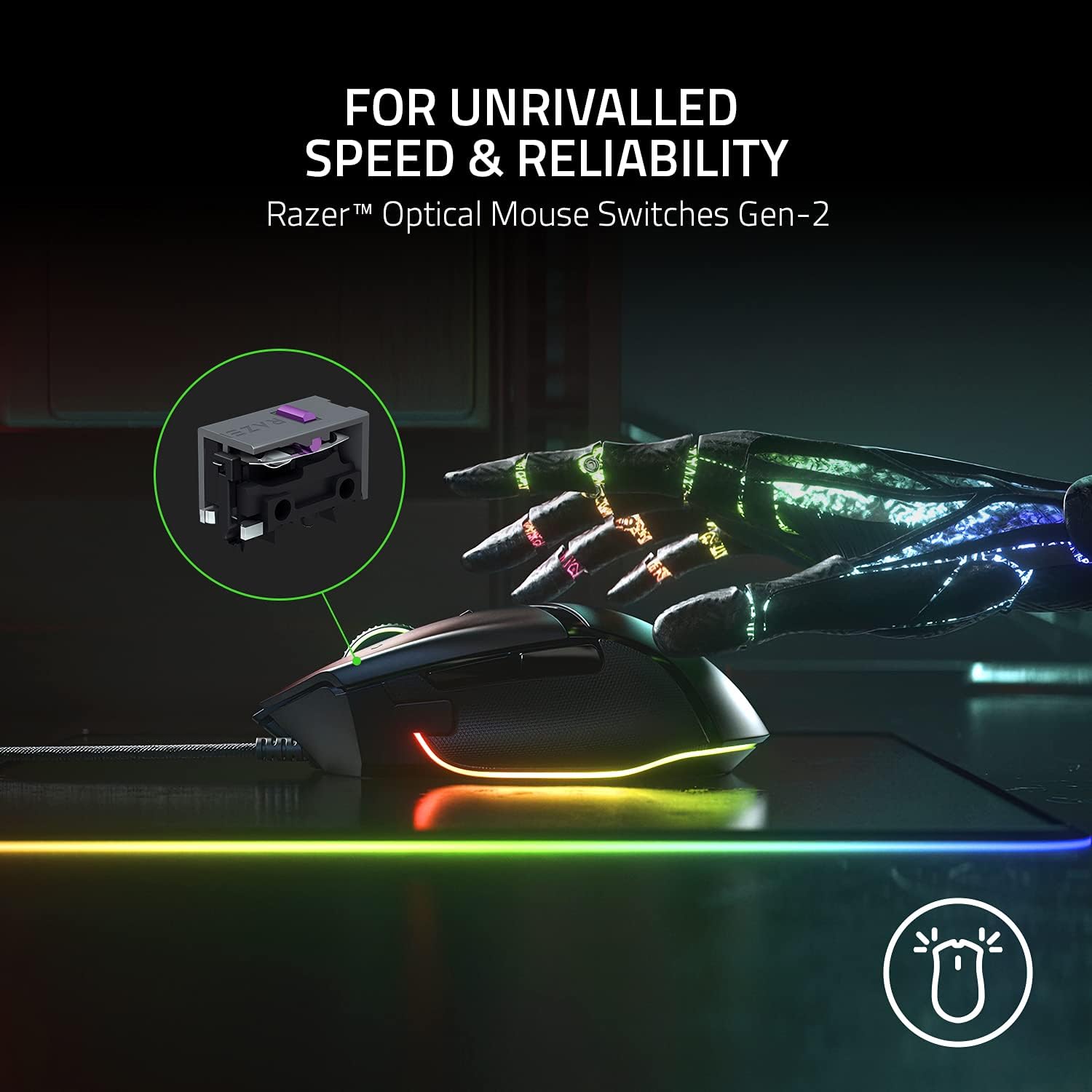
The Basilisk V3 uses Razer’s 2nd-gen optical switches, rated for ~0.2ms actuation and up to 70 million clicks. Optical actuation helps avoid the double-click issues that can show up over time with some mechanical designs, and it keeps inputs snappy when you’re spamming shots, peeking corners, or timing abilities.
Maya Torres, PC peripherals editor: "Sub-1ms responsiveness starts to feel like a tangible advantage in clutch moments."
That quote matches the vibe here: click latency performance feels immediate, especially in fast shooters where your first bullet matters.
Real numbers you’ll care about (and how they show up in-game)
- 26,000 DPI max: plenty of headroom for high-sens players and multi-monitor setups.
- 0.2ms switch actuation: crisp clicks that register fast during bursts and rapid taps.
- Low smoothing: more natural micro-adjustments for tracking and recoil control.
- Minimal lift-off feel: cleaner repositioning when you pick up and reset the mouse.
And when you need instant precision, the sensitivity clutch is a practical advantage: hold it to drop DPI on demand for steadier snipes, then release to return to your normal speed—no menu diving, no delay.
3) Advanced Customization Unleashed — buttons, wheel modes, and Synapse
Programmable buttons that actually change how you play (and work)
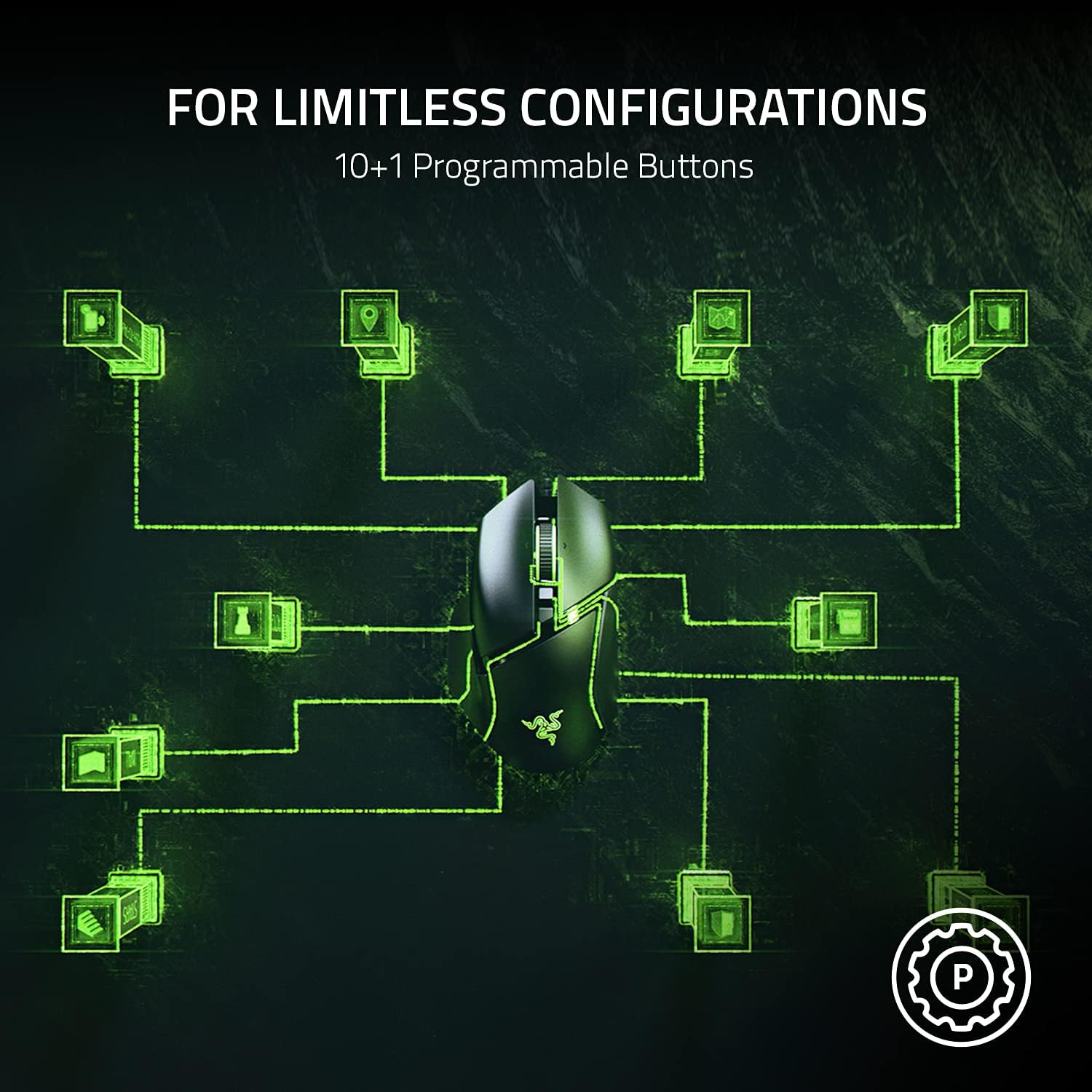
The Basilisk V3 feels like a “normal” mouse until you start using its 11 programmable buttons. You can map them to game actions, push-to-talk, weapon swaps, or build macros that fire off multi-step commands. For productivity, those same buttons become copy/paste, undo/redo, browser back/forward, or app shortcuts—so your left hand stays on the keyboard less.
- Gaming: bind grenades, melee, reload, or MMO abilities
- Work: map macros for spreadsheets, editing, or timeline scrubbing
- Profiles: set different layouts per game or app
Jordan Blake, PC gaming coach: "Having a dedicated clutch and programmable buttons can shave seconds off crucial moments—sometimes that’s a whole match."
HyperScroll tilt wheel: tactile control or free-spin speed
The HyperScroll tilt wheel is one of those features you miss the moment you go back to a basic mouse. You get two main wheel modes:
- Tactile cycling: clicky steps for precise weapon selection, zoom levels, or line-by-line scrolling
- Free-spin: smooth, fast scrolling to fly through long documents, web pages, or in-game inventories
Add the wheel tilt, and you can assign left/right tilt to quick actions like tab switching, horizontal scrolling in spreadsheets, or leaning in shooters.
You also get the Sensitivity Clutch, which lets you instantly drop DPI for steady aim—perfect when you need pixel-precise control on demand.
Razer Synapse customization + RGB customization options
With Razer Synapse customization, you control everything in one place: button mapping, macros, DPI stages, and profiles. It’s simple to set up, and it’s even better when you switch between games or PCs because you can keep profiles organized and ready.
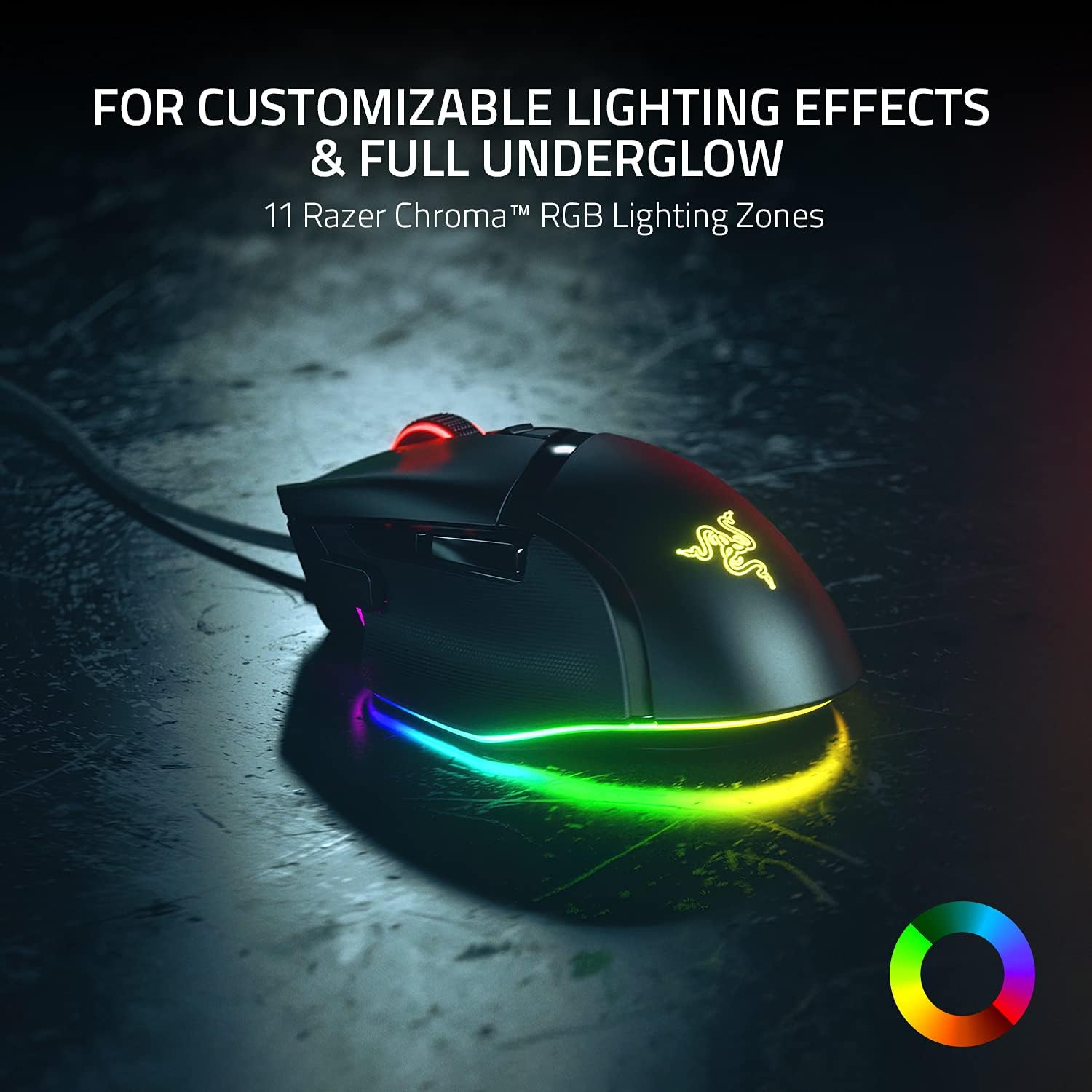
Synapse is also where the mouse’s style comes alive. You get 11 Chroma lighting zones, 16.8 million colors, and game-reactive effects across 150+ Chroma-integrated titles—so your lighting can match your setup or respond to what’s happening on screen.
| Feature | What you get |
|---|---|
| Programmable buttons | 11 |
| Chroma lighting zones | 11 |
| Colors | 16.8 million |
| Chroma-integrated games | 150+ |
4) Real-World Use Cases & Rival Comparisons — from spreadsheets to sniping
Productivity: HyperScroll + macros = a tiny workflow robot
In this Razer Basilisk V3 review, the biggest surprise is how much this wired gaming mouse helps outside games. Flip the HyperScroll wheel into free-spin and you can fly through long spreadsheets, timelines, and web pages without finger strain. Switch back to tactile mode when you need precise row-by-row movement.
With 11 programmable buttons, you can turn repetitive work into one-tap actions. Map copy/paste, window snapping, push-to-talk, or app shortcuts—then save profiles in Razer Synapse. It feels like a small workflow robot sitting in your palm, especially when you’re doing the same steps all day.
- Excel/Sheets: free-spin wheel for fast scrolling, side buttons for filters and formatting
- Editing: map cut/split, undo, and timeline zoom to customizable controls
- Office-friendly: low-noise clicks and a long braided cable that stays out of the way
It also plays nice across devices: compatible with Mac and PC (optimized for Windows 10/11), so you can keep the same muscle memory at work and at home.
Competitive gaming: fast flicks, steady snipes
For FPS and fast action, the Basilisk V3’s low-latency feel and sensor accuracy make quick flicks clean and predictable. The Sensitivity Clutch is the star: hold it to drop DPI instantly for controlled tracking and pixel-level sniping, then release to return to your normal speed. That’s one of the most practical gaming mouse features you’ll use every match.
Ethan Ramirez, streamer and PC builder: "It’s rare to find a mouse that feels at home on both my gaming desk and my editing station."
Rival comparisons: Naga Pro vs DeathAdder V2 Pro vs Basilisk V3
Compared to the Razer Naga Pro, the Basilisk V3 isn’t a modular MMO “button wall,” but it’s still more flexible than many mice thanks to its 11 buttons and easy customizable controls. Versus the DeathAdder V2 Pro, you get more button options and the HyperScroll wheel—though you’re giving up wireless flagship freedom.
| Mouse | Best for | Trade-off |
|---|---|---|
| Basilisk V3 | Work + FPS + all-round use | Wired only |
| Naga Pro | MMO/ability-heavy games | Bulkier, pricier |
| DeathAdder V2 Pro | Simple esports feel | Fewer controls |
At $34.99 new (ASIN B09C13PZX7) or $31.13 used, it’s a strong value backed by a 4.6/5 average from 9,229 reviews (82% five-star) and top ranks (#100 Video Games, #2 Mac Gaming Mice, #7 PC Gaming Mice). If you’re unsure, Amazon’s 30-day refund/replacement, Prime shipping, and up to 3 units per order make trying it low-risk.
5) Buying Guide & Final Thoughts — who should buy this mouse?
If you want a comfortable, customizable wired mouse that nails value
If your ideal customizable gaming mouse is fast, comfortable, and easy to tune, the Razer Basilisk V3 is a smart buy—especially at $34.99 new on Amazon (ASIN B09C13PZX7). In this gaming mouse review, the biggest takeaway is balance: you get an ergonomic gaming mouse shape that fits medium to large hands well (great for palm grip), plus deep button mapping and a scroll wheel that adapts to both gaming and work. It’s also a strong pick if you bounce between FPS and everyday tasks, because the sensor tracking feels precise and consistent, and the programmable controls can replace a lot of keyboard reaching.
Ava Mitchell, hardware reviewer: "The Basilisk V3 doesn’t try to be everything—it focuses on comfort and customization, and that makes it memorable."
Best for FPS, productivity power users, and RGB-focused setups
You should strongly consider the Razer Basilisk V3 if you play FPS games and want quick, reliable aim control, or if you do editing, spreadsheets, or creative work and love the idea of macros on a mouse. Streamers and desk-setup fans will also enjoy the bold Chroma lighting, which adds real “on camera” flair without extra effort. Its popularity isn’t just hype, either—reviewers from the US, UK, Australia, and Brazil consistently praise the comfort and customization, and the rankings (#2 in Mac Gaming Mice, #7 in PC Gaming Mice) back up its broad appeal.
Hold off if you need ultralight or wireless dual-mode—or an MMO button grid
This is where you should be honest about your needs. If you only want an ultralight mouse for fast flicks, or you require wireless dual-mode convenience, this wired, more substantial design may not be your best match. And if you’re MMO-first and want a dedicated side “keypad” layout, you’ll likely be happier looking at something like the Razer Naga Pro.
Easy buying, easy pairing
Buying on Amazon is low-risk thanks to the 30-day refund/replacement policy and fast Prime shipping. For a cohesive setup, pair it with the Razer Ornata V3 TKL keyboard for a clean desk footprint, or the BlackShark V2 X headset for an affordable, matching Razer combo.



