.png&w=1280&q=75)
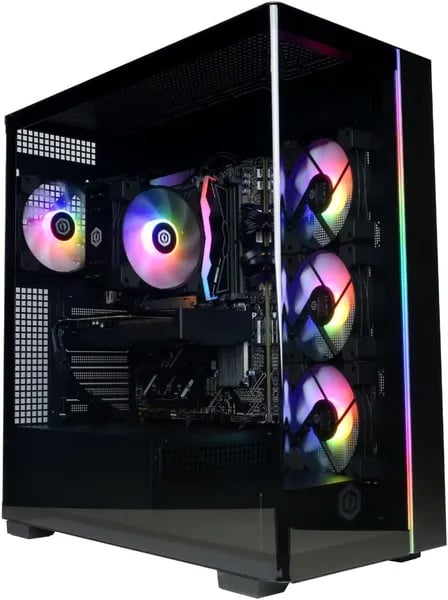
You remember that itch before a big game drops—the urge to upgrade but the dread of building? I was in the same boat last month, staring at tangled cables and intimidating YouTube tutorials, until a plug-and-play rig arrived that made me feel like a kid again. That’s the vibe you get from the CyberPowerPC Gamer Master GMA2900A2: powerful specs without the sweat. In this outline I’ll walk you through why this desktop might be the 'just plug it in' solution you’ve been looking for—without pretending it’s perfect.
Hands-On Performance: Play, Stream, Create
Gaming Performance with AMD Ryzen 8700F + RTX 5060 Ti
Once you power on the CyberPowerPC GMA2900A2, you feel the “plug-and-play” promise right away—fast boot, clean desktop, and you’re ready to install games. The AMD Ryzen 8700F (4.1GHz, 8 cores, 16 threads) keeps everything smooth when you’re gaming with Discord open, a browser running, and updates happening in the background. Pair that with the RTX 5060 Ti 8GB and you get the kind of High Frame Rates that make 1080p Gaming look and feel sharp.
Real FPS: Cyberpunk 2077 and Doom Benchmarks
If you want a quick reality check, the numbers line up with what you’ll see in real play. In Cyberpunk 2077, you can expect about 58 fps at 1080p with Ray Tracing Ultra—a strong result for this tier and a good sign that ray tracing is actually usable here. In Doom: The Dark Ages, performance jumps to around 82 fps at 1080p, which feels super responsive.
| Game | Setting | Result |
|---|---|---|
| Cyberpunk 2077 | 1080p, RT Ultra | ~58 fps |
| Doom: The Dark Ages | 1080p | ~82 fps |
Fast Loads, Smooth Alt-Tab, and Room to Grow
The 16GB DDR5 (6000MHz) helps your system stay snappy when you alt-tab between a game and a stream dashboard, and the 1TB PCIe 4.0 NVMe SSD keeps load times short while giving you space for a real library. For many AAA games, you should expect 60+ fps on high settings at 1080p, with some 1440p play possible—but 1080p Gaming is the sweet spot for this build.
Streaming and Long Sessions: Quiet, Steady, No Drama
During a long session, FPS dips stayed minimal and the fans remained whisper-quiet—great for late-night raids or streaming without a loud hum in your mic.
Aaron Baugh: “Flawless performance with GTA V and the included year of GamePass made setup effortless.”
PCVarGe: “A killer budget gaming value—strong 1080p results for the price.”
Design, Cooling & Aesthetics: Quiet and Clean
Tempered Glass + Customizable RGB that looks sharp
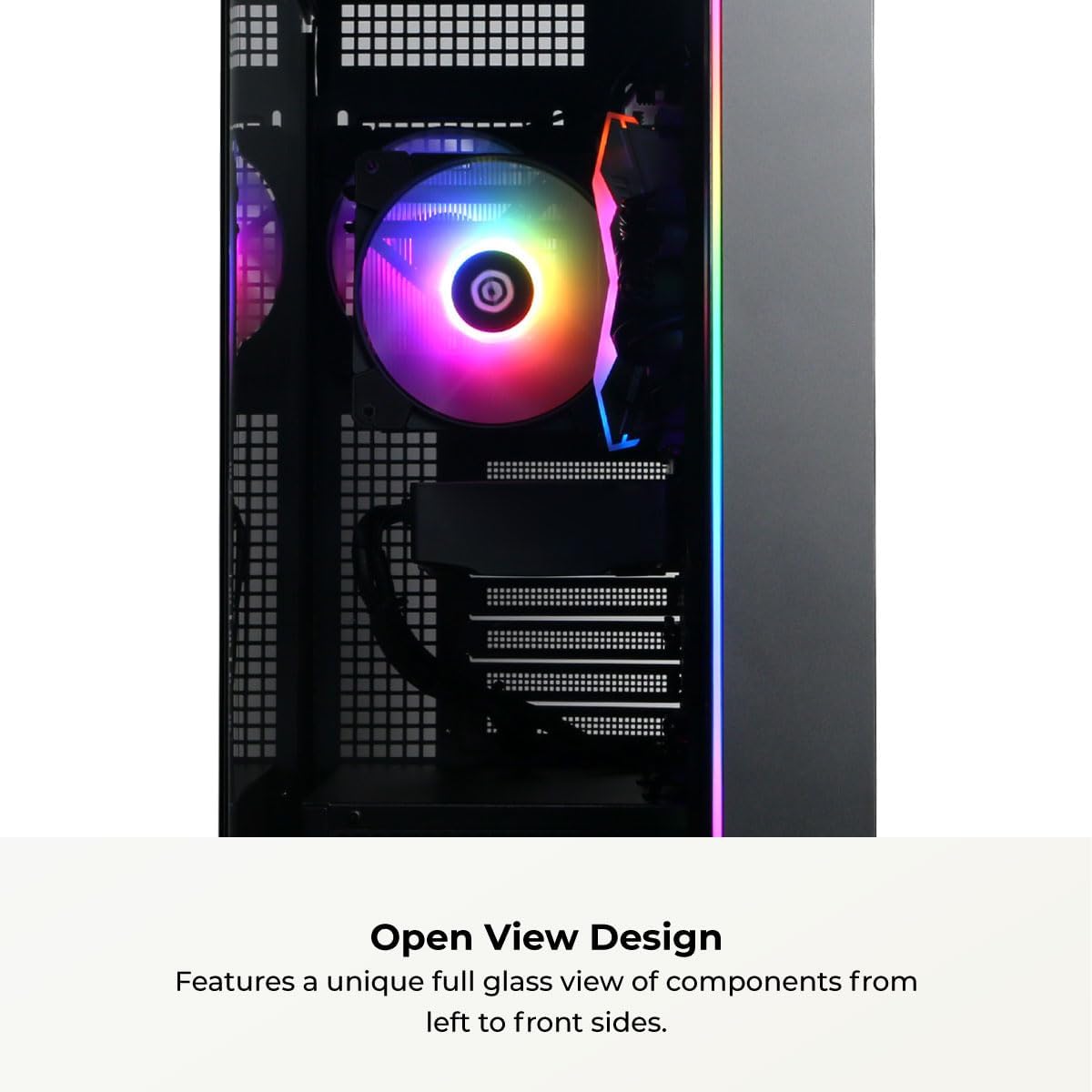
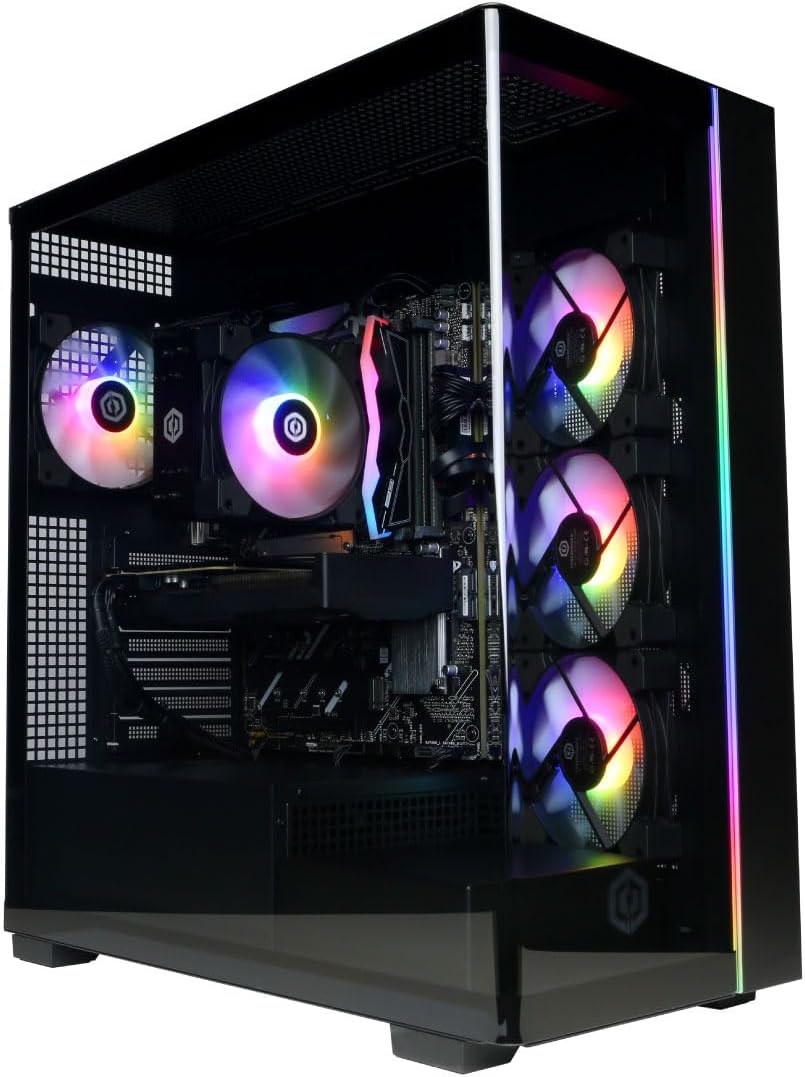
The CyberPowerPC GMA2900A2 nails that “premium but not over-the-top” vibe. The Prism 360V-style case aesthetic, paired with a Tempered Glass side panel, lets you show off the build without turning your desk into a “gamer clown car.” Your RGB Lighting is bright and clean, and the Customizable RGB options make it easy to match your room, your stream overlay, or your keyboard setup.
Solid build, tidy internals, better airflow
The case uses a mix of metal + plexiglass, so it feels sturdy while still keeping that modern, see-through look. What you’ll notice right away is the cable management: wires are routed neatly, which keeps the inside looking clean and helps airflow move the way it should. That matters when you’re chasing Smooth Gameplay for long sessions—less clutter usually means fewer hot spots and fewer annoying fan ramp-ups.
Quiet Cooling that stays out of your way
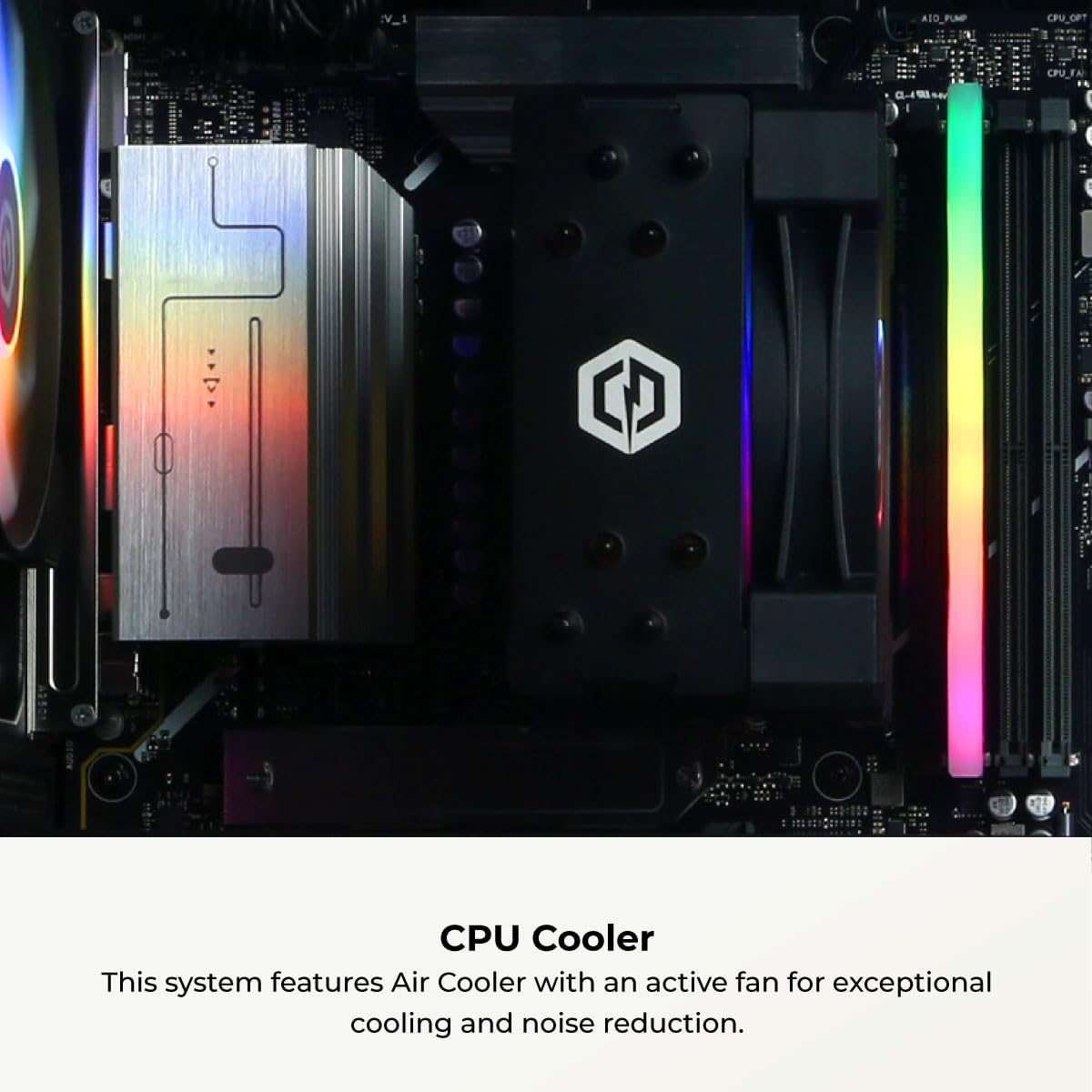
Cooling is one of the nicest surprises here. Multiple quiet RGB fans and smart airflow design help the system stay cool without sounding like a vacuum cleaner. Several users call out the low noise during gaming, which is exactly what you want if you stream, record commentary, or just play late at night. As one customer, Aaron Baugh, put it:
“It looks great on my desk and runs so quietly I forget it's on until I check temps.”
- Quiet Cooling helps keep fan noise low during real gameplay loads
- Clean airflow + tidy cables support stable temps
- RGB fans add style without adding chaos
Shipping and setup expectations (size & weight)
| Spec | Detail |
|---|---|
| Weight | 39 pounds |
| Packaging dimensions | 24 x 23.5 x 13.5 inches |
One small note from buyers: wireless can be better with an external Wi‑Fi antenna in some setups, so if your router is far away, plan for that.
Setup, Connectivity & Everyday Use
Plug-and-Play setup (you’ll be gaming fast)
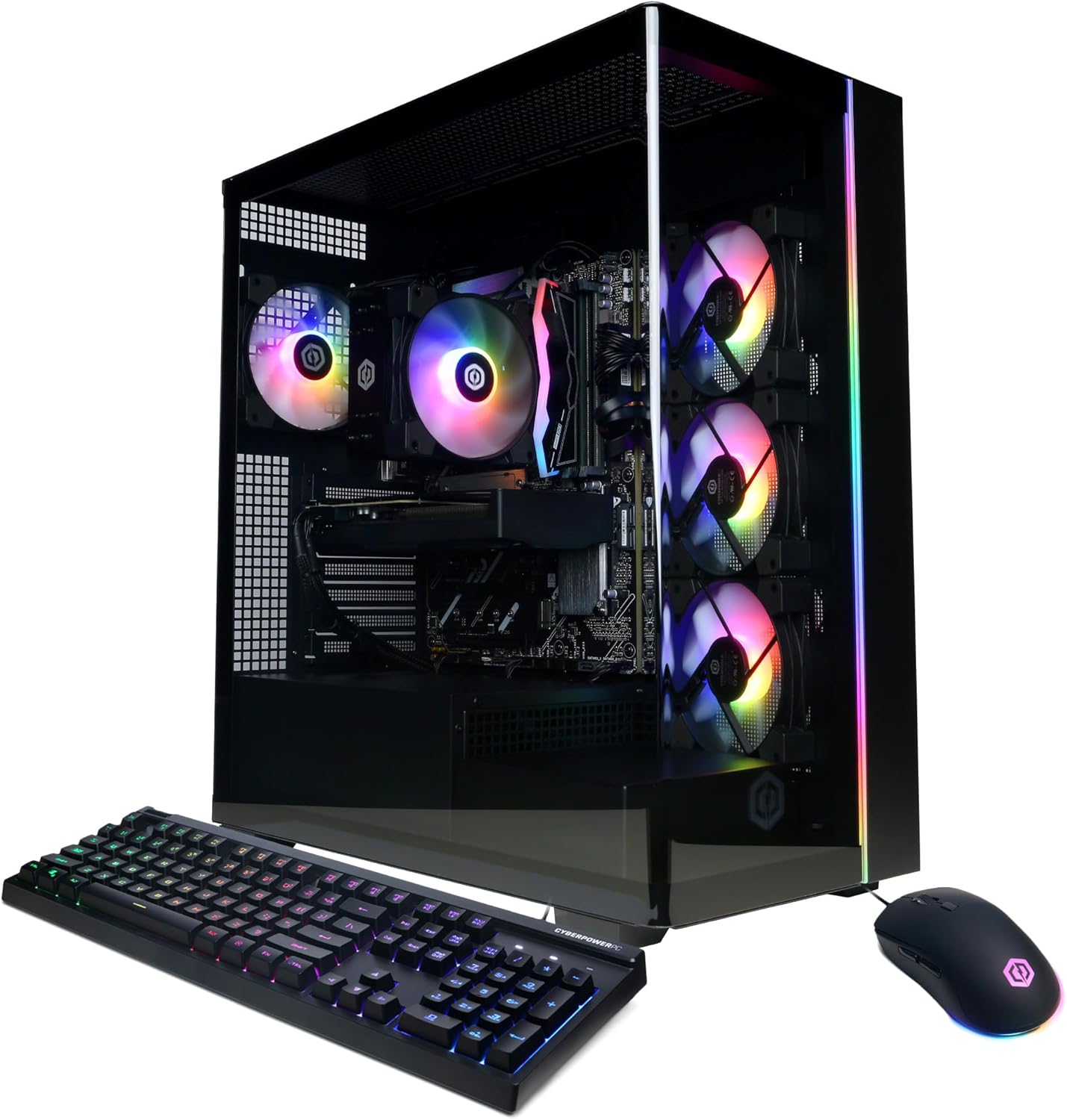
The CyberPowerPC GMA2900A2 nails the Plug-and-Play experience. You unbox it, set the tower on your desk, plug in power, then connect your monitor using HDMI or DisplayPort. Add the included keyboard and mouse, sign into Windows and your game launcher, and you’re basically ready to go.
Aaron Baugh: “Set up was painless—plugged in, signed into GamePass, and I was in GTA V in under 20 minutes.”
The included peripherals help lower your upfront cost, which is great if you’re building your first setup. That said, many gamers eventually upgrade the mouse for better precision and a more comfortable grip—especially for shooters.
Connectivity Options: modern ports, fewer adapters
You get the kind of Connectivity Options that reduce the need for dongles and extra hubs. Wireless is current-gen with WiFi 6 and Bluetooth 5.3, so pairing a controller, headset, or speakers is simple and stable.
| What you connect | What you use |
|---|---|
| Internet | WiFi 6 or 1x LAN (wired) |
| Wireless gear | Bluetooth 5.3 |
| Accessories | USB-C and USB-A ports |
| Displays | HDMI / DisplayPort for Dual Monitor |
| Sound | 7.1 channel audio support |
Everyday use tips (WiFi vs wired)
In daily use, boot times feel quick, and the system stays quiet thanks to efficient cooling and clean cable management. For wireless, a real-world tip from buyers: if your router is far away or you’re in a busy apartment, consider using an external Wi‑Fi antenna for more consistent signal. And if you play competitive games, wired LAN is still king for the most stable ping.
Low-friction buying and setup timing
Ordering through Amazon also reduces stress: you can expect FREE delivery by Friday, January 9, plus a generous return window (purchases from Nov 1–Dec 31, 2025 returnable through Jan 31, 2026). That makes it easier to commit—especially when setup is this straightforward.
Tech Specs, Price & Purchase Confidence
Budget Value: What $1,189.99 Really Gets You
In this GMA2900A2 Review, the sticker price is the headline: $1,189.99. That puts the CyberPowerPC Gamer Master in a sweet spot—Budget Value without the DIY headaches. You’re paying for a ready-to-run tower with modern parts that would cost a lot to match if you’re also buying Windows, a case, cooling, and spending time troubleshooting.
Core Hardware (Built for Smooth 1080p/1440p Play)
- CPU: AMD Ryzen 7 8700F (4.1GHz, 8 cores / 16 threads, AM5)
- GPU: GeForce RTX 5060 Ti 8GB
- Memory: DDR5 RAM 16GB (6000MHz)
- Storage: 1TB SSD Storage (PCIe 4.0 NVMe)
- Wireless: WiFi 6 + Bluetooth 5.3
- Wired: 1x LAN port
- Audio: 7.1 channel support
- Design: Tempered glass side panel + customizable RGB lighting
- Extras: Keyboard and mouse included (some users upgrade the mouse later)
Ports, Setup, and What You Need to Plan For
You get a solid mix of USB-C and USB-A for controllers, headsets, and external drives. Setup is truly plug-and-play for most people, though a few buyers mention using an external Wi‑Fi antenna for the best wireless stability.
| Detail | What to Know |
|---|---|
| Model | GMA2900A2 |
| Packaging weight | 39 pounds |
| Packaging size | 24 x 23.5 x 13.5 inches |
Purchase Confidence: Ratings, Rank, Warranty, and Amazon Perks
Social proof is strong: it ranks #3 in Tower Computers, with over 1,000 units sold and an average 4.5/5 from 1,197 reviews (79% five-star). You also get a 1 Year Parts & Labor Warranty plus free lifetime tech support on the hardware.
Buying on Amazon adds convenience: FREE delivery by Friday, January 9, and purchases made Nov 1–Dec 31, 2025 are returnable through Jan 31, 2026.
PCVarGe: "Rated 4.6/5 with a 93/100 score—this rig punches above its price class."
Compared with compact rivals like GEEKOM and MINISFORUM, you’re choosing a full-size tower with easier upgrades and stronger gaming focus. And if you want cheaper alternatives, CyberpowerPC also offers lower-tier Gamer Master builds (like R5 5500/Radeon RX 6400 4GB), but this configuration is the better long-term value for modern games.
Alternatives, Upgrades & the Little Wild Cards
Alternatives if You Want a Different Shape or Price
If you’re shopping for a Budget Gaming PC but you want a different CPU/GPU mix (or a smaller box), the good news is you’re not locked into one path. The Gamer Master lineup has other SKUs that aim lower on price, like the Ryzen 5 5500 / Radeon RX 6400 4GB build. It won’t chase the same 1440p Gameplay goals as the GMA2900A2, but it can be a smart pick if you mostly play esports titles and just want a clean, simple tower.
And if you crave small-form-factor living-room vibes, rivals like GEEKOM and MINISFORUM are worth a look. You’ll often trade raw GPU power and easy internal access for a tiny footprint, so it’s a “space vs. speed” decision.
Upgradability: The Real Value Play
Think of the GMA2900A2 like a sports car with room for a trailer: it’s fast right now, but it’s also built to carry more later. The AM5 platform and standard tower layout make Upgradability realistic, not scary. If you care about long-term Multitasking Performance, your best bang-for-buck upgrades are simple: moving to 32GB of DDR5 RAM, adding a second NVMe SSD for more game space, and saving the big GPU swap for later when prices drop.
Aaron Baugh: "For the price, I don’t see a better plug-and-play option—upgrades are straightforward if I want more later."
The Little Wild Card: Future GPU Swap
Here’s the fun thought experiment: in two years, you drop in a mid-range 40-series GPU and suddenly this “plug-and-play” tower feels new again—without buying a whole new rig. That’s the quiet win of choosing a roomy Gamer Master desktop today: you get strong performance now, smoother 1440p Gameplay as you upgrade, and a system that can grow with your library, your streaming, and your ambitions.



