.png&w=1280&q=75)
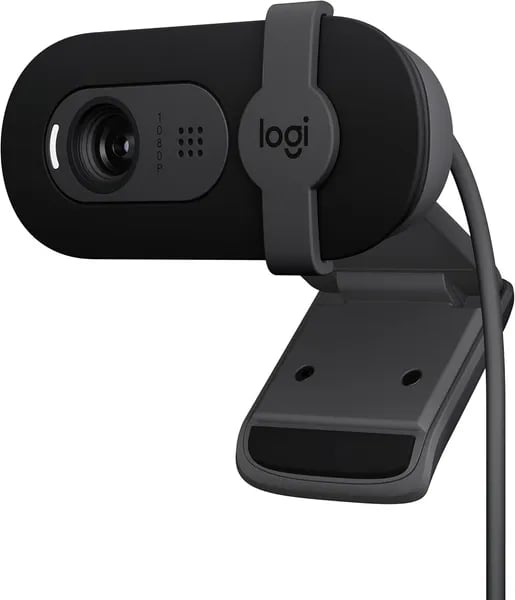
You know that moment when a coworker’s crisp, flattering camera feed makes your own blurry image feel like ancient tech? I had that exact moment before I upgraded to the Logitech Brio 101. Plug it in, watch the lighting clean up, and suddenly your Tuesday stand-up looks like a mini production. This little webcam punches above its weight—especially if you care about good picture, easy setup, and a privacy cover you can actually trust.
1) First Look & How It Feels in Your Setup (Overview)
A compact Budget Webcam that looks clean on any desk
The moment you unbox the Logitech Brio 101, it feels like a simple, modern upgrade—small, light, and ready to work. It weighs just 4.6 ounces and measures 1.26 x 2.87 x 2.62 inches, so it won’t crowd your monitor or look bulky on a laptop lid. This is a newer, budget-friendly Brio model (released September 19, 2023), and it’s already a standout with Amazon’s #1 Best Sellers Rank in Webcams and a 4.4/5 average from 26,044+ reviews.
What you notice first: crisp Full HD 1080p and better light balance
As soon as you turn it on, the Full HD 1080p image looks sharper than most built-in laptop cameras. If you’re coming from an older laptop (think a 2017-era webcam), you’ll likely notice the light balance right away—your face looks brighter and more even, with fewer harsh shadows. Logitech’s RightLight helps your image look clearer in tricky lighting, which is a big deal if your desk isn’t perfectly lit.
Marcus Lee, Tech Reviewer: "The Brio 101 feels like a mature compromise—small, solid, and surprisingly punchy for the price."
Clip it on, plug it in, and you’re live
In most setups, the mounting clip feels secure and quick to position—especially on standard monitors. You simply connect via USB-A and it’s plug-and-play on PC and Mac. If you’ve used the Logitech Brio 100, the experience is familiar: straightforward, no fuss, and easy to trust for daily calls.
- Best fit: regular monitors and laptop screens
- Worth noting: ultra-thin or unusual monitor shapes may need a small adjustment
Colors and materials that feel more thoughtful than “cheap”
You can pick Black or Off White, and the build includes at least 34% post-consumer Recycled Plastic. It’s a small detail, but it makes the Brio 101 feel like a smarter buy—especially when you want a budget webcam that still looks and feels well-made.
2) Quick Tech Specs — Know Your Gear
If you want a webcam that’s simple, sharp, and affordable, the Logitech Brio 101 keeps the essentials tight. Here are the Quick Tech Specs you actually care about—video, audio, and how fast you can get it working.
Video: Full HD 1080p + RightLight 3 for cleaner low light
The Brio 101 records in Full HD 1080p, giving you a clear step up from most laptop cameras. The real helper is Logitech’s lighting tech—often referenced as RightLight 3 in SEO and product data—which auto-balances exposure so you look brighter and more even on screen. Logitech notes it can boost brightness by up to 50% versus older webcams, which is a big deal if you work near a window, sit under harsh overhead lights, or stream at night.
Dr. Emily Park, Video Communications Consultant: "RightLight remains one of Logitech’s quiet superpowers—better lighting means fewer excuses for poor-looking calls."
One thing to know: the field of view is fixed, and some users say it can feel a bit “zoomed in.” There’s no built-in physical zoom control, so your framing is mostly about where you place the camera.
Audio: Built-in mic for calls and GameChat
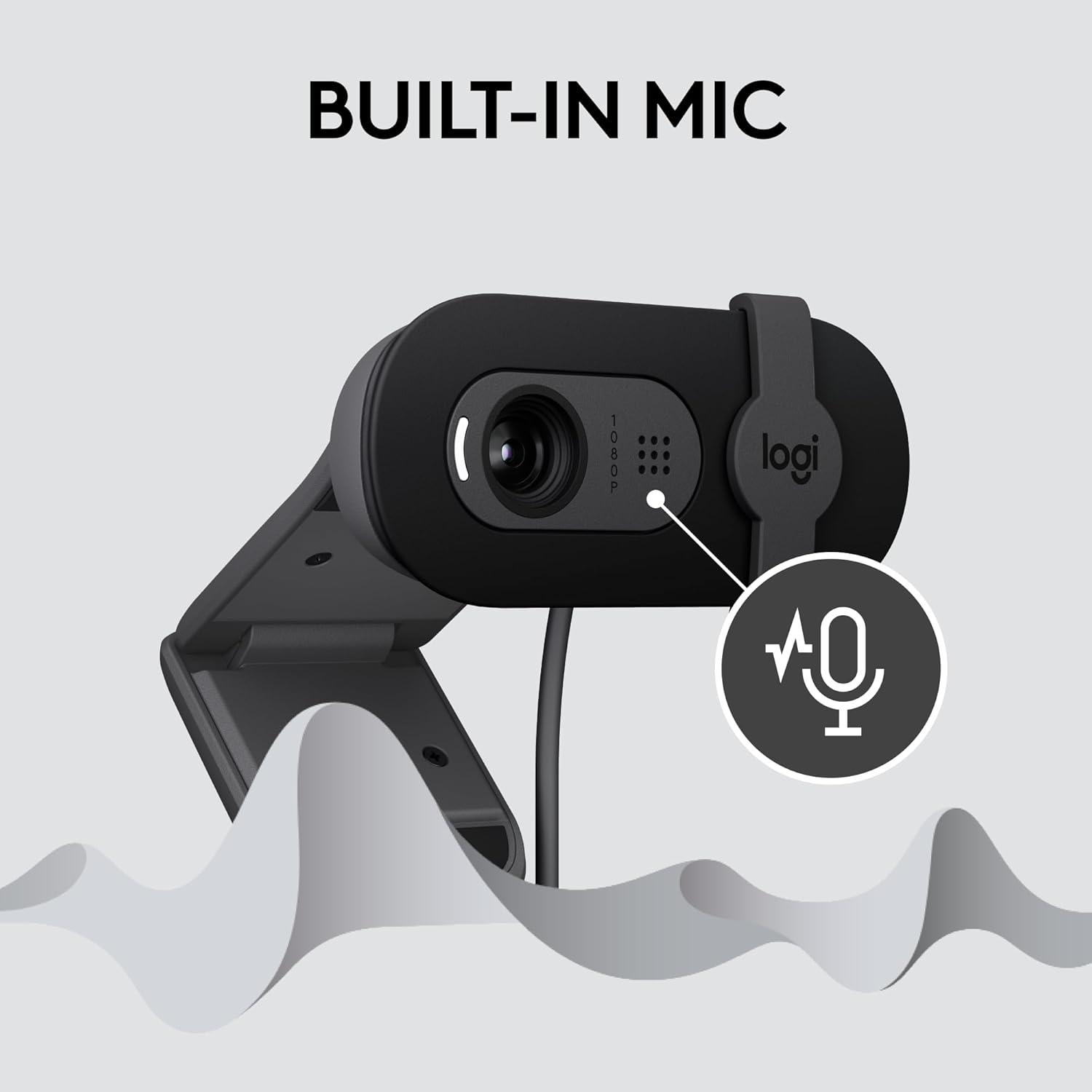
You get a built-in microphone designed for clear voice pickup on everyday meetings and chats. While the Brio lineup often implies dual-mic tuning in its heritage, the key takeaway is simple: your voice comes through clean enough for Zoom, Microsoft Teams, Google Meet, and even the Nintendo Switch 2’s New GameChat Mode. Note: there’s no physical mute button on the webcam itself.
Connectivity & Compatibility: USB Type A plug-and-play
Setup is as easy as it gets: connect via USB Type A (USB-A) and you’re ready—no fuss, no drivers for most people. It’s built for quick plug-and-play on PC and Mac, with optional Logi Tune software if you want extra control.
| Spec | What you get |
|---|---|
| Resolution | 1080p (Brio 101 focuses on 1080p value) |
| Light correction | RightLight 3 / auto light balance, up to 50% brighter vs older models |
| Connection | USB Type A (USB-A) |
| Compatibility | PC/Mac; Zoom, Teams, Meet, Switch 2 GameChat |
Brio family note: higher-end Brio models can offer 4K/30 fps, 1080p/60 fps, or 720p/90 fps, but the Brio 101 keeps it focused on reliable 1080p performance for the price.

3) Real-World Performance: Setup, Calls, and Streaming
Plug And Play setup (even on older laptops)
With the Brio 101, you don’t need a tech checklist. You plug the USB-A cable in, and you’re ready—true Plug And Play on PC and Mac. In reviews, people repeatedly mention “instant setup,” including users running older machines like a 2017 Dell. If you want to tweak color or exposure later, you can use Logitech’s software, but you don’t have to touch any settings to get a clean image fast.
Video Calls: sharper picture + Built In Mic that holds up
For daily Video Calls, the jump from a typical laptop camera is easy to see. Full HD 1080p looks clearer, and Logitech’s RightLight helps you look brighter and less shadowy—useful when your room lighting isn’t perfect. The Built In Mic is also a strong upgrade over many laptop mics, giving you steady, understandable voice audio for work and school.
- Works smoothly with: Microsoft Teams, Zoom, and Google Meet
- Best for: work-from-home routines, classes, interviews, and quick check-ins
- Small limitation: there’s no physical mute button, so you’ll mute inside your app
Sofia Ramos, Content Creator: “I swapped my laptop camera for the Brio 101 and the difference was night-and-day for meetings and quick streams.”
Field Of View and mounting: great for focus, sometimes “zoomed in”
The fixed Field Of View keeps you framed and focused, which many people like for professional calls. The trade-off is that it can feel a bit “zoomed in,” and there’s no built-in zoom control to widen the shot. Mounting is usually simple thanks to the clip, but if you use an ultra-thin or unusual monitor (some Alienware displays or certain 32” LG models), you may need a small DIY adjustment to prevent minor slipping or screen blockage.
Streaming and gaming: solid for casual creators
If you stream but don’t need 4K, the Brio 101 is a practical pick. It’s also a fun fit for niche setups, including the Nintendo Switch 2’s New GameChat Mode, where clear video and reliable mic audio matter more than extra pro features.

4) Privacy, Design Choices, and Eco Notes
Privacy Shutter: simple, physical control you can trust
The Brio 101 keeps privacy straightforward with an integrated Privacy Shutter. When you’re done with a call, you just slide the cover over the lens—no settings to hunt down, no “is my camera still on?” doubt. This is exactly the kind of real-world feature many buyers prioritize, especially if you work from home or share a space.
Oliver Grant, Workplace Privacy Analyst: "A physical privacy shutter remains one of the most underrated features for remote workers."
It’s also reassuring in an office setup where you might leave your desk often. Close the shutter, and you’ve got instant peace of mind.
Recycled Plastic: a small eco win that adds up
If you’re trying to make more mindful tech choices, the Brio 101 is built with at least 34% post-consumer Recycled Plastic. That won’t change how your video looks, but it does align with what more shoppers want now: solid performance without ignoring sustainability. It’s a practical step that fits the webcam’s “good value, low fuss” vibe.
Know Your Gear: design choices that favor portability and value
This webcam is compact and light (4.6 oz), so it’s easy to toss in a bag or move between a home desk and office. You also get clean, simple color options—Black and Off White—that blend into most setups.
To Know Your Gear, it helps to understand the trade-offs Logitech made to keep the price low and setup easy:
- Fixed field of view: great for a focused head-and-shoulders frame, but it can feel a bit “zoomed in” for group calls.
- No adjustable zoom: you’ll reposition the camera or your chair instead of dialing in framing.
- No physical mute button: you’ll mute in Zoom/Teams/Meet rather than on the device.
- Autofocus Lens: this model focuses on simple, consistent Full HD clarity and lighting help, rather than advanced pro controls.
Overall, the design leans into portability, privacy, and everyday reliability—features users often call out as reassuring for both home and office use.
5) Price, Value, and Alternatives (Buying Guide)
Price: a true Budget Webcam sweet spot
If you want a Budget Webcam that still looks sharp on calls, the Logitech Brio 101 is priced where it matters. It typically retails around $37.31 (down from $39.99), and you can often find used options starting near $26.06. That pricing makes it an easy upgrade from a blurry laptop camera without feeling like a risky splurge.
Jamie Patel, Consumer Electronics Analyst: "At roughly $40, the Brio 101 sits in a sweet spot—enough features for most users without the premium tax."
Lower risk: Amazon policies and shipping
Buying online feels safer here because Amazon’s 30-day refund or replacement policy helps reduce buyer risk, especially if you’re unsure about the fixed field of view or how the mounting clip will fit your monitor. On top of that, free shipping on qualifying orders and used/refurb deals can lower your entry price even more.
Value: why it’s a top Value Webcam pick
For everyday work calls, classes, and casual streaming, the Brio 101 delivers the practical win: Full HD 1080p video that’s noticeably better than most built-in laptop webcams, plus RightLight image boosting and a built-in mic that keeps you sounding clear. If you don’t need 4K, 1080p is the smart choice—and this is why the Brio 101 is so often recommended for value-focused buyers.
Alternatives (based on your priorities)
If your budget is tighter or you want different features, you’ve got solid options in the $17.99–$66.49 range. The EMEET 1080P C960 and RUWBY Full HD 1080P can be good low-cost picks, while the NexiGo N960E is a common step-up alternative. If you want smarter features and are willing to pay more, the OBSBOT Meet SE may fit better. And if you specifically need 4K, you’ll want to look at higher-end Brio models instead.
Brio Product Support and Related Resources
To get the most from your purchase, check Brio Product Support for setup help, updates, and optional software tuning. For comparisons and compatible accessories, explore Related Resources so you can match the Brio 101 (or an alternative) to your exact setup and budget.



