.png&w=1280&q=75)
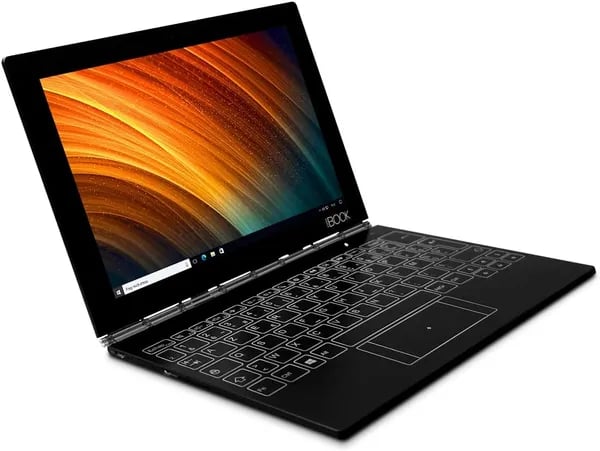
I still remember unboxing my first ultrathin convertible laptop and how its novelty of flipping from tablet to laptop felt like magic, especially with that quirky Halo keyboard. That feeling resurfaces with the Lenovo Yoga Book YB1-X91F—a device that dares to blend style, portability, and function. But is this refurbished gem worth your attention in 2025? Let’s dig deep into what makes this 2-in-1 tick and where it might trip up.
A Closer Look at the Lenovo Yoga Book: Design and Hardware
If you’re searching for a device that blends portability with unique design, the Lenovo Yoga Book stands out in the 2-in-1 laptop category. This ultrathin, convertible device is engineered for users who want the flexibility of both a tablet and a laptop, all in a compact form factor.
10.1-inch Full HD+ Touchscreen for Crisp Visuals
The Yoga Book features a 10.1-inch Full HD+ IPS touchscreen with a resolution of 1920 x 1200 pixels. This display delivers sharp, vibrant visuals and wide viewing angles, making it ideal for web browsing, streaming, and productivity tasks. The touchscreen is responsive and supports both finger and stylus input, enhancing your creative and interactive experience.
Efficient Intel Atom CPU and Reliable Hardware
Under the hood, the Yoga Book is powered by an Intel Atom Z8500 QuadCore processor clocked at 1.44 GHz. Paired with 4 GB DDR4 SDRAM and a 64 GB SSD, this setup is well-suited for light computing tasks such as document editing, web surfing, and media playback. While the Intel Atom CPU isn’t built for heavy multitasking, it offers energy efficiency and quiet operation.
Ultrathin Convertible Design
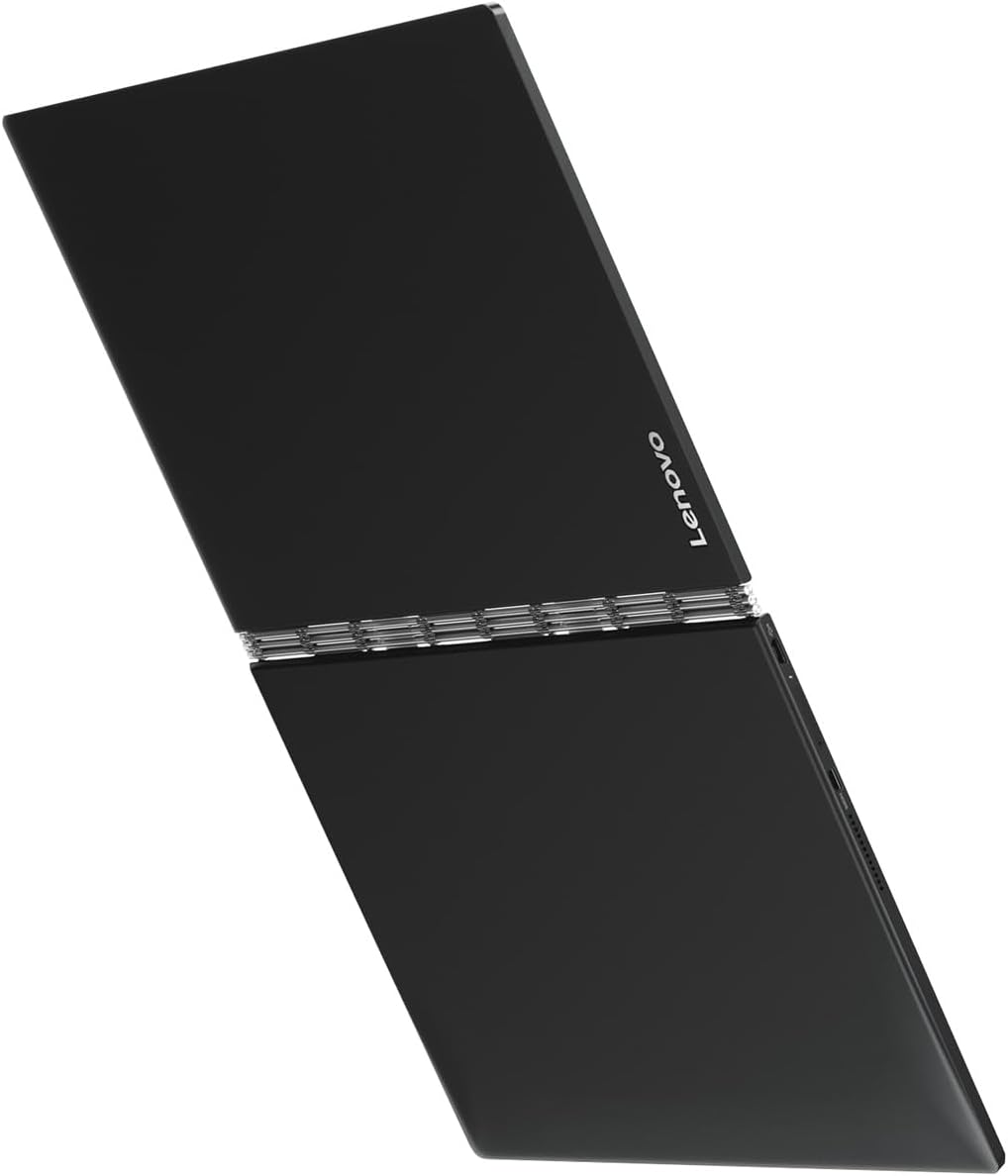
At approximately 1.5 kg (device only), the Yoga Book is remarkably lightweight and easy to carry. Its convertible hinge allows you to switch smoothly between laptop and tablet modes, supporting a range of use cases from note-taking to presentations. The black finish and slim profile give it a modern, professional look. Despite being a refurbished model, many users note,
Despite being a refurbished unit, the build quality does not feel compromised, reassuring for budget-conscious buyers.
Innovative Halo Keyboard
A highlight of the Yoga Book is its Halo keyboard—a touch-sensitive surface that doubles as both a keyboard and a drawing pad. This futuristic feature is praised for its practicality and visual appeal. As one reviewer puts it,
Lenovo's innovative HALO keyboard truly stands out for its multifunctional design and futuristic feel.
Connectivity and Multimedia Features
- Bluetooth and dual-band WLAN (802.11 a/b/g/n/ac) for fast, stable wireless connections
- microHDMI and micro-USB ports for external displays and accessories
- 8 MP rear camera with autofocus and 2 MP front camera for photos and video calls
- Dolby Atmos stereo speakers for immersive audio
The Yoga Book comes pre-installed with Windows 10 Pro, but users have reported smooth compatibility with Linux distributions, especially Debian-based systems. This makes it a flexible option for those who prefer open-source operating systems.
User Experience: Strengths and Quirks of the Yoga Book
When it comes to user experience, the Lenovo Yoga Book YB1-X91F stands out for its compactness, lightweight build, and versatility. If you value portability, this 2-in-1 device is easy to carry and fits well into any travel or daily routine. Many users praise its suitability for everyday tasks like web browsing, media streaming, and light productivity, making it a strong contender among refurbished laptops for those seeking a balance between form and function.
Performance and Battery Life
Despite its aging Intel Atom Z8500 processor and 4 GB RAM, the Yoga Book delivers solid performance for basic tasks. While it may not handle heavy multitasking or demanding software, most users find it responsive for office work, emails, and streaming. Linux compatibility is a notable advantage; several users report smoother performance and improved battery life when running Linux (such as Debian). On Linux, you can expect up to 6 hours of video playback, which is competitive for a device of this class.
Unique Halo Keyboard: Practical Yet Unconventional
The Halo keyboard is a signature feature, drawing attention for its futuristic, touch-sensitive design. Many describe it as both practical and visually appealing, though it does require a period of adjustment. The main challenge comes from the French AZERTY layout on the physical keyboard, which cannot be reprogrammed to German QWERTZ. This is a critical point for German-speaking users. As one reviewer puts it:
"For a refurbished device, it offers exceptional value especially if you can get past the French keyboard hurdle."
If you need German input, you’ll likely rely on the on-screen keyboard, which supports full German layout.
Refurbished Quality and Display Quirks
As a refurbished laptop, the Yoga Book’s quality can vary. Some units arrive in excellent condition, while others show signs of wear like faded casing paint. A few users have reported screen issues, including occasional blackouts or color distortion. These quirks are important to consider, especially since the device is from an early 2016 batch and is officially End-of-Life with no further Lenovo updates or support.
Connectivity and Everyday Usability
- No USB-C port—adapters are needed for modern peripherals.
- MicroHDMI and micro-USB ports offer basic connectivity.
- Bluetooth and dual-band Wi-Fi ensure reliable wireless access.
Overall, user reviews highlight the Yoga Book’s portability, versatility, and unique design, while noting the learning curve with the keyboard and the mixed quality of refurbished units. As one user notes:
"The Halo keyboard takes some getting used to but adds a futuristic charm that’s really unique."
Average user rating stands at 3.6 out of 5 stars from 127 reviews, reflecting both the strengths and quirks of this distinctive device.
Navigating Limitations: Keyboard Layout, Age, and Support Challenges
When considering refurbished laptops like the Lenovo Yoga Book YB1-X91F, it’s important to understand the unique limitations that come with this device—especially regarding its keyboard layout, hardware age, and lack of ongoing support. These factors can significantly impact your daily experience and long-term satisfaction.
French AZERTY Keyboard: Input Challenges
This Yoga Book was originally manufactured for the French market, which means it comes with a physical French AZERTY keyboard. If you’re used to a German QWERTZ or standard QWERTY layout, this can be a real hurdle. Lenovo removed the driver support for switching to a German QWERTZ layout in 2018, so you cannot simply reprogram the hardware keyboard. As one reviewer put it:
The missing QWERTZ driver is a real challenge; users must embrace the French layout or live with less convenience.
While the device does include an on-screen keyboard with full German support, you may find yourself relying heavily on it or considering keyboard stickers or external keyboards to adapt. This limitation is a key consideration if typing comfort and speed are important to you.
Hardware Limitations: Age and Refurbish Quality
The Yoga Book YB1-X91F units available today are from the early 2016 production batch, making them nearly nine years old by 2025. As a result, you may encounter aging internal components, such as the Intel Atom Z8500 processor and 4 GB RAM, which can lead to performance bottlenecks during multitasking or demanding applications. Some users have reported hardware issues, including:
- Screen blackouts or color distortions
- Occasional system unresponsiveness
- Visible wear, such as worn paint on the casing
Refurbished laptops often come with limited or no warranty, and the quality of refurbishment can vary. While some buyers are satisfied with their purchase, others have experienced hardware failures soon after receiving the device. In fact, 19% of customer reviews rate the product just 1 star, often citing these issues.
End-of-Life Device: No Official Support
Lenovo officially lists the Yoga Book YB1-X91F as an End-of-Life device. This means there are no firmware updates, driver support, or customer service available. As one user notes:
Lack of continued support and updates means you’re on your own, which might not suit everyone.
This lack of support can affect device longevity, security, and compatibility with new software. If you value regular updates or need troubleshooting help, this is a significant drawback.
Despite these challenges, some users still find value in the Yoga Book for niche uses like retro gaming or media consumption. However, you should carefully weigh the device’s price appeal against its long-term usability and support constraints.
Linux on the Lenovo Yoga Book: Unlocking New Potential
If you’re considering the Lenovo Yoga Book YB1-X91F for its portability and unique design, you’ll find its Linux compatibility opens up even more possibilities. Many users have discovered that installing a Linux distribution—especially Debian-based systems—can significantly enhance the Yoga Book’s performance and battery life compared to Windows.
Improved Performance and Battery Life with Linux
Running on an Intel Atom Z8500 QuadCore CPU with 4GB DDR4 RAM and a 64GB SSD, the Yoga Book’s hardware is modest by today’s standards. However, Linux’s lightweight nature helps you get the most out of these specs. Users report smoother system responsiveness and less lag during everyday tasks like web browsing, document editing, and media playback. One standout benefit is battery efficiency: with Linux, you can expect up to six hours of video playback, often surpassing what’s possible on Windows. As one user put it:
“Installing Linux breathes new life into the Yoga Book, balancing performance and battery like Windows can’t.”
Community-Driven Support and Customization
Since Lenovo has officially discontinued support for this model, the Linux community has stepped in to fill the gap. Forums and repositories offer patches and guides for tackling common challenges, such as:
- HALO keyboard support and configuration
- Screen rotation and orientation fixes
- Power management tweaks for longer battery life
Distributions like Debian and Fedora are popular choices, with active threads addressing device-specific quirks. This makes the Yoga Book a compelling option for open-source enthusiasts who enjoy customizing their setup.
Considerations and Ongoing Issues
While Linux installations unlock new potential, some hardware compatibility issues persist. Users have noted occasional problems with sound, video acceleration, and the HALO keyboard’s advanced features. These issues may require manual tweaks or community-supplied scripts. As another reviewer noted:
“Despite some glitches, Linux compatibility makes this device a compelling choice for open-source fans.”
For those comfortable troubleshooting and experimenting, Linux can extend the usable life of the Yoga Book YB1-X91F. However, if you’re new to Linux or need flawless plug-and-play functionality, be prepared for a learning curve.
In summary, leveraging Linux compatibility on the Yoga Book not only boosts its performance and energy efficiency but also transforms this compact convertible into a flexible tool for productivity and media—provided you’re willing to navigate some technical hurdles.
Accessorizing Your Yoga Book: Essential Add-ons and Alternatives
Maximizing the potential of your refurbished Lenovo Yoga Book YB1-X91F often comes down to the right accessories. While its ultrathin, convertible design and portability make it a standout among refurbished laptops, certain hardware quirks—such as the lack of USB-C support and the French AZERTY keyboard—can affect everyday usability. Fortunately, affordable Yoga Book accessories can help you overcome these limitations, allowing you to tailor the device to your specific needs.
A popular starting point is the Amazon Basics wireless mouse (around €8.91), which offers precise control and comfort, especially if you find the touchscreen or Halo Keyboard less efficient for extended work sessions. For expanding connectivity, a USB-C to micro-USB adapter like the Oumida model (€4.69) is a smart investment. This small accessory bridges the gap between modern peripherals and the Yoga Book’s older ports, making it easier to connect newer devices or charging cables. Similarly, the Amazon Basics HDMI Adapter (2-pack for €7.72) and micro-HDMI cables (typically €3.51–€7.03) are invaluable for presentations or connecting to external displays, transforming your Yoga Book into a more versatile workstation.
One of the most common challenges with this refurbished model is the French AZERTY keyboard. If you require a German QWERTZ layout, universal keyboard stickers (about €5.27) offer a simple and effective fix. As many users have noted, “Adding simple accessories like keyboard stickers and adapters can transform the Yoga Book experience.” These stickers are easy to apply and can make typing in your preferred language much more intuitive.
For those who want to connect USB drives, game controllers, or other peripherals, USB-OTG cables (priced between €3.51 and €7.03) are essential. They expand the Yoga Book’s compatibility, especially for tasks like retro gaming or transferring files on the go. As one reviewer put it, “When you’re using older hardware, a little creativity with peripherals goes a long way.”
If you find the Yoga Book’s hardware constraints too limiting, consider exploring alternative refurbished laptops or newer Lenovo Yoga models. These often include updated features such as native USB-C support and improved keyboards, though usually at a higher price point. Still, for many, the right combination of accessories can significantly enhance comfort, productivity, and device longevity, making the Yoga Book YB1-X91F a practical and customizable choice for budget-conscious users.



