.png&w=1280&q=75)
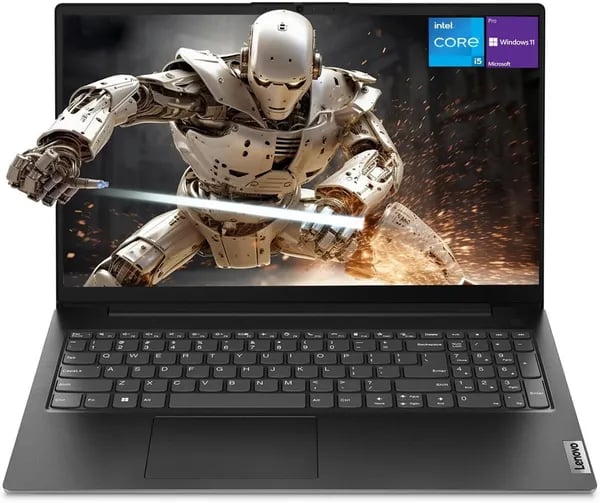
You’re in a coffee shop, juggling a spreadsheet, a video call, and three tabs of research — and your laptop doesn’t flinch. That feeling (yes, the one that makes you smirk) is exactly why you should be paying attention to the Lenovo V15 Gen 4. I stumbled onto this model hunting for a no-nonsense workhorse and was surprised to find real power and polish without corporate price-gouging. Let’s walk through the details — and the quirks — so you can decide if this is the laptop that finally keeps up with your hustle.
Key Features and Benefits — Why it matters
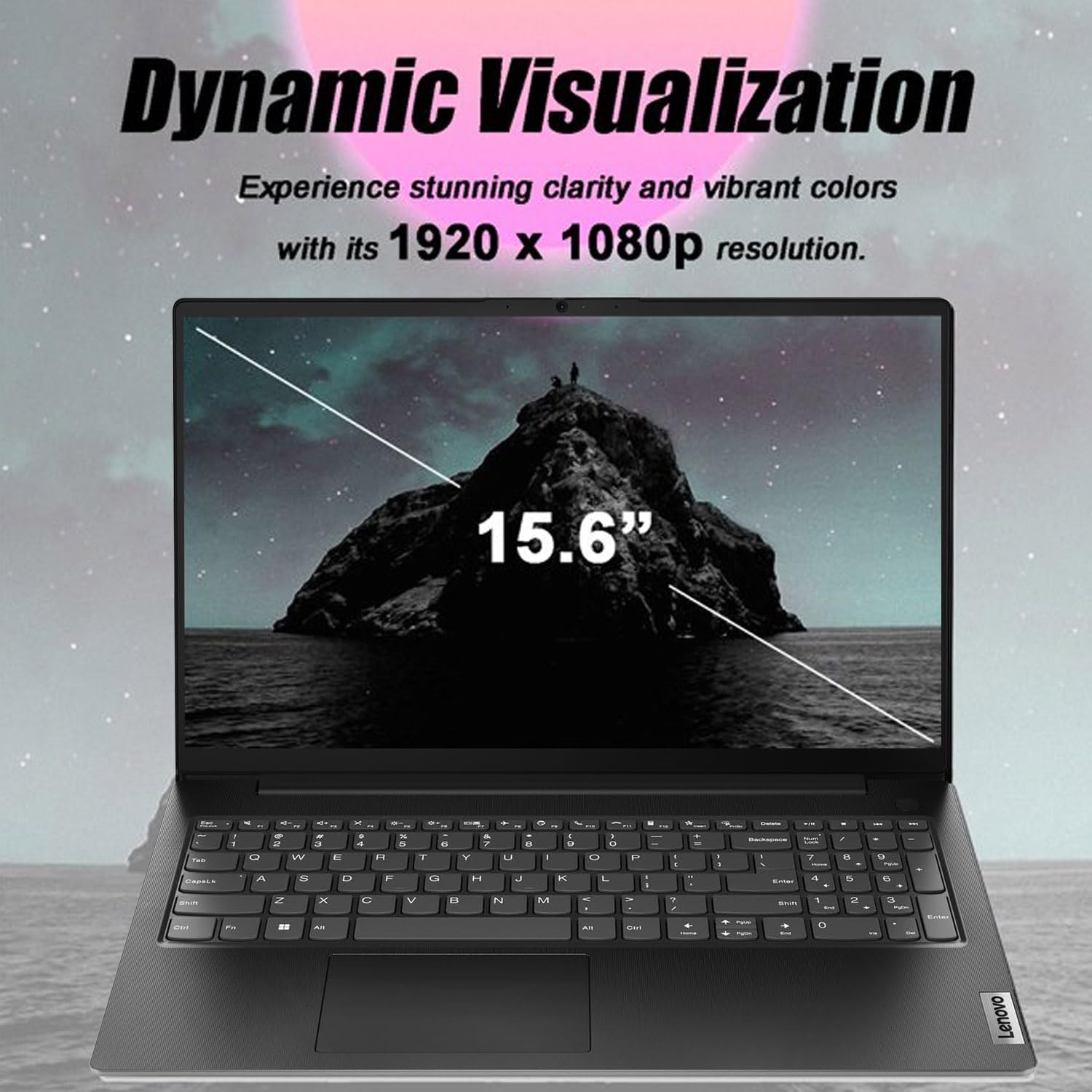
15.6 FHD display that stays comfortable for long days
When you’re working for hours, screen comfort matters. The Lenovo V15 Gen 4 Business Laptop gives you a roomy 15.6 FHD display (1920x1080) that’s easy to read for spreadsheets, docs, and side-by-side windows. Many listings note a 15.6-inch FHD anti-glare panel as a standard feature across SKUs, so you’re less likely to fight reflections from office lights or sunny rooms—helpful if you move between desks, meeting rooms, and home.
Intel Core i5-13420H: the “snappy” feel you notice every day
The Intel Core i5-13420H is positioned as a performance-focused option in the lineup, and you feel it in the basics: faster app launches, smoother multitasking, and less waiting when you juggle browser tabs, Teams/Zoom, and Office files. Some ads even claim it “Beat i7-1355U,” which signals Lenovo is aiming this chip at people who want more punch than typical thin-and-light processors.
Mike Duffy: “Powerful, fast, [with] enormous memory.”
Memory and storage that can grow with your workload
You can start strong at 16GB RAM and a 512GB SSD, which is a practical baseline for business use. If your work is heavier—large Excel models, lots of Chrome tabs, or light creative tasks—there are configurations up to 40GB RAM and 2TB SSD. That flexibility helps you buy once and avoid running out of space or speed later.
Business-ready ports (the ones you actually use)
Retailer listings emphasize business I/O, and that’s where this laptop shines. You get modern and legacy connections so you don’t have to carry extra adapters.
- USB-C 3.2 Gen 1 for simple, modern connectivity
- HDMI 1.4b for meeting-room displays and monitors
- RJ45 Ethernet for stable, secure wired internet
- Webcam for calls and a numeric keypad for faster data entry
Built for mobile work without feeling fragile
At about 3.64 pounds and 14.13 x 9.29 x 0.78 inches, it’s easy to carry between work and home. Battery varies by SKU (often around 45Wh), and many reviewers highlight solid real-world battery life—useful when you’re working away from outlets.

Product Specifications & Price — the numbers you care about
Lenovo V15 Gen 4 base spec: 16GB RAM 512GB SSD
If you want the “sweet spot” setup, the Lenovo V15 Gen 4 is commonly sold in a 16GB RAM 512GB SSD configuration. That combo is ideal for office apps, lots of browser tabs, and smooth multitasking without paying for upgrades you may not need.
Storage is typically PCIe NVMe, and many listings mention an M.2 SSD slot (NVMe). Depending on the seller and SKU, you can also find upgrades up to 40GB RAM and 2TB SSD, which is great if you handle large files or run heavier tools.
AJJ: “Configurations like 40GB RAM and 2TB SSD are perfect for intense workloads.”
CPU options vary by SKU (Intel and AMD)
Don’t assume every Lenovo V15 Gen 4 is the same. Some SKUs use the Intel Core i5-13420H (often marketed as fast for the price), while other listings may offer Intel Core i3 options or even AMD Ryzen variants. This is why price shopping matters: different CPU/RAM/SSD bundles can change the value a lot.
Ports & wireless: what you can plug in
- USB-C 3.2 Gen 1
- USB-A 3.2 Gen 1 + USB-A 2.0
- HDMI 1.4b
- Ethernet (RJ45)
- Wi-Fi (often listed as 802.11ac; some retailers may list Wi‑Fi 6) + Bluetooth
Lenovo V15 price on Amazon + trust signals
For price-intent shoppers, the Lenovo V15 price on Amazon has been seen starting around $440 new, with Used - Like New around $419, often with free delivery. It launched on Amazon on April 17, 2024 and shows strong buyer confidence: 4.4/5 stars from 128 reviews, 500+ units sold, plus “Amazon’s Choice.” It also ranks around #336 in Computers & Accessories and #46 in Traditional Laptop Computers.
Size, weight, and SKU hardware notes
| Spec | What you get |
|---|---|
| Dimensions | 14.13 x 9.29 x 0.78 inches |
| Weight | 3.64 pounds |
| Battery | Often 45Wh (some SKUs 38Wh) |
Tip: SKU choices can also affect whether a 2.5" SATA slot is included, so check the exact listing before you buy.
Powerful Performance & Real-world Use
Powerful Performance with Intel Core i5-13420H + 16GB RAM
If you want a business laptop that feels quick the moment you start working, the Lenovo V15 Gen 4 delivers. The Intel Core i5-13420H is built for speed, and paired with 16GB RAM and a fast SSD, you can expect smooth day-to-day performance—email, dozens of browser tabs, Teams/Zoom calls, spreadsheets, and light photo work without constant slowdowns.
Real buyers back this up. Reviews often highlight “fast” and “responsive” behavior for office and student workflows, plus a durable feel and clean black design that fits professional settings.
Snappy multitasking in real life (office, study, light creative)
In practical use, you’ll notice the biggest benefit when you’re switching between apps. With the baseline 16GB RAM and 512GB SSD, your laptop wakes quickly, loads files fast, and handles multitasking without feeling laggy. If your work is heavier—large datasets, many Chrome profiles, or lots of open documents—some sellers offer upgrades up to 40GB RAM and 2TB SSD.
Iván A.: “Perfect blend of durability and efficiency for office users.”
Graphics: Intel UHD vs Intel Iris Xe (and why memory matters)
Graphics performance depends on the exact SKU. Intel-based models may come with Intel UHD or Intel Iris Xe. If you’re aiming for better visuals for light creative tasks or casual gaming, Intel Iris Xe can perform noticeably better—especially when your system runs dual-channel RAM (two memory sticks working together). AMD versions use Radeon graphics, which follow a different performance profile.
- Best for business: UHD/Iris Xe is great for office apps and video calls
- Best for light creative: Iris Xe + dual-channel memory helps
Battery life and reliability: what users report
Battery life is frequently praised, with some real-world tests and user reports landing around 10+ hours depending on brightness, apps, and configuration. Buyers in the US, UAE, and Mexico often mention strong portability and dependable daily use.
Issues exist but appear isolated: occasional Windows 11 Pro quirks out of the box, rare hardware errors like 0xc0000001, and a few reports of depleted batteries on arrival. With strong trust signals like Amazon’s Choice and a high review average, most shoppers find the positives outweigh the sporadic negatives.
Buying Guide & Important Caveats (warranty, voltage, returns)
Lenovo V15 warranty: check locality before you click “Buy”
The Lenovo V15 Gen 4 is a strong value, but your Lenovo V15 warranty can depend on where you buy and where you use it. Several buyers mention regional warranty limits when purchasing internationally. If you’re outside the U.S., don’t assume global coverage—confirm it in the listing and in Lenovo’s documentation.
For international shoppers, it helps to look up the model family notes in Lenovo’s PSREF/spec PDFs. Search for Lenovo V15 Gen 4 IRU and verify the exact configuration (CPU, ports, wireless) and any warranty locality notes tied to that region.
Voltage & plug compatibility: avoid the 110V surprise
User reports flag occasional power issues when the included adapter is geared toward 110V use. Before checkout, confirm the adapter input range (ideally 100-240V) and the plug type you’ll receive. If you’re buying from abroad, you may need:
- A simple plug adapter (changes the plug shape)
- A voltage converter (if your adapter doesn’t support your local voltage)
One real-world example: a converter can cost around 180 AED in the UAE, so it’s worth verifying up front to avoid extra spend and setup hassle.
Returns & holiday protection: your safety net for gifts
Returns vary by seller, so always read the merchant’s return terms and any “import” notes. The good news for late-season buyers: purchases made between Nov 1 and Dec 31, 2025 qualify for a FREE refund or replacement until Jan 31, 2026. That window is ideal if you’re gifting or waiting to set up the laptop after delivery.
Sellers, Lenovo V15 price, and “Used - Like New” tips
You’ll commonly see PCOnline US as the main seller, plus TrueCore Tech and other Amazon merchants. Compare seller ratings, shipping speed, and warranty wording—not just the Lenovo V15 price. “Used - Like New” can save a little, but inspect seller notes for battery condition and warranty eligibility.
Lenovo V15 compatible accessories to add at checkout
- Lenovo Laptop Bag T210 for daily carry
- Logitech M185 Wireless Mouse for easy travel productivity
Mike Duffy: “Powerful, fast, [with] enormous memory.”
Accessories, Alternatives, and Wild Cards
Lenovo V15 compatible accessories that actually help
If you want your Lenovo V15 Gen4 to feel more “business-ready” on day one, start with the basics that improve mobility without draining your budget. I once bought a cheap bag and ended up carrying an expensive laptop in it—lesson learned: pair quality hardware with decent protection. The Lenovo Laptop Bag T210 at $13.57 is an easy upgrade for daily commuting, and the Logitech M185 Wireless Mouse at $12.95 makes long spreadsheet sessions more comfortable than a trackpad.
From there, think about expandability. A USB-C docking setup can turn your V15 into a clean desk machine with one cable for power, monitors, and peripherals. And if your workload grows, upgrades like an M.2 SSD (and on supported SKUs, even a 2.5" SATA drive) plus extra RAM can extend the life of your laptop for heavier workflows—often cheaper than replacing the whole system.
Alternatives on Amazon: cheaper isn’t always better
If you’re comparing options, Amazon’s competing models can undercut price, but they may trade away ports, build feel, or warranty coverage—especially important if you travel or buy internationally. Here’s the quick landscape:
| Model | What stands out | Price |
|---|---|---|
| FUNYET gaming laptop | 12th Gen Intel, 16-inch display | $329.99–$349.99 |
| MARGOLAI Laptop Computer | Ultra-budget option | $236.54 |
| NIMO models | More variety, higher ceiling | Up to $599.99 |
If you need business ports like HDMI and RJ45, the V15 line often fits better than bargain laptops that focus on price first. And if you’re also considering the Lenovo V15 (15-inch AMD), compare port selection and upgrade paths before you decide.
The wild card: a “secondary editor” build
Here’s a fun thought: a maxed Lenovo V15 Gen4 with 40GB RAM and a 2TB SSD can be a surprisingly capable second machine for video editing, client previews, or a small creative shop—overkill for many, perfect for some.
AJJ: “Configurations like 40GB RAM and 2TB SSD are perfect for intense workloads.”
Choose smart accessories, weigh alternatives carefully, and you’ll end up with a setup that works the way you do.



