.png&w=1280&q=75)

You walk into a lecture hall, pull a slim Luna Grey tablet from your bag and suddenly note-taking feels less like a chore. That’s the vibe the Idea Tab Pro aims for: a 12.7" 3K screen, pen in hand, Google Gemini ready to help with brainstorming. I remember using a similar tablet during midterms—scribbling diagrams, watching a recorded lecture, then switching to a quick study search with a long-press. This outline walks you through the real-world beats: specs, surprises, and whether this tablet actually makes student life easier.
First Impressions: Design, Display & Sound
Sleek Luna Grey build (premium feel, a bit heavy in portrait)
The first thing you notice is how clean and modern the Luna Grey chassis looks. At 1.36 pounds and 7.44 x 11.49 x 0.27 inches, it feels slim and well-made—more “laptop-like” than toy-like. In landscape mode, it’s comfortable for notes, split-screen reading, and streaming. But if you’re planning long portrait reading sessions (think: ebooks or dense PDFs), the weight can start to feel noticeable in your wrist.
Techaeris: “Strong performance for the class, with a standout display and speakers.”
12.7 3K display: 3K (2944x1840) LTPS IPS panel at 273 PPI
The 12.7 3K display is the real “wow” moment. You’re getting 3K (2944x1840) resolution on an LTPS IPS panel with about 273 PPI, which looks nearly 4K-quality at normal viewing distance. Text appears crisp for lecture slides and research, and colors look vibrant—something reviewers often praise when comparing it to other tablets in this price range.
The 16:10 aspect ratio is also student-friendly: you see more of a document vertically, and videos still look great. The paper-like anti-glare surface helps cut reflections, and the screen is Low Blue Light certified for late-night study sessions. Indoors, brightness is solid, but at around ~400 nits, direct sunlight can wash things out.
- Resolution: 2944 x 1840 (3K)
- Sharpness: ~273 PPI
- Contrast: ~1500:1
- Screen-to-body: ~87%
Quad speakers that actually matter
Audio is a big win here. The Quad speakers are JBL-tuned with Dolby Atmos branding, and they deliver clear dialogue for lectures plus real punch for movies and casual gaming. In this price class, strong speakers are rare, and the Dolby tuning helps the sound feel wider and more “room-filling” than typical budget tablets—so you’re less tempted to reach for headphones every time.
Lenovo: “Designed for students and creatives, pairing pen support with Google Gemini.”

Performance, Memory & Battery (Put to Work)
Performance specifications: MediaTek Dimensity 8300 power for real student life
When you’re juggling Google Docs, a lecture stream, and a dozen Chrome tabs, you need speed that doesn’t stutter. The MediaTek Dimensity 8300 octa-core SoC gives you that headroom, and it’s marketed as roughly 60% more power than the previous generation. In day-to-day use, that translates to smooth app switching, quick wake-ups, and steady performance during long study sessions.
Graphics are handled by the Arm Mali-G615 GPU, which is why this tablet feels confident with games and creative apps. As one outlet put it:
Techaeris: “Performance punches above its price class thanks to the Dimensity 8300.”
Memory and storage that won’t box you in
The base model pairs the chipset with 8GB LPDDR5X RAM (and some SKUs offer 12GB), so multitasking stays responsive even when you’re running note-taking, PDF markup, and music in the background.
For Memory and storage, you start at 128GB, and you can expand via microSD up to 1TB—great for offline lectures, big textbooks, and downloaded shows.
- 128GB models commonly use UFS 3.1 storage
- 256GB variants may use UFS 4.0, which can improve load times and big file transfers
That UFS generation detail matters: faster storage can make apps open quicker and large folders (like photo projects) feel snappier.
10200 mAh battery: long days, fewer outlet hunts
The large 10200 mAh battery is built for campus life, with up to 11 hours of video streaming listed. That’s enough for classes, commuting, and a wind-down episode at night.
Charging supports 45W quick charge, but keep expectations realistic: a big battery can take longer to fully top up. Also, you typically get the USB-C cable only (no charging brick in the box). If you use the max battery charge limit, you can cap charging at 80% or go full—no in-between option.
Bonus for busy networks: Wi-Fi 6E helps keep downloads and video calls fast and stable.
Productivity, Pen & Google Gemini (AI Meets Notes)
Pen support that feels made for class
Right out of the box, you get real Pen support with the Lenovo Tab Pen Plus and a Folio Case—instant value if you’re a student or you sketch between lectures. The pen is built for everyday schoolwork with 4096 pressure levels, tilt detection, and palm rejection, so your handwriting stays clean even when your hand rests on the screen.
That means you can:
- Write fast notes during lectures without random marks
- Annotate PDFs and slides for exams
- Do diagrams, math steps, and quick art studies with better line control
Google Gemini + Circle to Search = faster research
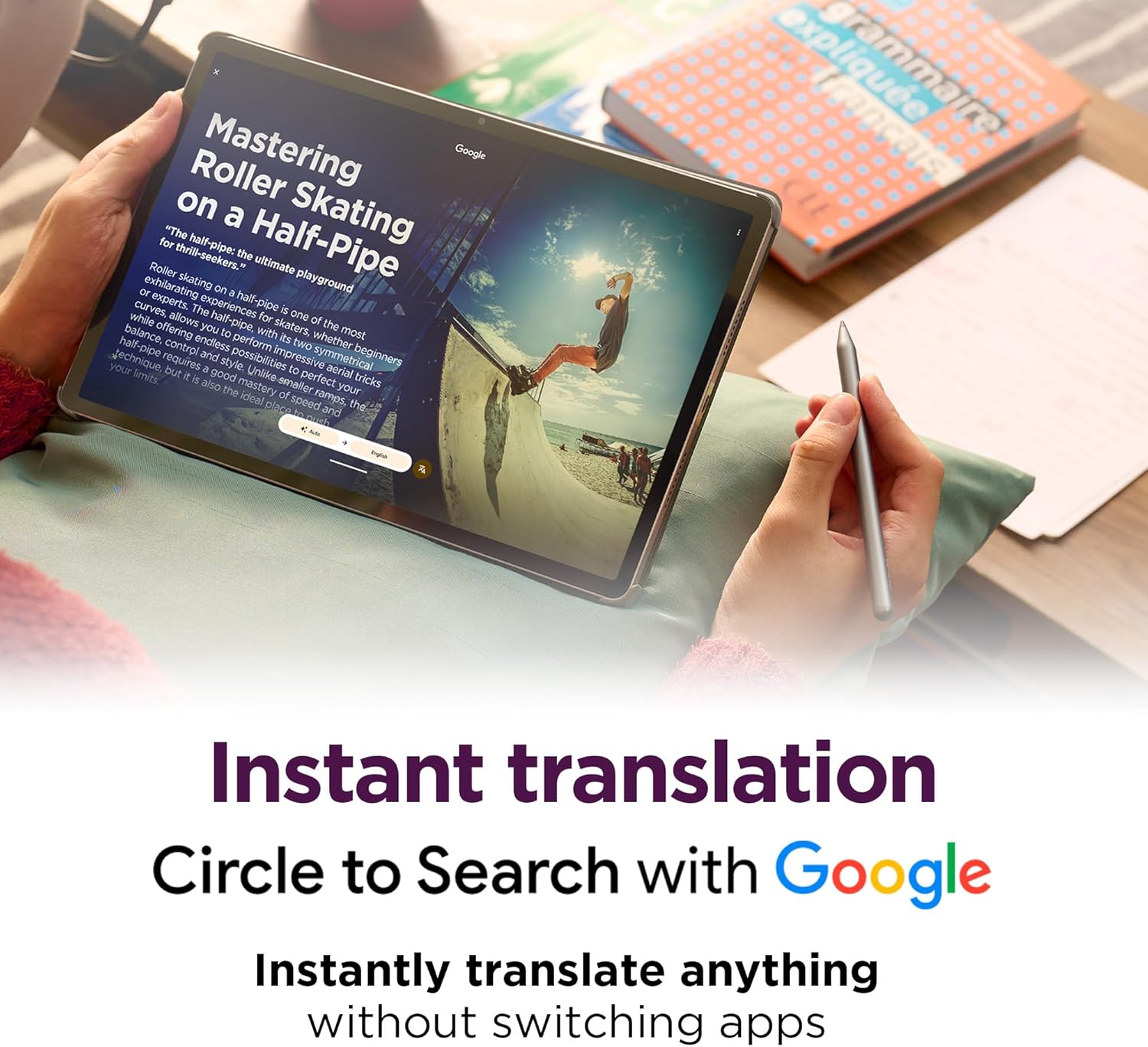
On Android 14, the tablet’s standout Software features are Google Gemini and Circle to Search. When you’re reading an article or watching a lecture, you can long-press and circle what you don’t understand to pull up instant results—no app switching, no copy/paste.
Reviewer (YouTube transcript): "Circle to Search erased friction from research—instant lookups while studying."
Gemini also helps when you’re stuck: brainstorm essay angles, rewrite a rough paragraph, summarize a topic, or run quick translations for language classes. Paired with Lenovo AI Notes, your workflow feels more “capture now, organize later,” which is perfect when class moves fast.
Lenovo: "Google Gemini and Lenovo AI Notes help students study smarter, not harder."
From tablet to work setup with case + keyboard options
The included Folio Case makes it easier to prop up the 12.7-inch screen for typing, reading, or marking up documents on the go. If you want a more laptop-like setup, you can add a pogo-pin folio keyboard (sold separately) for essays, discussion posts, and longer Google Docs sessions.
One small setup note
During setup, you may see some preinstalled apps (a bit of bloatware). The good news: most are uninstallable, though a Lenovo app may remain.
Gaming, Accessories & Alternatives
Gaming specifications: 360Hz touch sampling, PUBG certified, 90fps support
If you like to unwind between classes, the Idea Tab Pro hits a sweet spot for multimedia and light-to-moderate gaming. It’s PUBG certified for FPS performance, and the 360Hz touch sampling helps your taps feel instant—great for aiming, quick turns, and fast builds. You also get support for up to 90fps gaming, so compatible titles can look and feel smoother than standard 60fps.
For most mainstream games, performance is steady and responsive. For heavier titles (like Fortnite or other demanding shooters), you may want to lower graphics settings to keep frame rates stable and reduce heat during longer sessions.
Techaeris: “Low input lag and high touch sampling make it a surprisingly capable gaming tablet.”
Accessory recommendations (Amazon): build your study + play setup
The included pen and folio case already cover note-taking and everyday protection, but the Accessory recommendations on Amazon make it easy to customize your setup for typing, travel, and screen safety—especially if you’re using this as a student “laptop-lite.”
- Keyboard Case Touch ($56.99) for faster essays, emails, and Google Docs work
- JETech Screen Protector ($14.99) to help prevent scratches in backpacks
- Optional folio keyboards for a more “mini-laptop” feel (great for dorm desks)
Amazon rating, price, and value
On Amazon, the tablet holds a strong Amazon rating of 4.4 stars from 175+ reviews. At around $279.99 (with used/new options sometimes as low as $221.71), it’s widely seen as a strong value for the screen, speakers, and included extras.
Amazon reviewer: “Screen and sound are jaw-dropping for the price—perfect for study breaks and gaming.”
It’s also Prime eligible, with free returns/replacements for holiday purchases through Jan 31, 2026 (orders Nov 1–Dec 31, 2025).
Alternatives to compare
- Lenovo Idea Tab Plus (12.1" 2.5K, $249.99) if you want to spend less
- CHUWI Hi10 X2 (Windows 11, $239.59) if you need Windows apps
- Budget Android tablets from YINOCHE/YLEEBG if you prioritize price or lighter builds
Pros, Cons & Final Verdict (What You Should Know)
Pros (Why this feels like a student win)
In this Lenovo Idea Tab Pro review, the biggest “wow” is the large 12.7-inch 3K screen (2944 x 1840). It looks close to “near-4K” in daily use, so reading PDFs, annotating slides, and watching lectures feels crisp and comfortable. Pair that with the tablet’s standout Audio features—quad JBL speakers with Dolby Atmos—and you get loud, clear sound that’s great for dorm rooms and group study.
You also get real value because Lenovo includes the Tab Pen Plus and a Folio Case in the box, which is rare at this price in the 2025 market. For performance, the MediaTek Dimensity 8300 with 8GB RAM handles multitasking smoothly, and storage is flexible (128GB plus microSD up to 1TB). The built-in Google Gemini and Circle to Search reduce research friction—helpful when you’re writing, translating, planning, or brainstorming on the fly.
Cons (Trade-offs you should plan around)
The tablet is 1.36 lb, so if you hold it in portrait mode for long reading sessions, your wrist may feel it. Another practical downside: there’s no charging brick included—only the USB-C cable—so you may need to buy a 45W charger to get the best charging speeds. Brightness is fine indoors, but direct sunlight can wash out the display.
Setup can feel cluttered because some apps are required at first (you can remove most later). Battery care controls are also basic: the charge cap is either 80% or off—no custom limit. On Battery capacity, you’re looking at a 10200 mAh pack rated for up to 11 hours of streaming.
Final verdict (Product Specifications that matter)
If you want a big-screen Android tablet for notes, art, streaming, and even gaming—without paying premium prices—the Idea Tab Pro is a smart pick with an excellent feature-to-price ratio. As Techaeris puts it,
"A standout value that balances productivity and entertainment."Many buyers agree, saying it
"Punches way above its purchase price."Just factor in the modest update window (security updates through Android 16, about two years) and consider Prime deals or used/new discounts to stretch your budget.



