.png&w=1280&q=75)
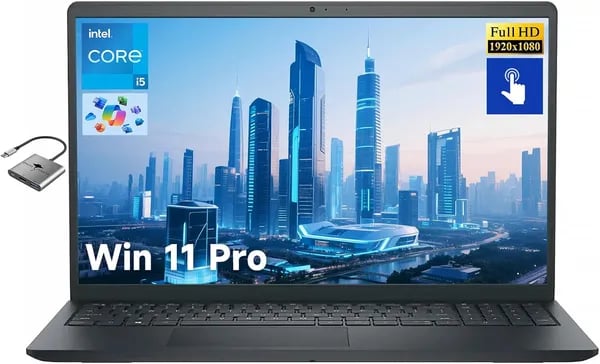
You know that moment when a laptop feels like a sensible compromise — not flashy, but it gets work done without drama? Picture lugging a 3.65 lb machine with a bright 15.6" screen through a campus drizzle, plugging in a single Type-C accessory and getting straight to a presentation. That’s the everyday scene the Dell Inspiron 15 aims for. In this short outline you’ll find the good, the meh, and the little surprises (like bundled Ghost Manta extras and a Copilot AI perk) to help you decide fast.
1) First Impression & Design — Portability Meets Practicality
A bright, hands-on 15.6-inch Display that feels built for real work
The first thing you’ll notice on the Dell Inspiron 15 is the roomy 15.6-inch Display with Full HD resolution (1920x1080) and touch support. It’s the kind of screen that makes everyday tasks feel easier—scrolling through long documents, tapping through settings, or quickly zooming into a spreadsheet without hunting for a trackpad gesture.
Dell’s BrightView Micro-edge design also helps the screen feel more modern and “all business.” The thin-bezel look gives you more usable space for slides, dashboards, and timelines, and the touch response is a plus when you’re presenting or doing light content creation. If you’re often sharing your screen in meetings or walking someone through a deck, this display setup simply fits the job.
Slim enough to travel, solid enough to trust
For a 15-inch machine, the Inspiron 15 Laptop lands in a practical middle ground: portable, but not flimsy. It measures 14.11 x 9.25 x 0.61 inches and weighs 3.65 lbs, so you can slide it into a backpack and move between class, the office, and home without feeling like you’re hauling a brick. At the same time, it still feels substantial in your hands—more “workhorse” than ultra-light.
Visually, it leans into that familiar Inspiron vibe: a clean, Carbon Black-style look that doesn’t draw attention, but still looks professional on a desk or in a conference room.
Accessories that make hybrid life easier (and help with ports)
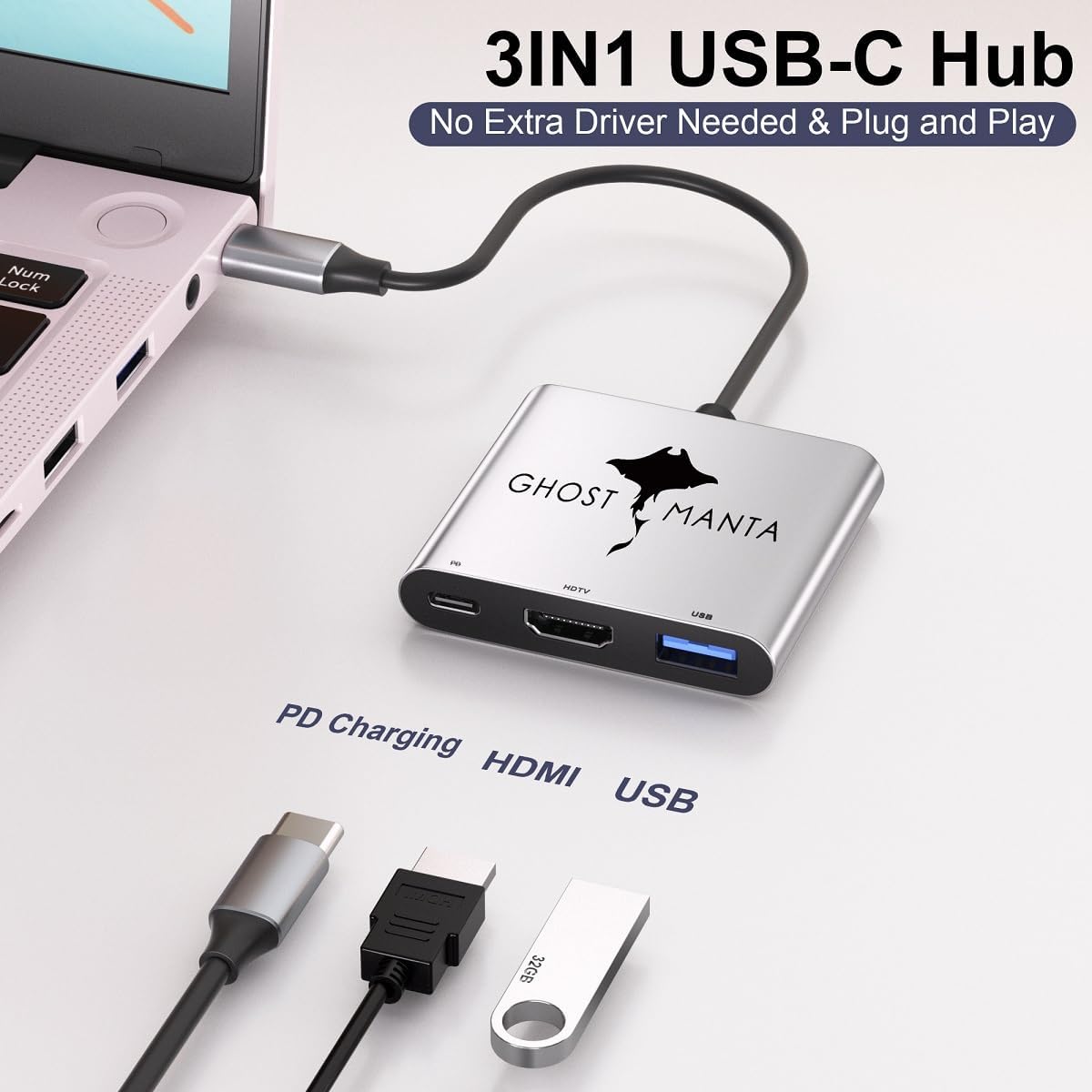
Out of the box, you also get a Ghost Manta accessory bundle that adds real day-one usefulness—especially helpful since the USB-C port has noted limitations.
- Type-C to HDMI cable for quick monitor/projector hookups
- Type-C extension cable for better reach in tight setups
- USB 3.0 hub for extra peripherals on the go
Tom Martin: “Great little machine.”
Zoe Ziolkowski: “Fast setup and responsive touchscreen; solid value for price.”
2) Performance & Tech Specs — Where the Inspiron 15 Shines
13th Gen Intel Core i5 power that feels fast in real life
When you pick up the Dell Inspiron 15, you’re getting a setup built for everyday work that still feels quick. The 13th Gen Intel Intel Core i5-1334U is a 10-core chip that can boost up to 4.6 GHz, so your laptop doesn’t bog down when you’re juggling email, browser tabs, spreadsheets, and video calls at the same time. This is the kind of performance that makes the Inspiron feel like a true “workhorse,” especially for home office and school use.
The sweet-spot combo: 16GB RAM + 512 GB SSD
The biggest reason this model gets called a value win is the balanced configuration: 16GB RAM paired with a 512 GB SSD (PCIe NVMe). In simple terms, you get smooth multitasking and fast load times without paying for specs you may not need.
- Fast boot and app launches thanks to the 512 GB SSD
- Snappy multitasking with 16GB RAM (great for Teams/Zoom + docs + tabs)
- Room for projects, downloads, and media without instantly needing an external drive
Windows 11 Pro + Copilot AI for productivity and security
Out of the box, you get Windows 11 Pro, which is a strong fit if you want business-style features and security. You also have Copilot AI built in, which can help you move faster when you’re summarizing notes, drafting text, or organizing tasks—small boosts that add up during a busy week.
Integrated graphics: great for work, not heavy gaming
This Inspiron focuses on speed and memory, not gaming power. Graphics are integrated, so it’s well-suited for productivity, streaming, and video calls, but it’s not meant for demanding gaming or heavy GPU work. A few reviews also mention the graphics and sound are average, which matches the “work-first” design.
Cruizer: “Significant value for the price — great speed and memory.”
Tom Martin: “Great little machine.”
| Spec | What you get |
|---|---|
| CPU | Intel i5-1334U (13th Gen), 10-Core, up to 4.6 GHz |
| RAM | 16 GB |
| Storage | 512 GB PCIe SSD |
| Rating | 4.3 out of 5 (76 reviews) |
3) Battery, Connectivity & Everyday Use — Real-World Notes
Primary Battery: what you can expect day to day
With the Dell Inspiron 15, you’re looking at an advertised up to ~10 hours of battery life in light use. In real life, that usually means you can get through a typical workday of emails, docs, web tabs, and a few video calls—especially if you keep screen brightness reasonable and don’t push heavy apps nonstop.
Battery size can vary across the Inspiron family, with similar models often using a Primary Battery around 41Wh or 54Wh. That’s why your mileage may change depending on your exact configuration and workload (streaming, lots of Zoom, or big spreadsheets will drain it faster).
Wi-Fi 6 + Bluetooth: modern, reliable connectivity
For everyday work, the wireless setup is one of the strongest “set it and forget it” parts of this laptop. Wi-Fi 6 helps you get steadier speeds on busy home networks, and Bluetooth makes it easy to run a mouse, keyboard, or earbuds without fuss. If you’re bouncing between home office, campus, and coffee shop, this is the kind of connectivity that just feels current.
Zoe Ziolkowski: “Responsive touchscreen and fast setup made day-to-day tasks smooth.”
Ports and the USB-C caveat (plan your dongles)
Here’s the main real-world gotcha: the USB-C port doesn’t handle video, power, and data all at once. So if you’re trying to build a one-cable docking setup, you may need to mix and match adapters or use separate connections for charging and display.
The good news is the included Ghost Manta bundle helps you get moving fast:
- Type-C to HDMI cable (for external displays)
- Type-C extension cable
- USB 3.0 Hub (for extra peripherals)
720p HD Camera and audio: fine for meetings, not studio-grade
The 720p HD Camera and stereo speakers are serviceable for calls, classes, and quick check-ins. You’ll look and sound “good enough,” but if you create content or care about premium audio, you’ll likely want a better webcam, a headset, or external speakers.
Cruizer: “Good for streaming and video calls though audio is average.”

4) Value, Reviews & Buying Tips — Price, Warranty and Alternatives
Price check: a standout mid-budget laptop value
If you want a Dell Inspiron 15 that feels quick for everyday work without jumping into premium pricing, this configuration hits a sweet spot. The current listing shows $459.94 new, and you can sometimes grab it used (Very Good) from $389.99. For a Dell 15 Laptop with 16GB RAM and a 512 GB SSD, that’s strong value in the mid-budget laptop space—especially if you’re juggling browser tabs, Office apps, Zoom, and light creative work.
| Option | Price snapshot | Why it matters |
|---|---|---|
| New | $459.94 | Best balance of cost + fresh warranty/returns |
| Used (Very Good) | From $389.99 | Lowest cost if you’re comfortable buying used |
Warranty/returns: lower risk during holiday shopping
Buying online feels safer here because the listing is Prime-eligible, and seller support is frequently mentioned. Best Deal Electronic also advertises a FREE refund or replacement policy through Jan 31, 2026, which is a big deal if you’re purchasing during the holidays and want extra breathing room.
What buyers say (and what to watch for)
This Dell Inspiron 15 holds a 4.3/5 rating from 76 Amazon reviews, and the listing notes 2K+ bought, which suggests it’s a popular pick.
Tom Martin: “Great little machine.”
Cruizer: “Significant value for the price — great speed and memory.”
Still, you should go in with realistic expectations: some users call the graphics and sound average, and the USB-C port has limits (it can’t always handle video, power, and data at the same time). One rare “machine gun glitch” was reported, but support helped resolve it.
Alternatives if you need more power or a bigger screen
- More performance: Dell 15.6” FHD Touch with i7-1355U/32GB/1TB (~$899.99).
- Bigger display: HP 17" with i3-N305/16GB/1TB (~$659.99) or NIMO 17.3" IPS FHD (~$499.99).
- Heavy-duty needs: If you require high-end graphics or pro audio, consider pricier options (up to the Dell 15 DC15250 at ~$3999.99).
Wild Cards — Tiny Anecdotes, Hypotheticals & A Quote That Bites
Dell Inspiron 15 on a Red-Eye: When Speed Actually Matters
Picture this: you’re wedged into a red-eye seat, tray table wobbling, and you remember you still need to fix your slides before landing. You flip open the Dell Inspiron 15, and it boots fast enough that you’re already rearranging bullet points before the coffee even kicks in. That’s the real “workhorse” moment—when the SSD + 16GB RAM combo saves you from panic. It’s not glamorous, but it’s the kind of speed you feel in real life: quick startup, quick app launches, and fewer “why is this loading?” pauses.
The 15.6-inch Display: Great for Work, Not a Home Theater
The 15.6-inch Display (Full HD touch) is the kind you’ll appreciate during the day—spreadsheets don’t feel cramped, and tapping through tabs during a meeting is oddly satisfying. But if your “after work” routine is movies and booming sound, keep your expectations in check. A few buyers call the graphics and audio just average, and that tracks: this is a Budget laptop built to get tasks done, not to replace your TV.
Hypothetical: Light Photo Edits vs. Heavy Creative Work
Let’s say you casually edit photos—cropping, color tweaks, maybe a few layers. The recommended 16GB/512GB setup is serviceable, and it’s the sweet spot most balanced users should aim for. Late-night editing performance here leans more on RAM and the PCIe SSD than raw graphics power. But if you’re doing heavier creative work—big video timelines, 3D, serious effects—you’ll likely want a laptop with a discrete GPU and possibly more RAM. This Inspiron can help you start; it’s not built to be your full-time studio.
Tom Martin: “Great little machine.”
Zoe Ziolkowski: “Fast setup and responsive touchscreen; solid value for price.”
Those two lines basically sum up the vibe: you’re buying speed, practicality, and value. If that’s what you need, the Dell Inspiron 15 fits the role—just don’t expect premium entertainment extras, and you’ll be happy with what it does best.



