.png&w=1280&q=75)
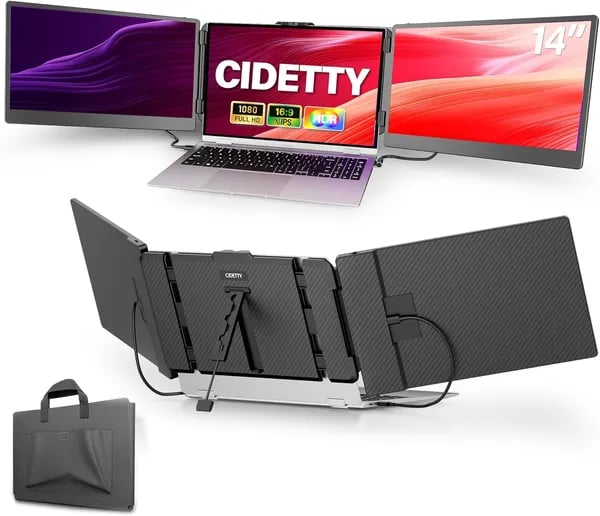
You know that jittery moment at the airport when your laptop desktop is a single cramped tab away from chaos? I do — I once tried editing a proposal, watching a reference video, and keeping an eye on a Slack thread all at once on a 13-inch laptop. Enter the CIDETTY 14" screen extender: it felt like giving my laptop a pair of extra hands. In this short piece you'll get a practical, slightly opinionated look at what the CIDETTY does well, where it stumbles, and whether it deserves a spot in your bag.
1) The Productivity Case: Why a Portable Dual Monitor Changes Your Day
Portable dual monitor = less tab switching, more real work
When you add the CIDETTY 14" screen extender to your laptop, your workflow stops feeling cramped. You’re no longer stacking windows or hunting through tabs every two minutes. Instead, you get a clean, visual setup that supports real multitasking productivity—even when you’re not at your desk.
Picture a triple monitor setup in real life
Imagine editing a spreadsheet on one screen, keeping a video call on the second, and leaving your notes (or Slack) open on your laptop. That’s the triple monitor setup in practice, and it’s exactly where a portable dual monitor shines: you can keep key info visible while you work, instead of constantly switching views.
- Spreadsheets: data on one screen, charts or email on the other
- Video calls: meeting on one screen, agenda and notes on the next
- Coding: editor + docs + console without feeling squeezed
- Presentations: slides on one display, research on the other
- Media playback: reference video beside your project
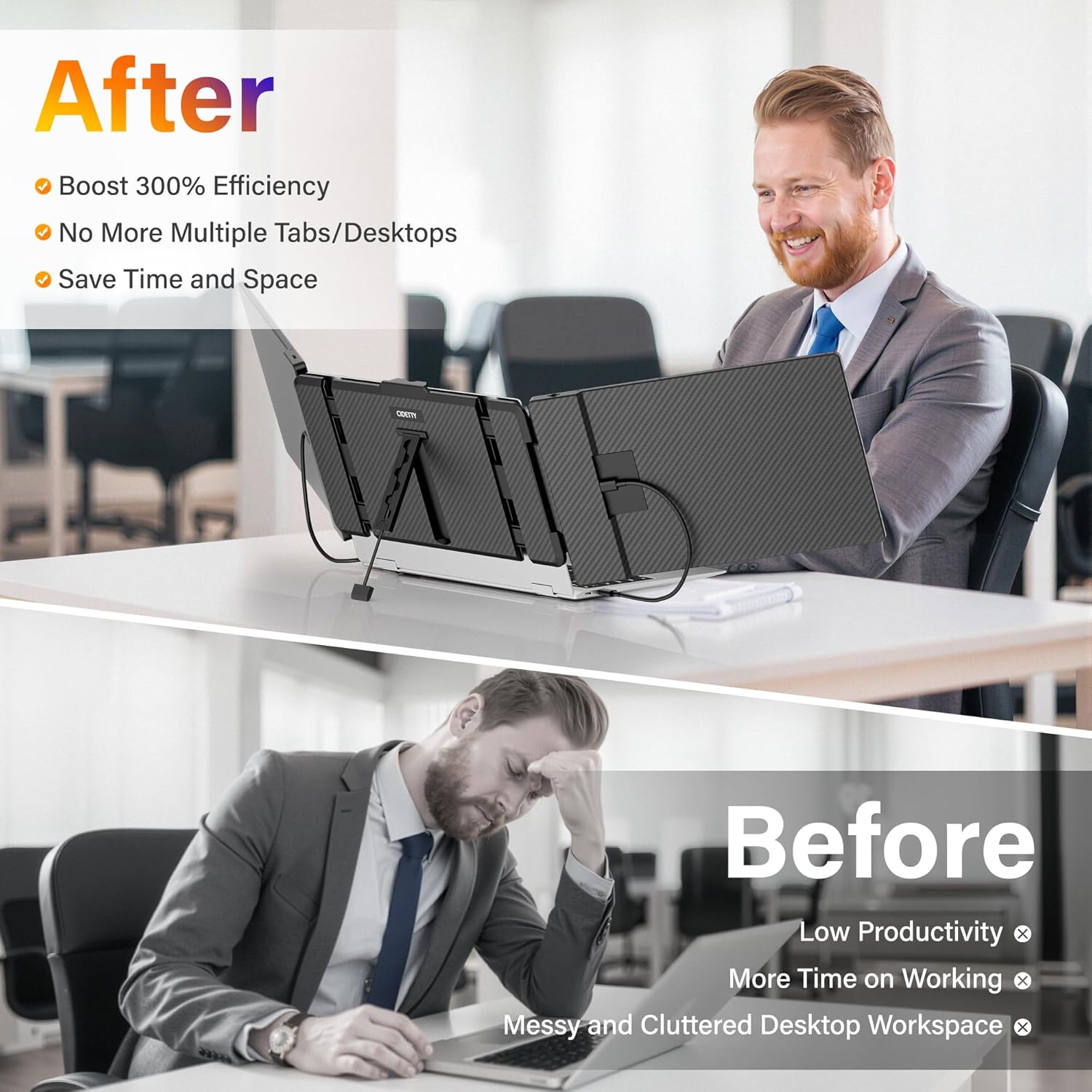
Why it feels faster: up to 300% efficiency and up to 2x screen space
Research insights often point to big gains with multiple displays: a triple-screen workflow can improve efficiency by up to 300% and expand usable screen space by up to 2x. The CIDETTY helps you tap into that advantage with a 14 inch screen that’s sharp and comfortable: Full HD 1080p (1920 x 1080), 16:9, and 60Hz.
Hotel-lobby test: the pitch that didn’t break me
I once used the CIDETTY in a hotel lobby to finish a client pitch without swapping tabs every 10 seconds—slides on one screen, budget sheet on the other, and my talking points on the laptop. Yes, it saved me from a caffeine meltdown.
Comfort and focus features that matter
Built-in speakers help when you’re jumping into meetings fast, and blue light filtering makes long sessions easier on your eyes. Plus, plug-and-play setup means less friction—on most systems, you connect and start working, no software hassle.
"The extender liberated me from a fixed desk—perfect for airports and hotels." — Barbara Martinez
"Crisp image quality and fast response time made my coding sessions far less cramped." — David Padgett
2) Product specifications & setup (Product specifications | Connectivity options | Operating instructions)
Product specifications
The CIDETTY 14" portable monitor is built for clean, comfortable multitasking. You get a 14-inch FHD IPS panel with a 1920x1080 resolution and a smooth 60Hz refresh rate—great for spreadsheets, docs, and side-by-side calls. The screen also supports anti-glare viewing and blue light filtering, which helps when you’re working long sessions in bright rooms or late at night.
For flexible layouts, the magnetic structure supports a 90-degree rotation, so you can switch into portrait mode for coding, reading, or chat threads.
| Spec | Details |
|---|---|
| Screen | 14" IPS, Full HD |
| Resolution | 1920 x 1080 |
| Refresh rate | 60Hz |
| Profile thickness | 0.24 inch |
| Packaged dimensions | 13.85 x 8.08 x 1.52 inches |
| Weight | 6.78 pounds |
Connectivity options (USB-C connectivity + HDMI port option)
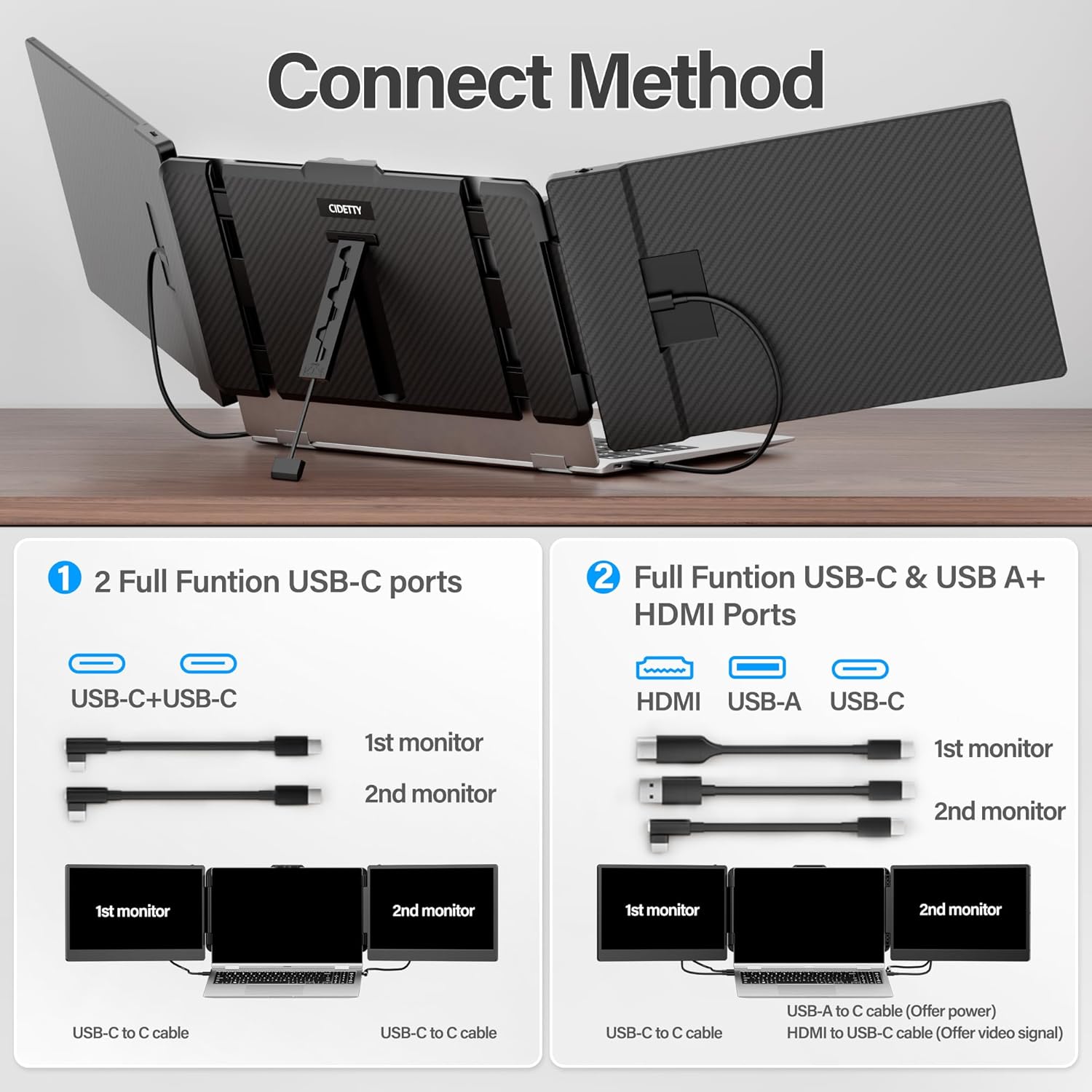
Connection is simple and flexible thanks to two full-function USB-C ports. That means you can often run video + power through a single USB-C port connection (depending on your laptop’s USB-C capabilities). If your device doesn’t support video over USB-C, you still have an HDMI port option via the included HDMI-to-USB-C cable—so you can connect without hunting for extra adapters.
- Ports: 2 x USB-C (full-function)
- Included cables: 2 x USB-C, 1 x HDMI-to-USB-C, 2 x USB-A to USB-C
- Compatibility: Windows, macOS, Linux, Android, Chrome, Nintendo Switch, PlayStation, Xbox
Operating instructions (plug-and-play functionality)
It’s designed for plug-and-play functionality, so for most systems you won’t need driver installation. As one user put it:
"Setup was straightforward — plug-and-play with no driver headaches." — Nicole Sublet
- Attach the extender to a 13"–17.3" laptop.
- Connect via USB-C, or use HDMI-to-USB-C if needed.
- Power as required—each screen may need its own power source, so plan your ports.
For travel, the 0.24-inch slim build and included case make packing easy:
"I appreciated the travel case and how slim it slipped into my bag." — David Padgett
3) Features, benefits and real user experience (Features and benefits | Display modes)
Features and benefits: Full HD 1080p IPS panel display
The CIDETTY 14" portable monitor gives you a sharp Full HD 1080p picture on an IPS panel display, so text stays crisp and colors look steady even when you’re not sitting perfectly centered. That’s a big deal when you’re sharing a screen at a table or shifting positions on a couch. IPS panel technology is known for wide viewing angles and consistent color reproduction, and you’ll notice it when charts, slides, and timelines don’t “wash out” from the side.
For long work sessions, the anti-glare surface plus adjustable brightness/contrast and blue light filtering help reduce eye strain—especially when you’re bouncing between docs, email, and meetings.
Display modes: choose the setup that fits your task
What makes this extender feel like a real productivity tool is how the Display modes adapt to what you’re doing in the moment:
- Extended Mode: Spread your apps across screens to cut tab switching. Keep chat on one screen, your main work on another, and reference material on the third.
- Mirror Mode: Duplicate your laptop screen for presentations or quick reviews, so the other person sees exactly what you see.
- Portrait Mode: Rotate for vertical reading, coding, or long web pages—great for PDFs, Slack threads, and line-by-line debugging.
Built-in speakers and smooth everyday performance
Built-in speakers add simple convenience for calls, training videos, or quick playback without hunting for headphones. The 60Hz refresh rate and fast response also keep scrolling and cursor movement feeling clean for typical office work.
Real user experience: what customers actually say
Across 1,400+ reviews, the CIDETTY averages 4.3 stars, with customers repeatedly highlighting portability and image quality as top wins. People like the lightweight feel, sturdy build, and how quickly it turns a laptop into a travel-ready workstation.
"Perfect for juggling Zoom, a spreadsheet, and a reference doc at once." — Barbara Martinez
"I travel a lot; this gave me a proper workstation in hotel rooms." — Nicole Sublet
4) Trade-offs, quirks, and smart workarounds (Operating instructions | Caveats)
Operating instructions: quick setup, but plan your ports
The CIDETTY 14" is mostly plug-and-play: attach it to your 13"–17.3" laptop, then connect via USB-C (best if your port supports video) or use HDMI plus USB for power. The catch is Power draw. Running one or two extra displays can drain your laptop faster, especially when you’re not plugged into the wall. In some setups, each screen may need its own power connection, so count your available USB-C/USB-A ports before you travel.
"It drains battery faster than I expected, but a power bank fixed that on the road." — David Padgett
Power draw workarounds (what to pack)
- Bring a USB-C power hub or multi-port adapter so you can power the monitor and still charge your laptop.
- Carry a power bank for airports and cafés (especially if you’re using both screens).
- If your laptop has limited ports, prioritize HDMI + USB power to keep your main USB-C free for charging.
Cord management: handy cables, slightly fiddly in real life
You get a generous cable kit (USB-C, HDMI-to-USB-C, and USB-A to USB-C), which is great—until you’re working in a tight space. With two screens, cords can cross and tug when you adjust angles. A small cable organizer, Velcro ties, or a compact travel hub keeps your desk (or hotel nightstand) from turning into a knot.
Built-in speakers + Anti-glare technology: good for work, not for studio sound
The Built-in speakers are convenient for calls and quick videos, but they’re not aimed at audiophiles.
"Speakers are fine for meetings, but I switched to earbuds for edits." — Nicole Sublet
For long sessions, use wired earbuds or your laptop speakers. The Anti-glare technology helps in bright rooms, but you’ll still get the best contrast by tilting the panels away from overhead lights.
Ultra-thin design, real weight: stabilizing on soft surfaces
The Ultra-thin design travels well, but the full setup weighs about 6.78 lb. On couches or beds, the extender can feel top-heavy. A small lap desk, clipboard, or even a firm notebook underneath gives you a stable base.
Buyer safety net
If your ports or power needs don’t match your workflow, the FREE 30-day refund/replacement window adds confidence, and CIDETTY Electronics provides Amazon-based troubleshooting resources.
5) Buying decision, competitors, and final checklist (Triple monitor laptop setup | Alternatives)
Price: what you’ll really pay for this 14 inch portable monitor
If your goal is a triple monitor laptop setup without being tied to a desk, the CIDETTY laptop screen extender sits in a practical price range. The MSRP for a new unit is $238.97, and it’s often discounted by around 22%, which can make it feel like a better value for a daily-use portable monitor. If you’re budget-focused, “used – like new” listings start around $187.58, and the lowest deal seen can drop to $159.15. Remember to factor in taxes and any extras you may need, like a USB-C hub if your laptop is short on ports. Amazon Prime shipping can also be a deciding factor, with delivery examples like Thursday, January 15, plus a free 30-day refund/replacement window from an established seller, CIDETTY Electronics, with warranty and support resources.
Competitor snapshot (Amazon “also viewed” alternatives)
Before you commit, it’s smart to check Amazon’s “also viewed” carousel and compare similar screen extender options side-by-side. The APILDELLA 14’’ Triple Laptop Screen Extender and ZUMWALT 14" are close matches if you want the same size class as this 14 inch portable monitor. If you prefer a larger portable monitor feel, KYY 15.6" and InnoView 15.6" FHD may give you more screen space, but can be less compact in a bag. ALLVIA 14" is another direct alternative worth checking for differences in included cables, mounting style, and how stable it feels on your specific laptop.
"I compared the APILDELLA and InnoView before settling on CIDETTY; it balanced price and portability for me." — Barbara Martinez
Final checklist before you buy
Confirm your laptop ports (USB-C with video or HDMI), and decide whether you need Extended mode for true multitasking or Mirror mode for presenting. Plan your power setup, since each screen may need its own connection—many people add a USB-C hub or an extra charger. Finally, think about travel: the protective case helps, but a laptop screen extender still takes space and adds weight. If those points fit your routine, CIDETTY is an easy, travel-friendly way to upgrade your triple monitor laptop setup.



