.png&w=1280&q=75)
You’re standing at the electronics aisle (or scrolling on a Friday night), wondering which Pi kit actually makes your life easier. I remember ripping open my first kit at 2 a.m. and cursing tangled cables—so you’ll appreciate that the CanaKit Raspberry Pi 5 Starter Kit PRO (released Jan 4, 2024) aims to remove those middle-of-the-night headaches. This outline walks you through what’s included, why the kit shines for both novices and pros, alternatives to consider, and hands-on projects you can start today.
Unboxing the CanaKit: First Impressions
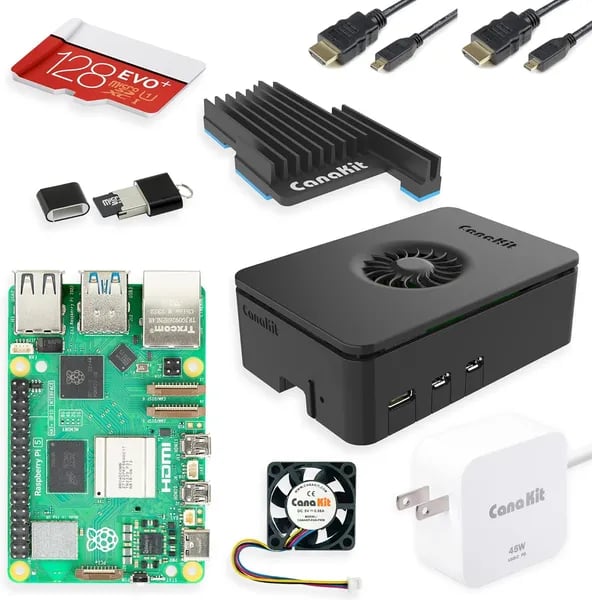
When you crack open the CanaKit Raspberry Pi 5 Starter Kit PRO – Turbine Black (128GB Edition, 8GB RAM) (released January 4, 2024), the first thing you notice is how “ready-to-run” it feels. At $169.95, backed by a 4.7-star average from 1,196+ reviews and an Amazon #52 Best Seller rank in Computer Components, you’re clearly not the only one trusting this bundle.
Raspberry Pi 5 + 8GB LPDDR4 RAM + 128GB MicroSD (Already Loaded)
The centerpiece is the Raspberry Pi 5 paired with 8GB LPDDR4 RAM and a preloaded 128GB MicroSD (EVO+ Class 10) that comes with Raspberry Pi OS. That combo matters: the extra RAM and storage help you avoid bottlenecks when you’re multitasking, running heavier apps, or building a small server.
Quick spec note: the kit listing calls out a “64-bit quad-core 2.4GHz MediaTek_MT8125,” while official Raspberry Pi 5 specs are commonly referenced as the Broadcom BCM2712. It’s worth double-checking the board markings and official docs when you compare specs.
Plug-and-Play Completeness (The Real Win)
You’re not hunting for missing parts. The box includes the essentials that beginners usually forget—exactly why this kit feels so smooth to start.
- 45W PD power supply for stable power
- USB MicroSD reader for quick flashing and backups
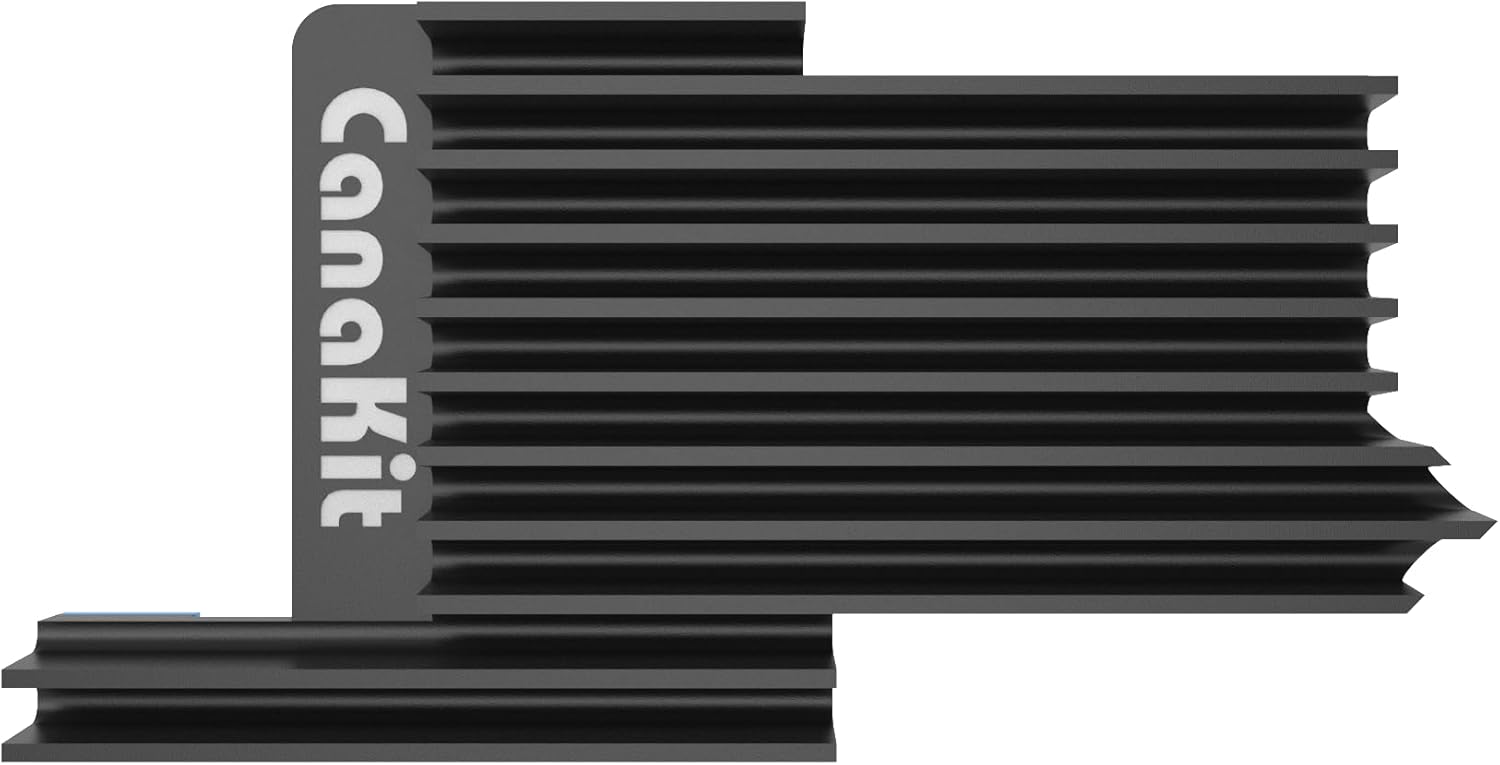
- Low-noise fan + mega heat sink for sustained performance
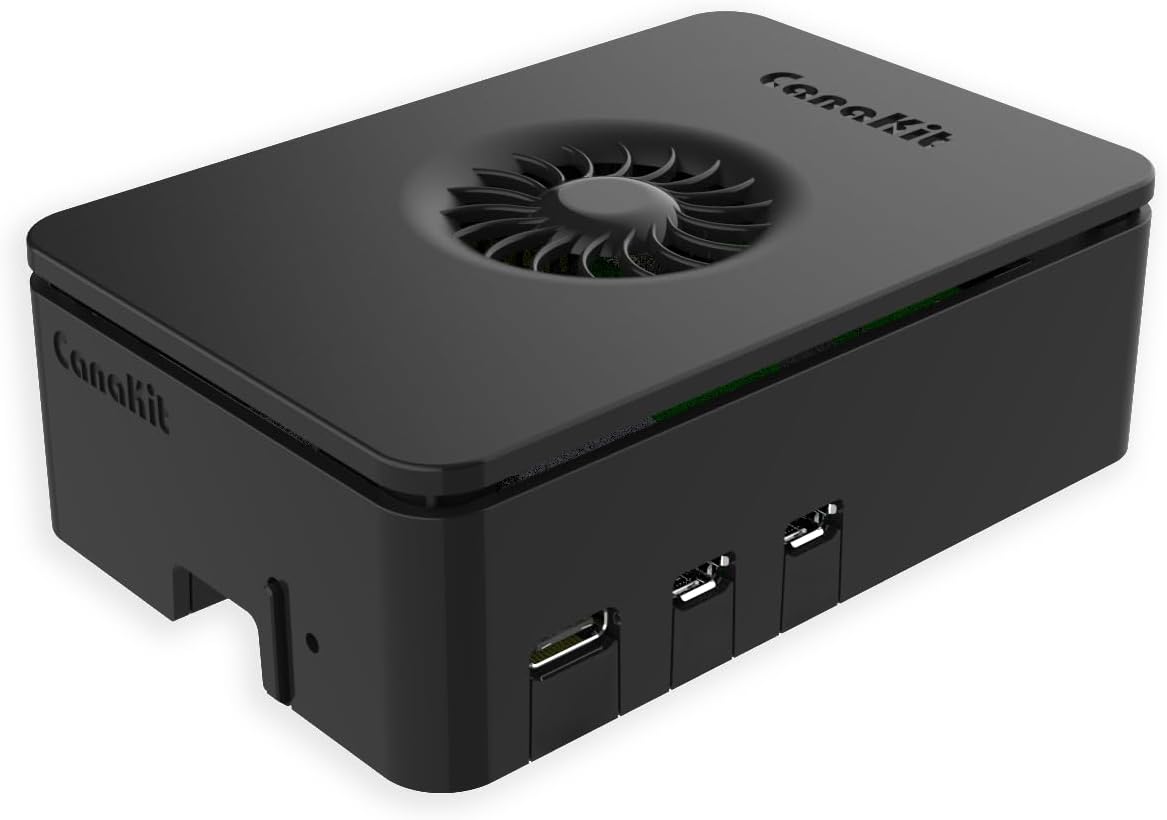
- CanaKit Turbine Black Case for a clean, protected build
- Two 6-foot display cables for Dual 4Kp60 HDMI setups
- Warranty support and clear assembly guidance
Alex Moreno, Maker & Educator: "For new builders, the completeness of a kit is the single biggest time-saver — and CanaKit nailed that."
Why This Kit Often Wins (and Where It Stumbles)
Reliability You Can Feel: Support, Returns, and a Huge Community
When you buy the CanaKit Raspberry Pi 5 Starter Kit PRO, you’re not just buying parts—you’re buying less guesswork. The kit is known for reliable accessories, clear in-box/online instructions, and a community packed with tutorials that shorten your learning curve. It’s also a safer pick for gift-givers thanks to the extended holiday return policy: eligible Nov 1–Dec 31, 2025, with returns allowed until Jan 31, 2026.
Performance + Power Management: What “Powerful” Really Means
The Raspberry Pi 5 in this bundle (8GB RAM + 128GB microSD) is built for real multitasking: Home Assistant, Pi-hole ad-blocking, Tailscale, Flutter/VS Code workflows, and even emulation from Atari to N64 (including Batocera Linux). You also get a strong 45W PD supply, which matters because good Power Management helps stability when you run services 24/7.
Priya Singh, IoT Consultant: "If you're running persistent services (Pi Hole, Home Assistant), cooling and power delivery are non-negotiable — the CanaKit does both well."
Cooling, RP1 Controller, and USB 3 Ports: Small Details That Add Up
For sustained loads, the low-noise fan and mega heat sink are a real win. And with the Pi 5’s RP1 Controller, your I/O feels snappy—especially on the USB 3 Ports when you add fast storage or peripherals for server tasks and dashboards.
Where It Stumbles: Price and Listing Confusion
- Cost: It’s pricier than a stripped-down board, so you pay for convenience and support.
- CPU naming: Some listings confuse buyers by showing MediaTek_MT8125 vs. BCM2712. Double-check the product page details before you buy.
Alternatives: Pick the Right Tool for Your Goal
You don’t always need the biggest Starter Kit to get real work done. As embedded systems instructor Jamie Chen puts it:
“Match the kit to the mission: portability, education, or performance — one size rarely fits all.”
When price matters more than max specs
If you want the Raspberry Pi 5 experience but don’t need top RAM, the Raspberry Pi 5 4GB ($74.09) can be a smart pick. You still get modern features like fast USB 3 Ports and room to grow with M.2 SSD Support (with the right add-ons), but you spend less upfront. If you already have a case, power supply, and storage, the Element14 Raspberry Pi 3 B+ motherboard ($53.99) can also cover basic coding, light servers, and learning projects.
Ultra-compact builds and low-power IoT
For portable projects, the Raspberry Pi Zero W Basic Starter Kit ($42.99) keeps things small and simple. If your goal is sensors, battery life, or tiny devices, consider MCUs instead: the Seeed Studio XIAO ESP32C3 ($9.90) is great for low-power IoT and even TinyML, while the hiBCTR 6 Pieces ESP32 kit ($28.26) is ideal when you want a whole sensor network on a budget.
Learn faster with accessory-packed kits (but read the fine print)
Accessory-heavy kits can be perfect for learning wiring and circuits, but they may not include the Pi. The Freenove Ultimate Starter Kit ($49.95) includes 223 items, 128 projects, and a 962-page tutorial—just plan to buy the board separately.
Pay more for convenience and an integrated screen
If you want an all-in-one setup, the ELECROW Raspberry Pi 5 8GB Kit ($309.99) adds a case and 9-inch display. Or add a screen later with the GeeekPi 7-inch touchscreen ($59.49–$69.99).
- Element14 Pi 3 B+ — $53.99
- Pi 5 4GB — $74.09
- Pi Zero W kit — $42.99
- Freenove kit — $49.95 (no Pi)
- ELECROW Pi 5 8GB kit — $309.99
- GeeekPi 7" touchscreen — $59.49–$69.99
- ELEGOO Mega R3 kit — $65.99
- hiBCTR ESP32 (6-pack) — $28.26
- Seeed XIAO ESP32C3 — $9.90
The Pi 5 Tech Bits You’ll Actually Use
BCM2712 SoC + Arm Cortex A76: the speed you feel
At the center of Raspberry Pi 5 is the BCM2712 SoC, built around a quad-core Arm Cortex A76 CPU clocked at 2.4GHz (some listings vary slightly). In real use, that translates to roughly 2–3x the CPU performance of a Pi 4 for many tasks—like faster package installs, quicker builds in VS Code, and smoother multitasking when you’re running Flutter tools, Docker services, or a home server.
VideoCore VII GPU: dual 4Kp60 that’s actually practical
The VideoCore VII GPU runs at about 800MHz and enables dual 4Kp60 HDMI output plus H.265 decode. That matters if you’re building a media center, a digital signage setup, or just want a clean two-monitor desk without dropped frames.
RP1 Controller: better USB + PCIe without the drama
The RP1 Controller handles the heavy lifting for I/O—USB, Ethernet, PCIe, and MIPI—so the BCM2712 can focus on CPU/GPU work. The payoff is snappier peripherals and more consistent throughput, especially with fast storage and USB devices.
Dr. Elena Park, Computer Architect: "The RP1 controller is a quiet revolution — it frees the BCM2712 to focus on CPU/GPU tasks while improving peripheral bandwidth."
- USB: 2 x USB 3.0 (5Gbps) + 2 x USB 2.0
- PCIe: single-lane PCIe 2.0 for M.2 SSD support (with the right adapter)
- Networking: Gigabit Ethernet
LPDDR4X RAM + power: fewer bottlenecks, fewer crashes
With LPDDR4X RAM options (4GB/8GB/16GB), you can pick how hard you want to push multitasking and emulation. Pair that with M.2 SSD support and you cut I/O bottlenecks that slow down databases, logs, and game libraries. Just don’t skip power: Pi 5 expects 5V 5A USB-C PD, and the new PMIC adds power monitoring plus a real-time clock for better always-on projects.
Project Starter List + Wild Cards
Quick wins: Pi Hole, Home Assistant, Batocera Linux
If you want fast results on day one, start with projects that match what real users do worldwide (U.S., Canada, Saudi Arabia): cleaner internet, smarter homes, and better downtime.
- Pi Hole: block ads and trackers for your whole network. It’s the classic “wow, it worked” setup.
- Home Assistant (plus Homebridge if you need it): bring lights, plugs, and sensors into one dashboard—great when you’re replacing discontinued gear.
- Batocera Linux: turn your Pi 5 into a retro box for emulation from Atari to N64 (as reviewers report), with room to tweak controllers and themes.
Samira Patel, Home Automation Hacker: "I replaced an obsolete WEMO network with a Pi-based solution; the CanaKit made the migration painless."
Server ideas that fit the 8GB + 128GB sweet spot
The CanaKit’s 8GB RAM + 128GB storage is a practical sweet spot for hobbyist servers: enough for multitasking without constant cleanup.
- Tailscale-connected personal file server for secure access anywhere.
- Solar Assistant dashboard for solar + battery monitoring on a always-on box.
- Lightweight dev workstation: VS Code for editing and Flutter builds for testing apps.
Wild card builds: Dual 4Kp60 HDMI + M.2 SSD Support
Wild card #1 (hypothetical): retrofit an old coffee machine to brew based on solar output—Solar Assistant provides the data, and the Pi 5 triggers a smart relay when you’re “overproducing.”
Wild card #2 (analogy): think of the CanaKit like a small commuter car that can haul a family if you remove the back seat—versatile, especially with Dual 4Kp60 HDMI for a dual-screen desk and M.2 SSD Support when you’re ready to move beyond microSD.
Tip: when you hit weird hardware quirks, community tutorials and forums will save you hours.
Buying Checklist + Final Nudge
Raspberry Pi 5 Starter Kit: Pick the Right RAM and Storage
Before you click “Buy,” ask yourself what you’ll actually run. If you’re building a server, doing heavy emulation, or multitasking with tools like Home Assistant and VS Code, the 8GB model with fast LPDDR4X RAM and a roomy 128GB card will feel smoother. If you’re doing simple IoT, light coding, or a single-purpose dashboard, a Raspberry Pi 5 4GB board at $74.09 can be enough—just expect to spend extra time sourcing a case, cooling, storage, and cables.
Power Delivery: Don’t Let a Weak Supply Ruin Your Build
Power problems look like “random” crashes, USB dropouts, and failed boots—especially under heavy workloads. Aim for 5V 5A USB-C Power Delivery and stick with quality accessories (power supply and cables) so your Pi stays stable when you push it. This is where a complete Starter Kit like CanaKit ($169.95) earns its keep: you’re not guessing which parts will behave well together.
Display Choice: All-in-One vs. Modular Add-Ons
Decide if you want a screen included or prefer to add one later. Premium bundles like the ELECROW kit ($309.99) bake in a display, while modular add-ons—like a GeeekPi touchscreen—let you grow your setup over time. If you plan to expand, consider future extras like an M.2 SSD via PCIe, extra microSD cards, or upgraded cooling.
Warranty and Returns Reduce the Risk
Fast Prime shipping helps you start now, and the extended holiday return window (eligible Nov 1–Dec 31, 2025; returns until Jan 31, 2026) makes experimenting feel safer.
Marcus Lin, Retail Tech Analyst: “Extended return policies during holidays shift buyer risk — they make stepping into maker tech less scary for newcomers.”
Final tip: embrace the early frustration. Your first boot error will teach you more than any tutorial—then you’ll fix it, and you’ll be hooked.



