.png&w=1280&q=75)
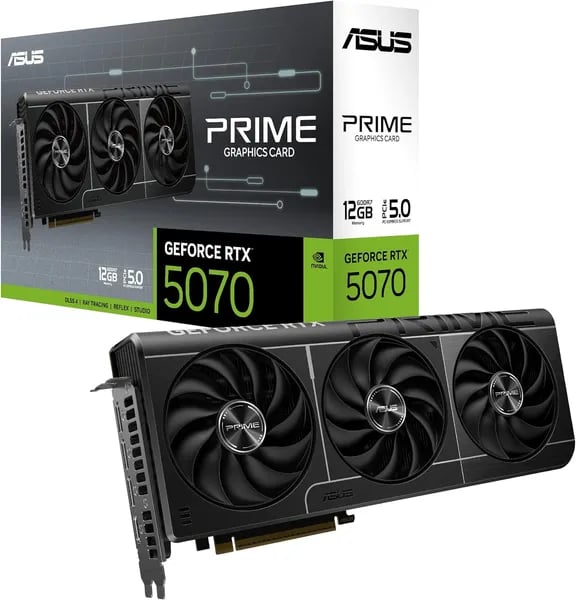
You open your mATX case, fingers a little greasy from cable wrangling, and wonder if a single GPU can feel like a proper upgrade without turning your rig into a radiator. I remember swapping a GTX 1080Ti out of a cramped chassis and thinking: there has to be something that balances power, size, and noise. Enter the ASUS Prime GeForce RTX 5070 12GB GDDR7 — a card that, in my imaginary late-night build session, fit the layout, stayed whisper-quiet, and handled modern games without drama. This outline sketches why it might be the sweet spot for your next build.
1) Small-Form-Factor Friendly Design (Surprisingly Practical)
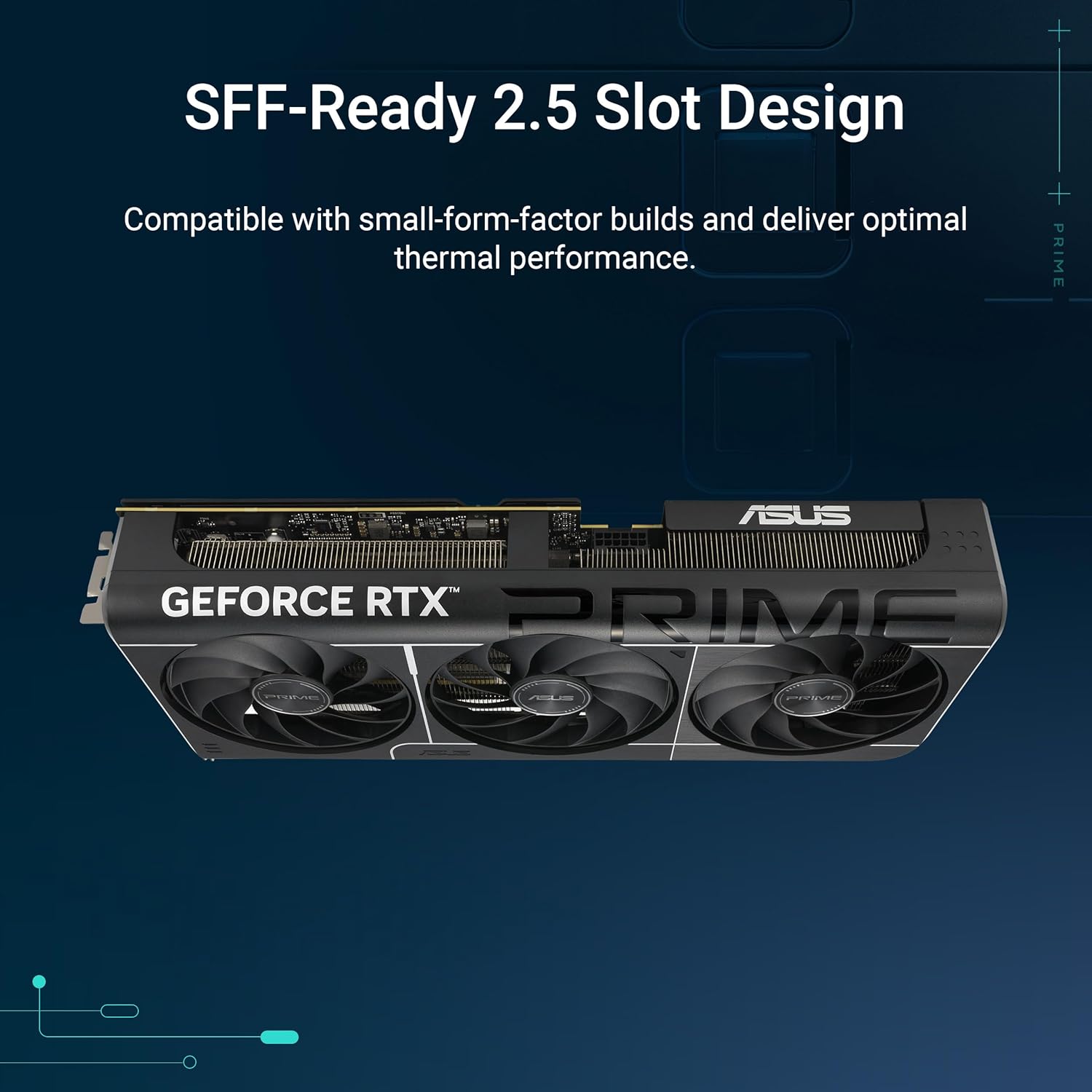
If you’re aiming for a small form factor build in 2025, the ASUS Prime RTX 5070 is one of those rare cards that feels “midrange” in price, but thoughtfully sized for real-world cases. Its size and dimensions come in at 12 x 5 x 2 inches, and it weighs 3.58 lbs—compact enough to fit many mATX and SFF layouts without turning your build into a puzzle.
Size and dimensions that work in many mATX/SFF cases
The Prime’s footprint is friendly for compact builds, but it’s not magic: not all SFF cases will clear a 12-inch GPU, especially if you have a front radiator, thick fans, or a tight cable channel. Before you buy, check your case’s GPU length limit and the space around the PCIe area.
| Spec | ASUS Prime RTX 5070 |
|---|---|
| Dimensions | 12 x 5 x 2 inches |
| Weight | 3.58 lbs |
| Slot thickness | 2.5-slot |
| Cooling | Triple Axial-tech Fans |
| Color options | Black / White |
2.5-slot + Triple Axial-tech fans: compact, but not compromised
Instead of going ultra-thin and running hot, ASUS uses a 2.5-slot design with Triple Axial-tech Fans. That’s a practical trade: you keep strong airflow and quiet operation while still staying reasonable for many compact cases. In tight builds, that extra cooling headroom matters because warm air has fewer places to go.
Marcus Chen, GPU Engineer: "For cramped builds, the Prime's compact footprint and axial fans are a sensible compromise between performance and compatibility."
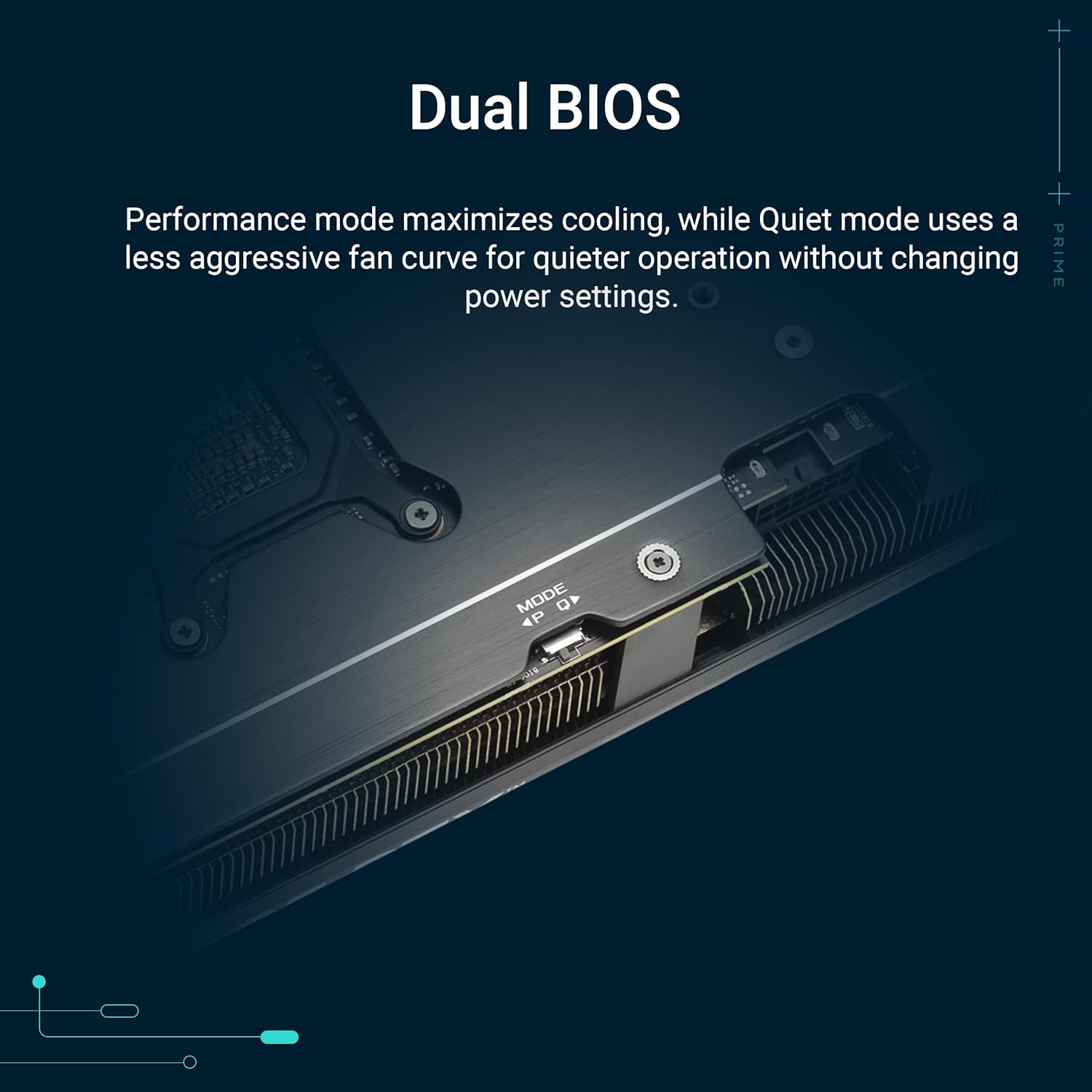
Dual BIOS + clean install details (especially with PCIe Gen5 support)
The Dual BIOS switch is a small feature that feels big in SFF: you can pick a quieter profile for close-to-you desktops, or a performance mode when you want maximum boost behavior. Add in smart connector placement and PCIe Gen5 support, and you get a card that’s easier to install, easier to live with, and less likely to become the loudest part of your compact rig.
2) Performance Benchmarks — 1440p Champ, 4K with DLSS
Performance benchmarks that match how you actually play
The ASUS Prime RTX 5070 is built to be a 1440p gaming performance leader, and real-world testing lines up with that goal. In modern titles, you can expect smooth high/ultra settings at 1440p with strong 1% lows—so your gameplay feels stable, not just “high FPS on a chart.” Games like Stellar Blade, Resident Evil 4, RDR2, Elden Ring, and Spider-Man are exactly the kind of demanding mix where the 5070’s balance of raster power and AI features shines.
Why it’s so strong at 1440p (and why 4K is realistic)
On paper, the specs explain a lot: 12GB GDDR7 at 28Gbps on a 192-bit bus, around 6144 CUDA cores, and a boost clock that lands around 2542MHz on some models. In practice, that translates to a card that’s comfortable at 1440p high/ultra, and surprisingly capable at 4K with DLSS when you enable the right settings.
| Spec | What you get |
|---|---|
| VRAM | 12GB GDDR7 |
| Memory speed | 28Gbps |
| Bus | 192-bit |
| CUDA cores | ~6144 |
| Boost clock | ~2542MHz (varies by model) |
4K with DLSS 4 and features: the “midrange” cheat code
If you’re worried about “only” 12GB of VRAM, this is where DLSS 4 and features matter. DLSS 4 (plus DLAA, Tensor Cores, and smart ray tracing options) helps you keep image quality high while cutting the render load—making 4K far more playable than you’d expect at this price.
Elena Rivas, PC Reviewer: "The RTX 5070's 12GB plus DLSS makes it a surprisingly future-proof 1440p card—4K becomes realistic without breaking the bank."
Compared to older cards: a clear generational jump
Across many reviews, the RTX 5070 often lands noticeably faster than the RTX 4070 in rasterization, while feeling dramatically more efficient than upgrade staples like the GTX 1080Ti or 2070 Super. If you’re coming from those GPUs, your “before vs. after” will be obvious the moment you load into a busy scene at 1440p.
3) Thermals, Noise, and Real-World Reliability (Why Users Smile)
Noise and thermals you actually notice (in a good way)
If you’re building a quiet PC, the ASUS Prime RTX 5070 feels like a value oriented model that doesn’t cut corners where it matters. Real owners consistently report that max temps rarely exceed ~60°C even under heavy loads in warm rooms—exactly what you want for long gaming nights or all-day creative work.
The secret is the Cooling design details: a 2.5-slot heatsink paired with Triple Axial-tech fans that move a lot of air without ramping up into an annoying whine. In practice, you get smooth, stable clocks and a “set it and forget it” feel during marathon sessions.
Priya Nair, PC Enthusiast: "I swapped a 2070 Super and the noise difference was night-and-day—the Prime stayed cool and nearly silent during 8-hour streams."
Power and TGP: no exotic PSU needed
Another reason users smile is the friendly power envelope. With Power and TGP sitting around ~250W on partner cards, you’re not forced into a pricey power supply upgrade. Most builds stay comfortable with a 650W–750W PSU, which is perfect if you’re upgrading an existing rig or building compact.
Reliability that shows up in reviews (and support)
ASUS leans into durability here: the card feels solid, uses premium components (often described as “military-grade” in ASUS messaging), and includes a Dual BIOS for stability and flexibility. That matters when you want quiet fan behavior one day and maximum cooling the next.
Reliability isn’t just marketing—this card sits around a 4.7-star average rating with 2,000+ units sold, with positive feedback coming from multiple regions (including Canada, Mexico, and Japan). You also get practical peace of mind with Amazon Prime shipping, a 30-day return policy for new/damaged items, and ASUS warranty support.
- Reported max temps: ~60°C (often under heavy load)
- TGP: ~250W
- Typical PSU: 650W–750W
- User sentiment: quiet operation + stable drivers (often called more plug-and-play than Radeon 9070/9070 XT in late-2025 reports)
4) Price, Value, and Alternatives — Shop Smart, Save Money
Pricing and availability: RTX 5070 pricing that stays under $600
If you’re watching RTX 5070 pricing closely, the ASUS Prime RTX 5070 is easy to like because it’s simple and consistent: the street price is typically $549.99 on Amazon (ASIN: B0DS6V1YSY). It’s also been reported to dip to around ~$523 during deals, which is a big reason it’s often labeled the cheapest RTX 5070 among retail partner cards in many listings.
That Price under $600 positioning matters. You’re getting next-gen features (GDDR7, PCIe 5.0, DP 2.1) without paying “flagship tax,” and it fits the Prime goal: a value-first model that still runs cool and quiet.
Darren Holt, Tech Buyer: "For under $600, the Prime hits a price-to-performance sweet spot—especially if you don't need the absolute top-tier OC headroom."
Value check: why the Prime model makes sense
ASUS Prime is built to be the practical pick in the lineup. You’re not paying extra for heavy factory overclocks or premium cosmetics—you’re paying for real performance per dollar. Put it in context: the GTX 1080Ti launched around ~$1,027 back in 2017. Today, a strong “midrange” card can deliver smooth 1440p and even 4K with modern upscaling—at nearly half that historical price.
Alternatives on Amazon (different budgets, different trade-offs)
| GPU | Typical price seen | Best for |
|---|---|---|
| ASUS TUF RTX 5070 Ti 16GB | $1,068 | More VRAM + higher tier performance |
| ASUS ROG Strix RTX 3060 V2 OC | $748.97 | Brand/style preference (often not best value) |
| ASUS TUF RTX 3070 V2 OC | $448.22 | Cheaper upfront cost (older gen) |
Prices vary, so always compare current listings before you buy.
Small add-ons that make your build feel “finished”
- Uyubao GPU Support Bracket — $6.99 (helps prevent sag in tighter cases)
- BrosTrend 5Gb PCIe Network Card — $35.99 (nice upgrade for fast local transfers)
Before checkout, double-check Amazon Prime shipping, the 30-day return window for new/damaged items, and ASUS warranty coverage on the listing.
5) Real-World Use Cases, Caveats, and Two Wild Cards
Gaming suite results: where it shines day-to-day
If your week is split between work and play, the ASUS Prime RTX 5070 feels built for your routine. In real Gaming suite results, it’s a strong match for 1440p high-refresh gaming, and it’s also a clean entry point to 4K when you lean on DLSS 4, DLAA, and Reflex 2. The 2.5-slot cooler and Triple Axial-tech fans help it stay quiet, which makes it ideal for a silent streaming rig where mic noise matters as much as FPS.
Blender rendering performance and creator workflows
For creators, the card’s value shows up in Blender rendering performance and everyday editing. You get modern NVIDIA features plus efficient thermals that don’t turn your case into a space heater. As Sofia Alvarez, Content Creator, put it:
Sofia Alvarez, Content Creator: "Between streaming, editing, and occasional Blender renders, the RTX 5070 felt like a practical upgrade—not flashy, just reliable."
That “practical” vibe is the point: Prime is a value pick, not an enthusiast overclocking model—though you can still tune OC behavior with ASUS GPU Tweak III if you want.
AI workloads performance (light local use)
On the AI workloads performance side, Tensor Cores and NVIDIA’s software stack make this a solid option for light local tasks—think small LLM inference, basic coding assistants, or image tools that benefit from GPU acceleration. It’s not a datacenter card, but it’s more capable than most “gaming-only” builds in 2025.
Caveats: VRAM limitations and fit checks
The main watch-out is VRAM limitations. 12GB is enough for most current games—especially with DLSS—but if you’re planning heavy 4K modded textures or future ultra packs without upscaling, you may hit a wall sooner. Also, even with SFF-ready sizing, always confirm your case clearance and cable routing, since some partner designs can be longer or thicker.
Two wild cards to end on
Wild Card #1: If you’re building a compact home AI box for hobby image generation, the RTX 5070 can comfortably handle local inference for smaller models while staying efficient on a typical 650W–750W PSU.
Wild Card #2: Think of the Prime as a Swiss Army knife—small, efficient, and surprisingly capable, even if it isn’t the chef’s knife for every task. If you want one GPU that games well, creates smoothly, and dabbles in AI, this is the midrange sweet spot.



