.png&w=1280&q=75)
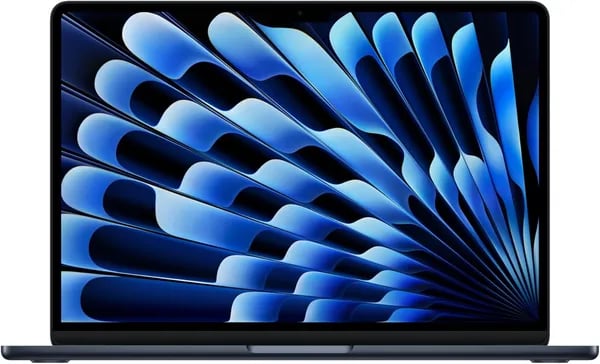
You unwrap a slim midnight box, lift a feather-light laptop that somehow feels like the future—and then you ask, "Will this actually change my workflow?" I’ll tell you about the first time I carried the 2025 MacBook Air through an airport with my camera gear and barely noticed it, and why that matters. This outline cuts through marketing blur to highlight what you’ll actually care about: speed, screen, battery, and the small conveniences that make a laptop feel like an extension of you.
First impressions: design, weight, and color (you'll notice the details)
A Lightweight laptop you actually feel good carrying
The first thing you notice with the 13-inch MacBook Air (released March 5, 2025) is how little space it takes up—and how quickly you forget it’s in your bag. At just 2.73 pounds with a slim 0.44-inch profile, it’s one of the most portable mainstream laptops you can buy in 2025. It slides into a backpack, tote, or sleeve without drama, and it doesn’t pull on your shoulder during commutes or campus days.
| Spec | 2025 MacBook Air 13-inch M4 |
|---|---|
| Weight | 2.73 pounds |
| Dimensions | 8.46 x 11.97 x 0.44 inches |
Design that looks “pro” without trying too hard
Pick it up and you get that familiar Apple build quality right away: clean lines, tight seams, and a finish that feels smooth but not slippery. As John Gruber of Daring Fireball puts it:
“Apple keeps winning when it comes to laptop fit-and-finish—this Air is no exception.”
Midnight is the quiet favorite, but you’ve got options
If you want a color that stays subtle in meetings and still looks premium at home, Midnight is the easy choice. It’s modern, understated, and pairs well with anything. But Apple also gives you personality without losing that corporate-class look: Sky Blue feels fresh, Starlight is warm and soft, and Silver is the classic “always right” finish. You’re not stuck choosing between fun and professional—you can have both.
Small luxuries you’ll use every day
- MagSafe charging keeps your cable dedicated and your ports free.
- A backlit keyboard makes late-night work and dim flights easier.
- Touch ID turns sign-ins and purchases into a quick tap.
- The Force Touch trackpad stays smooth, precise, and hard to give up once you’re used to it.
 Apple M4, memory, and real-world speed" />
Performance deep dive: Apple M4, memory, and real-world speed
Apple M4 Chip: 10-core CPU speed that stays cool
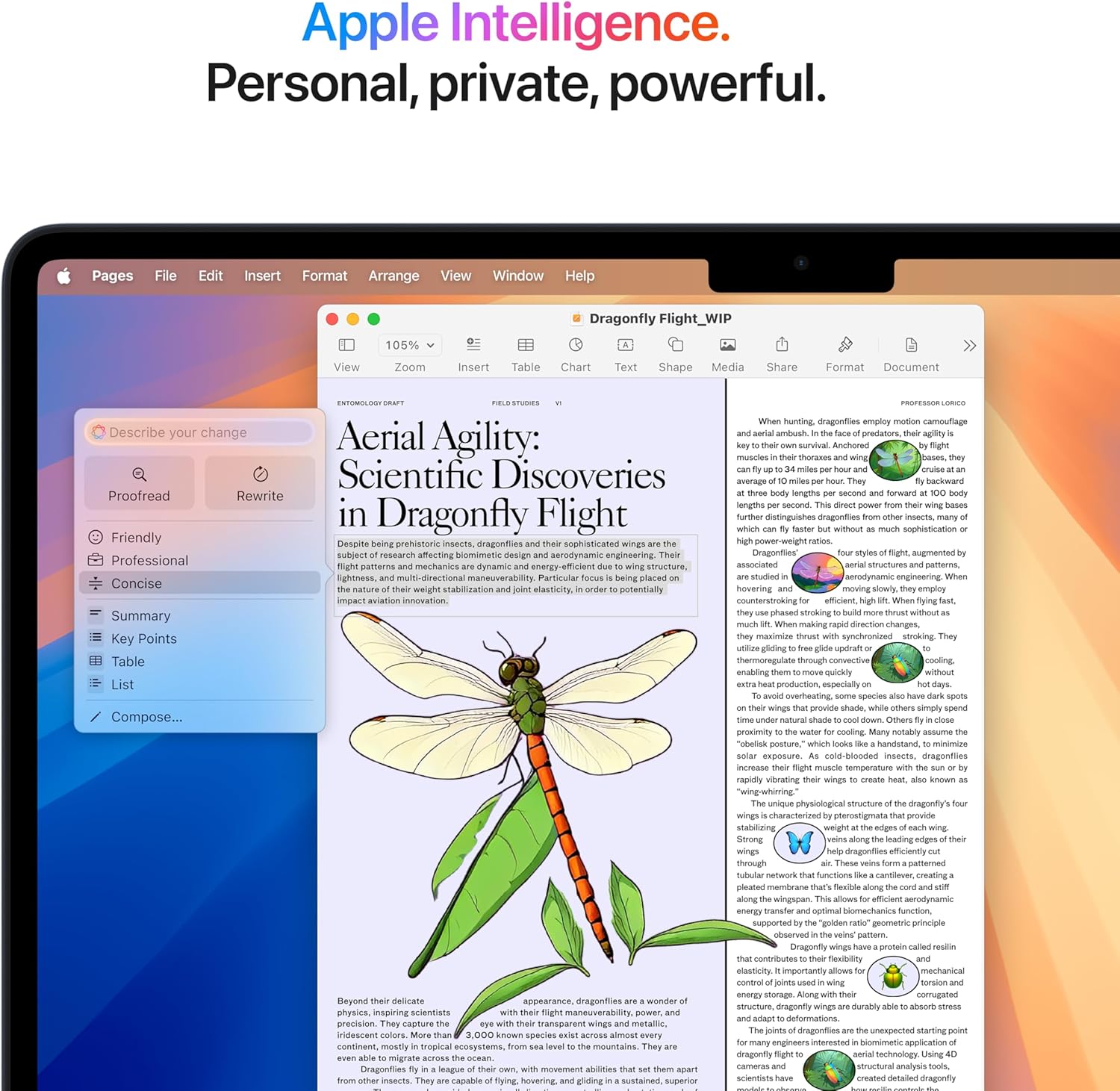
The Apple M4 is built for Apple Intelligence, so your MacBook Air feels fast in the moments that matter: opening apps, switching between tabs, and jumping into a call without lag. At the center is a 10-core CPU (4 performance cores + 6 efficiency cores). That mix is why you get strong multi-core power for real work, while power use stays low for long battery life.
Mark Gurman, Bloomberg: "The M4 balances efficiency and performance in a way that makes everyday tasks feel instantaneous."
Neural Engine + bandwidth: smoother AI and media work
macOS features that lean on AI feel more responsive thanks to the 16-core Neural Engine. The M4 also brings 120GB/s memory bandwidth, which helps when you’re handling lots of data at once—like image processing, smart system features, and faster media tasks. If you edit video, this matters even more because the chip is designed to accelerate workflows like ProRes and ProRes RAW encoding and playback.
Unified Memory + 256GB SSD: the “sweet spot” you’ll actually feel
The configuration most people should buy is 16GB Unified Memory with a 256GB SSD. Unified Memory is shared across the CPU and GPU, so you get smoother multitasking than you’d expect from “16GB” on many laptops. In real use, that means you can keep dozens of browser tabs open, run Microsoft 365 Copilot or Google Workspace, edit photos, and stream 4K HDR without the system slowing down.
- 16GB Unified Memory: better for multitasking, creative apps, and longer-term use
- 256GB SSD: quick app launches and snappy wake-from-sleep
When to upgrade: 24GB memory, 512GB SSD, and beyond
If you regularly work with large Lightroom libraries, bigger video projects, or you want more headroom for the next few years, consider upgrading to 24GB memory and a 512GB SSD (Apple also lists higher SSD tiers like 1TB and 2TB). You’ll especially notice the storage upgrade if you keep lots of local files or install large creative apps.
| Spec | What you get |
|---|---|
| CPU | 10-core (4P + 6E) |
| GPU | 8-core base (configurable to 10-core) |
| Neural Engine | 16-core |
| Memory bandwidth | 120GB/s |
Screen, camera, and sound: what creatives and streamers will love
Liquid Retina on a 13.6-inch Display: color you can trust
The 13.6-inch Display on the 2025 MacBook Air is a Liquid Retina panel built for real creative work, not just casual browsing. With a sharp 2560 x 1600 resolution and support for up to 1 billion colors, your photos, thumbnails, and video timelines look clean and accurate—even when you’re editing on the go. That high-res Liquid Retina screen helps you spot small issues (like banding, soft focus, or messy edges) before you export.
True Tone also makes long sessions easier. It adjusts the display’s white balance to match your room lighting, so your eyes feel less strained when you’re bouncing between a café, a studio, and your couch. If you live in Lightroom or Adobe Creative Cloud apps, this is the kind of screen that keeps your work looking consistent from draft to final.
12MP Center Stage camera + 3 studio-quality mics: ready for hybrid work
Whether you’re on Zoom, recording a quick talking-head clip, or streaming a class, the upgraded 12MP Center Stage camera makes you look more polished than the typical laptop webcam. Center Stage helps keep you framed if you shift around, which is great when you’re presenting, demoing, or unboxing on camera.
Pair that with three studio-quality microphones, and your voice comes through crisp and clear. This directly fits today’s hybrid work and content creation needs—less time fixing audio, more time creating.
iMore Review Team: "The MacBook Air's display and webcam combo make it a surprisingly strong portable creative studio."
Four-speaker system with Spatial Audio: surprisingly big sound
For a thin laptop, the four-speaker setup is impressive. With Spatial Audio, sound feels wider and more room-filling—handy when you’re reviewing edits, checking music levels, or watching 4K HDR content without headphones.
- Display: 13.6-inch Liquid Retina, 2560 x 1600, 1B colors, True Tone
- Camera: 12MP Center Stage
- Mics: 3 studio-quality microphones
- Audio: 4-speaker system with Spatial Audio
Battery, ports, ecosystem, and real-world usage (you in the loop)
Battery Life that matches your day (and then some)
You don’t buy a thin laptop to stay chained to a wall. With the 2025 MacBook Air 13-inch M4, you get up to 18 hours of Battery Life, and real reviewers often say it lasts a full workday—or even a couple of days with lighter use. That’s the kind of freedom that makes long writing sessions, class notes, and travel days feel simple.
Charging stays low-stress, too. The included 30W MagSafe 3 charger is easy to snap on, and if you want faster top-ups, you can pair it with a higher-watt adapter (up to 70W) for fast-charge support. The key win is how battery and connectivity work together: you can stay on Wi‑Fi, keep apps open, and move between tasks without constantly hunting for an outlet.
Thunderbolt 4 + MagSafe 3: minimal ports, modern tools
Ports are intentionally clean and modern: you get MagSafe 3 plus two Thunderbolt 4 (USB‑C) ports. Thunderbolt 4 gives you up to 40Gb/s bandwidth for fast storage, docks, and displays—so even with fewer ports, your setup can scale quickly.
- MagSafe 3 for charging (and fewer “oops” cable yanks)
- 2x Thunderbolt 4 for charging, data, and DisplayPort
- Adapters recommended for USB‑A, HDMI, SD cards, or other legacy gear
Wi‑Fi 6E, External Displays, and your Apple ecosystem flow
Wireless is ready for busy spaces: Wi‑Fi 6E helps you get steadier speed on supported networks, and Bluetooth 5.3 keeps accessories reliable. If you work on a bigger canvas, External Displays are a strong fit—up to two 6K displays or one 8K (depending on configuration).
Where it really feels “you in the loop” is the ecosystem: you can answer calls, send texts, and mirror iPhone apps right from macOS, while tools like Microsoft 365 and Google Workspace run smoothly.
Grace Hopper, Tech Advocate: "For remote workers, battery and seamless connectivity are the features you notice most—this Air nails both."
Price, reviews, and whether you should buy it (the decision moment)
MacBook Air Price: new vs. Used MacBook Air
The biggest reason the 2025 Model feels like an easy “yes” is the Price. The 13-inch MacBook Air with M4 starts at $799 (down from $999), which puts Apple’s newest Air in a much more reachable spot for students, remote workers, and anyone replacing an aging laptop. If you’re trying to spend even less, a Used MacBook Air can show up from around $767.04 on marketplace listings—often a small discount, but still helpful if every dollar counts.
Reviews: what real buyers keep praising
You don’t have to guess how it performs day to day. With 5,000+ reviews and an average rating of 4.8/5, the feedback is clear: people love the speed, the crisp Liquid Retina display, the long battery life, and the clean, lightweight design. That mix of competitive pricing and strong reviews makes this a low-risk buy for many buyers—especially if you want a laptop that just works without constant tweaking.
Walt Mossberg, Veteran Tech Critic: "This MacBook Air strikes a rare balance of price, portability, and punch."
The small catch: ports (and the easy fix)
The most common complaint is simple: you don’t get a lot of physical ports. If you use SD cards, HDMI, or multiple USB-A accessories, plan to add adapters or a dock. The good news is that this is an easy, one-time fix—and it doesn’t change how great the laptop feels once you’re set up.
Should you add AppleCare+?
If you travel, study on the go, or just want peace of mind, AppleCare+ is worth considering. The 3-year option can help you feel protected beyond the standard coverage, which matters more with a thin, premium laptop you’ll carry everywhere.
Bottom line: if you want a modern, fast, ultra-portable MacBook Air at a newly friendlier Price, the 13-inch M4 2025 Model is a smart buy—especially when you pair it with the right dock and (optionally) AppleCare+.



